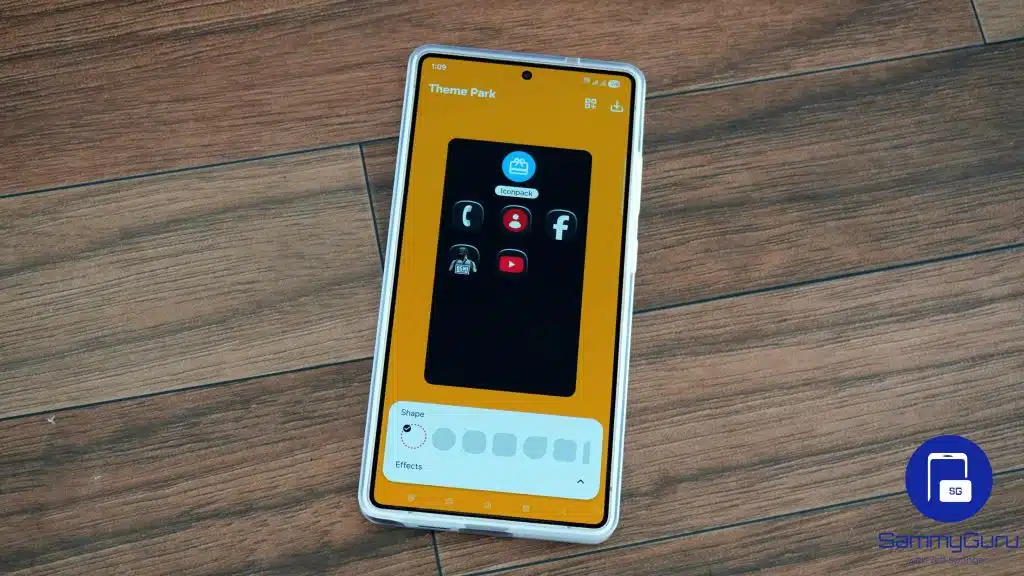
Samsung’s Theme Park is getting a more practical update that reaches two of the most visible parts of the Galaxy experience: the keyboard and the stock app icons. The new release, Theme Park 1.1.02.01, adds more visual variety for the keyboard and also fixes live icon behavior for Calendar and Clock.
For many Galaxy users, those changes matter because they affect elements seen and used every day. Samsung is rolling out the update gradually, so availability will vary by region and not every device will receive it at the same time.
A more personal keyboard on One UI 9

The biggest change lands on Samsung Keyboard for One UI 9. Users in the One UI 9 Beta program now get a new keycap design option that makes the keyboard look more personalized. Theme Park already allowed changes to color, background, and button style, but this update expands the visual control even further.
That matters because the keyboard is one of the most frequently used parts of the interface. With the new design choices, Theme Park moves beyond broad theme changes and gives users more control over the small details they interact with while typing.
Samsung has not shared the full list of available keycap designs. Even so, the direction of the update is clear: Galaxy users on One UI 9 get a wider set of visual options for Samsung Keyboard.
Live icons for Calendar and Clock are fixed
The update also improves support for live icons on Samsung’s Calendar and Clock apps. Before this change, applying a custom icon pack through Theme Park could interfere with the dynamic behavior of those icons.
That created a problem for apps designed to show real-time information. Calendar and Clock icons are meant to update with the current date and time, so any disruption to that function reduced their usefulness.
With Theme Park 1.1.02.01, Samsung is aiming to prevent custom icon packs from breaking that live behavior. The fix is tied to One UI 9, which means the most noticeable benefit is reserved for users on Samsung’s latest interface track.
Older One UI versions also get attention
Although the spotlight is on One UI 9, Samsung did not leave older users behind. Devices running One UI 8.5 and earlier also receive improvements focused on color tuning and overall theme quality.
These refinements are meant to make themes created with Theme Park look smoother and more polished. Samsung also included general bug fixes and usability improvements, which should help stabilize an app that changes many parts of the system’s appearance.
Theme Park remains one of the more flexible Good Lock modules in the Galaxy ecosystem. It lets users adjust themes, icons, keyboard elements, and other interface details so the phone feels more aligned with personal preferences.
Where to get it
The latest Theme Park release is available through Galaxy Store. Users can also check for it through Good Lock.
Because Samsung is distributing it in stages, some devices may not see the update immediately. If it is not available yet, users may need to wait a few days for the rollout to reach more regions.
Source: sammyguru.com