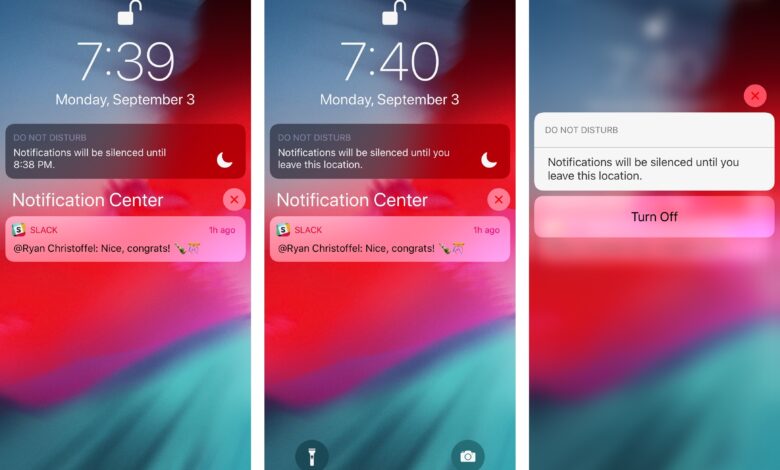
For iPhone users who rely on Focus during work, sleep, or other moments that demand concentration, one small setting can make a big difference in how others understand their silence. Share Focus Status helps prevent messages from being mistaken as ignored by signaling that notifications are currently muted.
That signal matters because Focus blocks nonessential calls and alerts, leaving only notifications the system considers necessary. Without any clue on the sender’s side, friends or family may assume a message has been overlooked when the phone is simply in a Focus mode.
How Share Focus Status works
When Share Focus Status is turned on, people using iPhone or iMessage can see that notifications are silenced before they expect an immediate reply. The status follows whichever Focus mode is active at the time, including Sleep, Work, or a custom mode created by the user.
Apple places the setting inside the Focus menu in the Settings app. From there, users can choose from the available Focus modes, use the suggested options on iPhone, or create a new mode with the plus icon in the top-right corner.
What changes on the device
Once a mode is active, the iPhone adjusts notification permissions for selected apps and people. It can also lock certain apps and open a dedicated Home Screen set up for that mode, making the device behavior feel more tailored to the user’s routine.
The active Focus state is visible through a Focus icon in the upper-left corner of the screen. It works in a similar way to the crescent moon symbol used for Do Not Disturb, giving a quick visual reminder that the device is intentionally quiet.
Why the setting is useful
The feature keeps communication open without forcing an instant response. Messages still arrive, but the sender receives a clear hint that a reply may take longer because attention is directed elsewhere.
To enable it, users need to open Settings, go to Focus, then choose Focus Status and switch the feature on. After that, compatible contacts will see that notifications are being silenced whenever they try to reach the device.