Charging a phone looks simple, but the wrong habit can shorten battery life faster than many users expect. The biggest risks usually come from heat, unstable accessories, and the way the device is used while plugged in.
That matters because modern smartphones rely on lithium-ion batteries, which are sensitive to temperature and repeated stress. Small daily choices during charging can shape how long the battery stays healthy and how stable the phone feels over time.
Start with the right charger and cable
The safest approach is to use the charger and cable provided by the manufacturer, or a replacement that is specifically recommended for the device. These accessories are designed to match the phone’s expected voltage and current needs.
Low-cost chargers without official certification can deliver unstable power, which may slowly damage the battery cells and charging components. For users replacing a worn accessory, certified options such as MFi for iPhone or USB-IF for Android devices are a safer choice.
Avoid heavy phone use while charging
Using the phone for demanding tasks while it is plugged in can push the temperature up more quickly. The battery, processor, graphics system, and display all work at the same time, which creates extra heat.
That heat is one of the most common reasons lithium-ion batteries degrade faster. Light activity, such as checking the time or reading short messages, is generally less stressful than gaming or watching video while charging.
Pay attention to where the phone sits
The surface under the phone also affects how well heat can escape. Beds, pillows, blankets, and carpets can trap warmth and reduce airflow around the device.
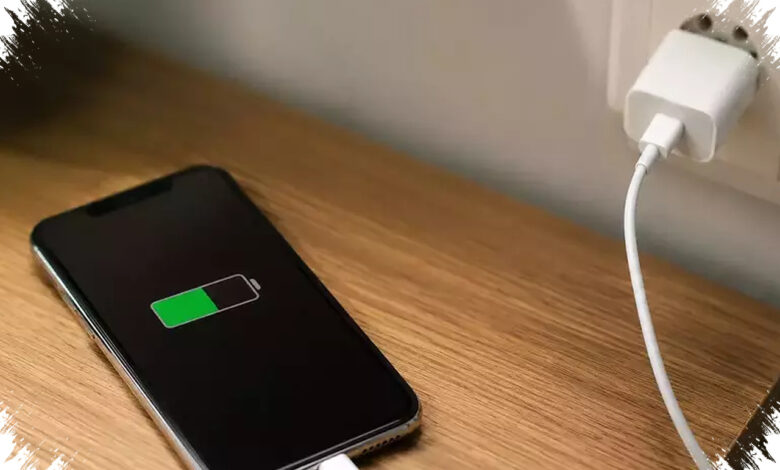
A flat, hard, open surface such as a table is a better option. If the case is thick or seems to hold heat, removing it during charging can help the device cool more naturally.
| Charging Habit | Why It Matters | Better Approach |
|---|---|---|
| Using uncertified accessories | Can create unstable power delivery | Use the original charger or certified replacements |
| Playing games or streaming video | Raises temperature during charging | Limit heavy tasks while plugged in |
| Charging on soft surfaces | Blocks airflow and traps heat | Place the phone on a table or other hard surface |
Charging overnight is not automatically dangerous
Many users still worry about leaving a phone plugged in overnight, but that risk is usually controlled in modern smartphones. Built-in power management systems generally stop charging once the battery reaches 100%.
On iPhone models running iOS 13 or later, the optimized battery charging feature can hold the battery around 80% first and finish charging closer to the time the phone is usually used. Several newer Android phones use similar systems, and some also adjust fast-charging speed to keep the temperature more stable.
Simple habits that help the battery last longer
Battery health often depends more on routine than on one-time habits. Keeping the charge level in a comfortable range and avoiding stressful temperatures can make a noticeable difference over time.
Lithium-ion batteries generally perform better between 20% and 80%, so letting the battery fall to 0% too often can add extra strain. Charging is also best done at normal room temperature, around 20°C to 25°C, because extreme heat or cold can affect performance.
Fast charging is useful when time is limited, but it usually generates more heat than standard charging. When there is no rush, slower charging can be the gentler option for preserving battery condition.
With the right charger, lower heat, and a less stressful charging routine, users can reduce the chance of early battery wear. Those small adjustments help a phone stay comfortable to use and keep its battery healthier for longer.