


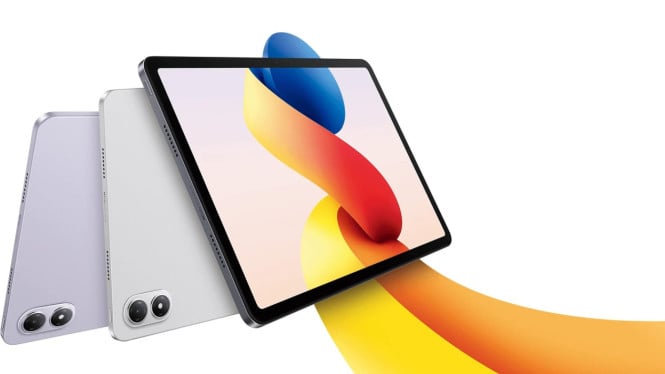
Redmi Pad Pro, launched in July 2024, targets productivity enthusiasts with its large 12-inch display and robust Snapdragon 7s Gen 2 chipset. After six months of real-world use, many are curious whether this device can truly replace a laptop for work. The tablet impresses with its sizeable 10,000mAh battery, designed to last a full day even under heavy multitasking and media consumption.
One key accessory boosting productivity is the official Xiaomi keyboard cover. Although priced between $13-$20 — higher than third-party options costing around $7-$13 — it offers superior build quality and perfect fitment. The synthetic leather material lends a premium feel, and the design includes a gap preventing accidental screen touches. Additionally, it houses a dedicated slot for the Xiaomi smart pen, enhancing convenience for note-taking or drawing.
Bluetooth Keyboard Flexibility
The official keyboard connects via Bluetooth, allowing it to detach from the tablet easily. Users can type remotely within Bluetooth range, with the keyboard’s battery endurance reaching up to three weeks under intensive use. A familiar function (FN) key layout mimics laptops, enabling quick access to shortcuts. Charging is handled via USB Type-C, and the keyboard can pair alongside a Bluetooth mouse without connection conflicts.
Multitasking and App Handling
Redmi Pad Pro supports multitasking with up to four applications simultaneously: two apps in split-screen mode and two additional apps in floating windows. Users can freely adjust the size and position of floating apps for comfortable workflow management. However, limitations exist in file management—specifically, users cannot open two folders within the same file manager app simultaneously. The workaround involves running two different file manager apps to facilitate drag-and-drop tasks.
Productivity apps such as Google Docs and Microsoft Office 365 run smoothly, making the tablet well-suited for document editing and office-related functions.
Video Editing Performance
For content creators, the tablet handles 4K video editing with ease. Rendering a one-minute 4K video with three layers in CapCut takes approximately 55 seconds on optimized settings. The Snapdragon 7s Gen 2 chipset proves capable for such multimedia tasks, with features like automatic vertical preview shifting simplifying timeline navigation. This capability is particularly useful for social media content production.
Battery Life and Charging
The Redmi Pad Pro’s 10,000mAh battery ensures all-day usage, even with demanding multitasking and media playback. Watching Netflix with Dolby Vision is noted as the most battery-intensive activity. Charging at 33 watts takes nearly an hour to reach 50%, around 1.5 hours to 80%, and over two hours for a full charge. This extended charging time is a trade-off given the large battery capacity.
Connectivity and Display Output
Wireless mirroring to PCs or projectors is supported but limited to screen duplication only—there is no extended desktop mode. Post-December 2024 updates reportedly introduced occasional connectivity issues during casting. The tablet’s interoperability with Xiaomi smartphones is strong, enabling seamless screen mirroring and file transfers when both devices share the same WiFi network and Xiaomi account.
Can Redmi Pad Pro Replace a Laptop?
For light office tasks such as scripting, document editing, and video editing, the Redmi Pad Pro combined with the official keyboard cover and smart pen delivers productive results. Its hardware and software ecosystem support multitasking and creative workflows sufficiently for non-professional users. However, for demanding tasks like complex coding or 3D rendering, traditional laptops continue to offer significant advantages in performance and software compatibility.
In summary, the Redmi Pad Pro presents a compelling portable productivity platform with its large display, powerful Snapdragon processor, and long-lasting battery. The official accessories enhance ease of typing and note-taking, boosting productivity for everyday use. While it may not fully replace laptops for professional workloads, it stands as a strong alternative for users with moderate computing needs seeking mobility without sacrificing function.