


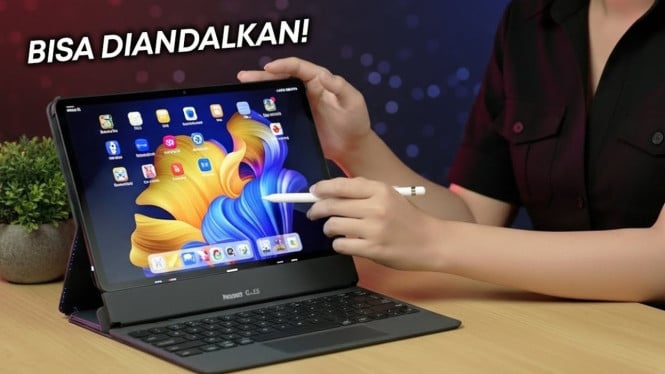
Choosing the right tablet can be challenging due to the wide variety of options and specifications available. Many buyers purchase tablets impulsively without fully considering their specific needs and budget.
To avoid this, it is important to identify your primary tablet usage before making a purchase decision. For light tasks like reading and note-taking, a tablet with an 8 to 10-inch screen, lightweight design, and stylus support is ideal. For multitasking or heavier applications, opt for a larger display, adequate RAM, and a fast processor. Creative professionals benefit from high-quality screens with precise stylus input to enhance their workflows.
Selecting the appropriate operating system is another crucial step. Tablets mostly run on iPadOS, Android, or Windows, each serving different user needs. iPadOS integrates well into the Apple ecosystem and offers high-quality apps and accessories. Android tablets provide a broad range of features and pricing options, making them accessible for many users. Windows tablets are preferable when a device needs to function like a laptop, supporting productivity applications such as Microsoft Office and Adobe Suite.
Technical specifications should not be overlooked. For general browsing and streaming, tablets with 4GB of RAM suffice. However, for intensive multitasking, a minimum of 8GB RAM along with a high-performance processor is recommended. Storage space should ideally be 64GB or more, especially if large files are stored; microSD support is a plus. Battery life between 8 to 12 hours ensures usability throughout the day without frequent charging.
Screen size and quality must match your daily needs. Portable tablets with 8 to 10-inch displays are suitable for on-the-go use, while 10 to 12-inch screens with high resolution cater to entertainment and professional tasks such as video editing or graphic design. Technologies like OLED or AMOLED deliver superior image quality, and features such as vivid color reproduction, optimal brightness, and high refresh rates enhance gaming or video playback experiences.
Lastly, budget alignment is key. Affordable tablets adequately serve basic tasks like browsing and media consumption. For productivity and creative work, mid-range to flagship models with more advanced specifications warrant consideration. Additionally, it is wise to factor in software update support and after-sales service to ensure device longevity and security.
Following these five tips—defining main needs, choosing the right operating system, checking technical specs, sizing up the screen, and budgeting wisely—will guide buyers to select a tablet that best fits both their requirements and financial limits. Taking time to compare options is crucial to avoid buyer’s remorse and achieve the best value for your investment.