


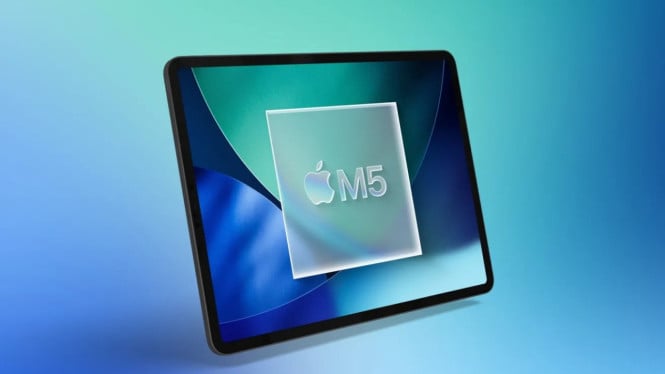
Apple’s iPad Pro M5 arrives in 2025 as the fastest tablet in the brand’s lineup, featuring notable upgrades from the previous M4 model. It keeps a familiar design while boosting performance with a new M5 chipset and enhanced AI capabilities.
The iPad Pro M5’s 12GB RAM for 256-512GB variants offers a significant multitasking advantage compared to the M4’s 8GB. This improvement caters well to professional users demanding seamless app switching and heavy workloads.
Design and Display
The overall design remains identical to the M4, with an ultra-slim 5.3mm thick aluminum body for the 11-inch model. Weighing just 444 grams, it stays comfortable for extended use and pairs well with the Magic Keyboard, keeping total weight near 1kg—lighter than many laptops.
Display technology remains top-tier with the 11-inch Tandem OLED Ultra Retina XDR panel. It delivers 100% DCI-P3 color accuracy and brightness levels up to 1000 nits, ideal for outdoor use and HDR content consumption. The ProMotion 120Hz refresh rate ensures smooth scrolling and gaming experiences without input lag or ghosting.
Performance and AI Enhancements
Powered by the new M5 chip featuring a 9-core CPU and 10-core GPU, the iPad Pro M5 maintains the same core count as its predecessor but incorporates a faster neural accelerator. This boost accelerates AI-driven tasks such as image cleanup and playground features, providing near-instant results.
In real-world usage, exporting 100 RAW photos in Lightroom is about 11 seconds faster on the M5 than the M4. Similarly, a 10-minute 4K video export in iMovie runs 50 seconds quicker, demonstrating tangible gains for creative professionals. However, the AI speed improvements, while measurable, may not be critical for casual daily users.
Battery Life and Charging
Battery life stands at up to 10 hours for browsing or video playback, consistent with the previous model. The M5 iPad Pro introduces faster charging capabilities, reaching 50% battery in just 30 minutes when using a 60W or higher adapter. A full charge takes approximately 90 minutes, cutting down wait times significantly for users on the move.
Accessories and Software
Apple’s Magic Keyboard continues to offer a premium typing experience with an aluminum palm rest and full function keys, matching laptop comfort standards. The Apple Pencil Pro supports pressure sensitivity and hover detection, catering to digital artists requiring precise control.
The device runs on iPadOS 26, featuring a new window management system that allows flexible window resizing and more desktop-like multitasking. Users can drag windows for automatic split screens and save window layouts, improving workflow consistency during multitasking sessions.
Camera Capabilities
The iPad Pro M5 has a 12MP rear camera with autofocus suitable for scanning documents and casual photos, not professional-grade photography. The 12MP front camera supports 4K video at 60fps and includes Center Stage for automatic face tracking during video calls in landscape mode.
This combination makes the iPad Pro M5 a well-rounded tablet for professionals seeking high performance, improved AI features, and a superior display. While the design remains unchanged, the internal enhancements and software updates make it a compelling upgrade over the M4, especially for users prioritizing multitasking and faster AI processing.