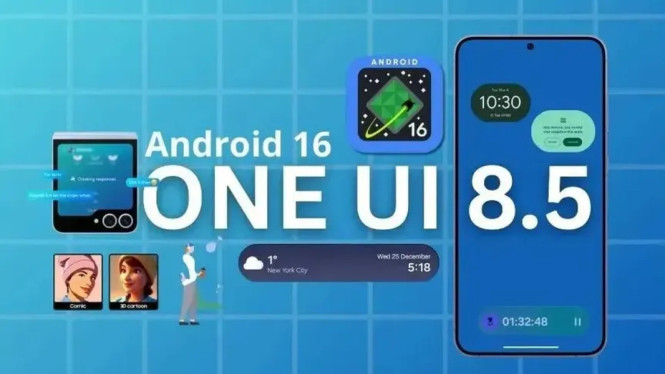
Samsung is preparing a major overhaul for its Clock app as part of the upcoming One UI 8.5 update. This redesign goes far beyond a simple cosmetic refresh, introducing a new layered visual architecture and more human-centric interactions.
The traditional flat design that characterized Samsung’s interface for nearly a decade is being replaced. One UI 8.5 embraces layered cards with soft shadows, rounded corners, and gradient color transitions to bring depth without clutter. This approach applies consistently across both light and dark modes, providing pastel tones by day and gentle dark gradients at night to reduce eye strain.
New Navigation with Floating Pill

The Clock app now features a floating pill-shaped navigation bar at the bottom of the screen instead of the usual tab bar. This minimalistic bar displays only icons for the key sections: Clock, Alarm, Stopwatch, Timer, and World Clock. Smooth animations accompany transitions between tabs, matching the overall sleekness of the new design.
While the icon-only scheme may confuse new users initially, it offers quicker access and less visual noise for experienced users. This aligns with Android’s gesture-first navigation trends.
Smarter Alarm Features
One of the standout functional upgrades is the integration of sunrise and sunset times into alarms. Users can now set alarms that wake them up at sunrise or remind them to rest or pray at sunset. The app automatically updates these times based on the device’s GPS location.
Alarms are displayed as large rounded cards with gradient backgrounds that shift colors depending on the time of day—for example, warm orange tones in the morning and cool blue hues at night. The new design eliminates sharp borders, creating a smooth, magazine-style interface.
Enhanced World Clock
The World Clock tab gains rich visual and interactive improvements. A semi-transparent world map now serves as the background, offering geographical context without sacrificing readability. Time zones appear in oval-shaped cards rather than rigid squares.
Users can swipe a horizontal timeline at the bottom to compare times across different cities in real-time. Adding or removing locations triggers gentle animations that elevate the overall user experience. These features especially benefit global workers, travelers, and multinational families needing efficient time coordination.
Refreshed Stopwatch and Timer
Though less emphasized, Stopwatch and Timer also receive notable updates. The Stopwatch introduces an optional analog clock face with realistic moving hands, appealing to users who find visual sweeping easier to read than digital counters.
The Timer screen incorporates a gradually fading gradient background that reflects the elapsed time dynamically. Pause and Cancel buttons are enlarged and strategically placed to minimize accidental taps, enhancing usability during busy moments.
Why This Redesign Matters
Samsung’s Clock app redesign illustrates a broader shift in design philosophy:
- From pure efficiency to emotionally engaging experiences
- From uniform design to adaptive, contextual layouts
- From static functionality to dynamic, interactive elements
The update also demonstrates Samsung’s interpretation of Google’s Material You aesthetic, adding bolder colors, smoother animations, and stronger focus on long-term visual comfort.
Release Timeline
Samsung plans to roll out the One UI 8.5 beta imminently, targeting flagship devices including Galaxy S25, S24, and Z Fold 6. Early adopters can join through the Samsung Members Beta Program. The stable release is expected between late November and early December 2025, subject to beta feedback.
This radical revamp of the Clock app symbolizes Samsung’s growing maturity in designing devices with human needs in mind. For millions of Galaxy users, the new Clock experience will feel quieter, clearer, and more personal. In an age overloaded with notifications, Samsung’s focus on visual calmness offers a rare digital luxury right in the palm of your hand.