Huawei has introduced the MatePad 11.5 2025, a productivity tablet priced around IDR 5 million (approximately $330). This package is notable for including a free keyboard and stylus, making it a compelling offer for students, professionals, and creatives seeking a versatile device.
Comprehensive Package with Essential Accessories
Upon purchase, buyers receive three boxes. The first contains the tablet itself, a microfiber cloth, a Type-C charging cable, and a charger adapter. The second box holds the Huawei Smart Keyboard Bluetooth, which offers flexible snap-on and detachment functions. The third includes the Huawei M-Pencil third generation stylus, perfect for digital drawing and note-taking.


High Productivity with WPS Office 2.0
The MatePad 11.5 comes preloaded with WPS Office 2.0, delivering a desktop-level user interface. It replicates the full editing capabilities of Microsoft Office, including Word, PowerPoint, and Excel functions. Users gain features like multi-tab support, drag-and-drop, and fast spreadsheet calculations, enhancing productivity without needing a PC.
PaperMatte Display Enhances Comfort
The device features an 11.5-inch display with a 2456 x 1600 resolution using Huawei’s PaperMatte technology. This screen minimizes glare, reflections, and fingerprint smudges while carrying a comprehensive EyeComfort certification. Its 3:2 aspect ratio and anti-fatigue properties make it ideal for long sessions of reading and typing.
Creative Tools Rivaling Professional Apps
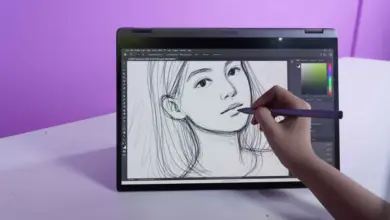
Huawei’s GoPaint app rivals popular drawing apps such as Procreate and is included free of charge. It supports 4K canvas, smart selection tools, filters, and customizable shortcuts. The M-Pencil Gen 3 stylus offers high pressure sensitivity, allowing users to replicate the feel of writing on 20 sheets of paper. A diverse brush collection supports advanced digital art creation.
Flexible and Comfortable Keyboard Experience
The included keyboard is lightweight, keeping the tablet’s total weight at just 967.5 grams. Users can switch between laptop mode, standalone tablet mode, or split mode for drawing. Tactile feedback and key travel closely resemble a standard laptop keyboard, providing comfortable typing during extended use.
AI-Powered Note Taking with Huawei Notes
The MatePad 11.5 integrates an AI handwriting enhancement feature that transforms handwritten notes into neat, legible text automatically. Additional functionalities include automatic shape formation, sticker placement, and easy cropping of inserted photos. These powerful tools improve note-taking productivity and provide a unique edge over competing tablets.
Slim, Lightweight, and Stylish Design
At only 6.1 mm thick and weighing 515 grams, the tablet is easy to hold with one hand, comparable to a thin book. Its violet-colored all-metal unibody design combines aesthetics with durability, making it ideal for on-the-go use in classrooms or outdoor work environments.
Summary of Key Specifications and Features
| Feature | Description |
|---|---|
| Price | About IDR 5 million (~$330) |
| Display | 11.5 inches, 2456 x 1600 pixels, PaperMatte |
| Accessories Included | Smart Keyboard Bluetooth, Huawei M-Pencil Gen 3 |
| Software | WPS Office 2.0 preinstalled |
| Stylus Sensitivity | High pressure sense, 3rd generation M-Pencil |
| Weight | 515 grams (tablet), 967.5 grams (tablet + keyboard) |
| Thickness | 6.1 mm |
| AI Features | Handwriting enhancement, auto shape and sticker tools |
Huawei MatePad 11.5 2025 delivers exceptional value with its full accessory set and powerful productivity tools. This combination at an affordable price point differentiates it from alternatives such as the iPad Air, which costs nearly twice as much. For those needing a reliable tablet for work, study, or creativity, MatePad 11.5 offers a well-rounded solution.