


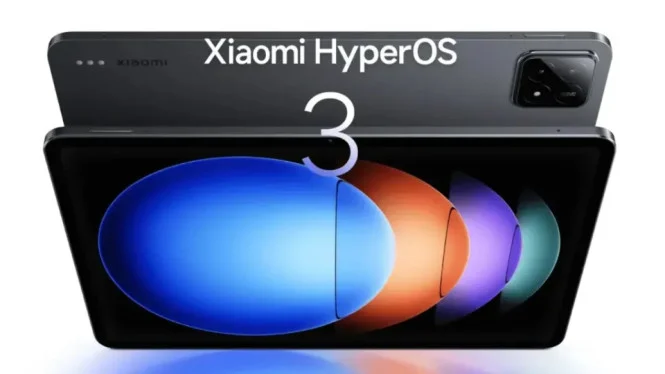
Xiaomi recently launched HyperOS 3, their newest operating system based on Android 16. This update promises a lighter interface, smoother animations, and better system responsiveness across devices like smartphones and tablets.
Despite positive user feedback on general performance, a specific problem emerged for emulator users, especially those using the Xiaomi Pad 6S Pro. Fans of retro gaming through PSP, Nintendo DS, or PlayStation 2 emulators now face graphical glitches, unexpected lag, and crashes that were not present before.
HyperOS 3 Brings System Efficiency But Also GPU Changes
Xiaomi designed HyperOS 3 to be its most lightweight and efficient OS yet. Key improvements include reduced background system load, improved memory management, a new UI rendering engine, and better multitasking support on tablets. Many users report their devices feel faster and more responsive, with longer battery life.
However, these enhancements come with a significant change to the graphics stack and GPU drivers. Xiaomi implemented tighter integration with Qualcomm’s Adreno GPU drivers and Vulkan API, aiming for efficiency but inadvertently causing compatibility issues with certain emulators.
Emulator Performance Issues on Xiaomi Pad 6S Pro
The Reddit community r/EmulationOnAndroid highlighted multiple reports from Xiaomi Pad 6S Pro users, which runs on the Snapdragon 8 Gen 3 chipset. Common issues include:
- Flickering or screen blinking during gameplay
- Unstable frame rates despite unchanged emulator settings
- Visual artifacts and corrupted textures
- Frequent crashes on popular emulators like AetherSX2, PPSSPP, and Dolphin
A user shared footage comparing God of War: Chains of Olympus running fine on HyperOS 2 but showing visual glitches and lag on HyperOS 3. Interestingly, users with devices like Xiaomi 14 or Redmi K70 did not report similar problems, indicating the issue may be specific to certain GPU drivers or hardware configurations.
Root Cause: Vulkan Driver and GPU Stack Modifications
Developers analyzing the issue point to changes in the Vulkan driver and GPU stack updates in HyperOS 3 as the root cause. Vulkan requires precise synchronization and shader compilation. Minor differences in memory handling or synchronization can trigger graphical glitches and instability. Xiaomi’s modification and restriction on GPU drivers prevent users from easily rolling back or changing drivers, unlike other Android brands.
Temporary Workaround Using Turnip Driver
Some emulator enthusiasts tested the open-source Vulkan driver "Turnip" version 25.3.0, which can reduce flickering on certain devices. However, Turnip currently does not support Snapdragon 8 Elite or the latest Snapdragon 8 Gen 3 chips, including the Pad 6S Pro’s chipset. This limitation leaves many flagship users without immediate relief.
Users hoping for a fix must await:
- Qualcomm driver updates
- Emulator developer patches
- Official Xiaomi system updates
Recommendations for Emulator Users Before Updating
If you rely on emulators for retro gaming, consider these steps before upgrading to HyperOS 3:
- Identify your device model and chipset generation. Snapdragon 8 Gen 2 or older may have access to Turnip drivers.
- If your device uses Snapdragon 8 Gen 3 or newer, be cautious about upgrading due to higher risk of instability.
- Delay the OS update if possible. Xiaomi typically rolls out updates gradually. Waiting 2–4 weeks allows time for issue reports and fixes.
- Backup your current firmware. Rooted users can create a Nandroid backup to revert if necessary.
- Follow community forums such as XDA Developers and Reddit’s r/EmulationOnAndroid and r/Xiaomi for troubleshooting tips and official announcements.
Xiaomi’s Response and Future Fixes
Xiaomi has not publicly addressed these emulator issues yet. However, based on their history of quick hotfix releases, a patch is likely included in upcoming security updates. Potential fixes may involve:
- Partial rollback of GPU driver changes
- Vulkan API parameter adjustments to improve emulator compatibility
- Adding a "legacy compatibility mode" in developer settings
These measures aim to restore stable emulator performance without sacrificing overall OS improvements.
HyperOS 3 enhances Xiaomi devices for most users by delivering faster, smoother, and more power-efficient operation. But for emulator users, especially on devices with the Snapdragon 8 Gen 3 chipset, patience is advised to avoid disruptive gaming experiences. Monitoring firmware updates and community feedback remains crucial for retro gaming enthusiasts using Xiaomi devices.