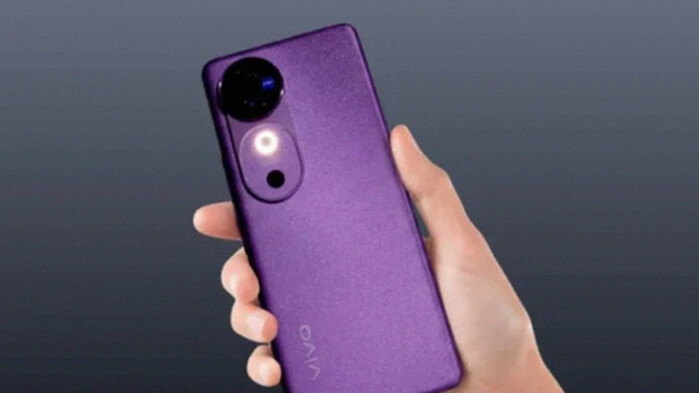
Vivo has started rolling out the OriginOS 6 update based on Android 16 for the Vivo V40, marking a significant upgrade for this model. Currently, the update is available in a limited beta program, allowing early adopters to explore new features and improvements before the stable release. Vivo has confirmed that the official stable version will follow soon, aiming for broader availability.
This OriginOS 6 update carries the firmware version PD2363BF_EX_A_16.2.6.15.W30 and comes with a sizeable download of approximately 4.3 GB. Users are strongly encouraged to download the update over a Wi-Fi connection to ensure a smooth installation process. Additionally, Vivo recommends that the device battery level remain above 40% and suggests backing up important data as a precaution, despite the update’s low failure risk.
New Features and Visual Enhancements
OriginOS 6 introduces a refreshed user interface designed to provide enhanced usability and aesthetics. The update features an improved Origin Island widget that offers real-time information updates. Users will also notice a redesigned Control Center with a modern look and a tidier notification center, making system navigation more intuitive.
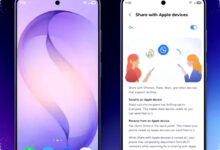

One notable visual enhancement is the introduction of new lighting effects and a fresh system font aimed at improving readability. The lock screen has received additional customization options, including new clock styles, more flexible layout controls, and new widgets to personalize the experience further.
Performance and System Optimizations
Beyond visual changes, OriginOS 6 brings several under-the-hood optimizations. These improvements result in faster app launches, smoother animations, and more responsive multitasking. Vivo also focused on enhancing battery efficiency, potentially extending device usage between charges compared to the previous operating system version.
How to Try OriginOS 6 Beta on Vivo V40
Users interested in testing OriginOS 6 on their Vivo V40 can access the beta version through the system settings. The process is straightforward:
- Open Settings on your Vivo V40.
- Navigate to About Phone.
- Select System Update.
- Tap on Trial Version or Beta Version.
- Download and install the available update package.
It is important to ensure your phone’s data is backed up and the battery is sufficiently charged before proceeding. This beta testing phase helps Vivo collect user feedback and address any issues before the stable release.
Vivo V40’s Update Roadmap
The Vivo V40 was launched with Android 14 in 2024. The OriginOS 6 update marks the device’s second major operating system upgrade, now moving to Android 16. According to Vivo’s official statements, the V40 will receive one more major update to Android 17 in the future. This upcoming update will be the last OS upgrade for the device. However, Vivo guarantees security patch updates for at least one additional year following the final OS update to maintain device security.
This upgrade plan highlights Vivo’s commitment to providing sustained software support for the Vivo V40, ensuring users benefit from new features and security enhancements over time.
With OriginOS 6, Vivo V40 users get to experience a blend of aesthetic refinements and technical improvements. This update not only modernizes how the device looks and behaves but also enhances overall performance and battery life. While still in beta, OriginOS 6 represents a significant step toward evolving Vivo’s software ecosystem around Android 16 for their mid-range smartphones.