


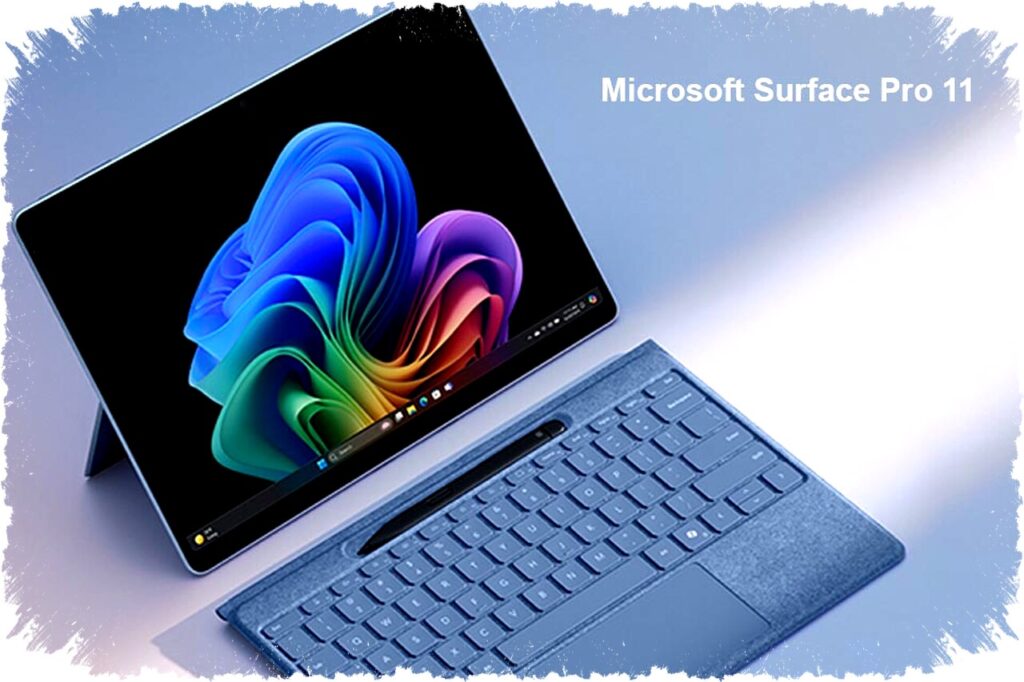
Microsoft Surface Pro 11 delivers laptop-level performance in a compact and portable tablet design. This device targets users with high mobility who need productivity tools on the move. Its versatility lies in the ability to switch from tablet to laptop mode effortlessly.
The Surface Pro 11 features a built-in Kickstand and an optional keyboard sold separately. When paired with the keyboard, it functions as a full Windows 11 laptop, providing a familiar experience for users. The keyboard includes a Copilot button and a precision trackpad, making typing comfortable and efficient.
Design and Display
The tablet has a 13-inch touchscreen, which transforms into a powerful tablet once the keyboard is detached. For users who prioritize media consumption or creative editing, the Snapdragon X Elite variant offers an OLED display option that delivers vibrant colors and sharp contrast. This makes it suitable for watching videos and photo or video editing tasks.
Performance and Chipset Options
Microsoft markets the Surface Pro 11 as a "Copilot+ PC" with two chipset choices: Qualcomm Snapdragon X Plus/Elite and Intel Core Ultra (Lunar Lake). The Snapdragon models are especially notable for their energy efficiency and high performance, which rival many of the fastest laptop processors currently available.
A standout feature is the advanced Neural Processing Unit (NPU) embedded in the Snapdragon versions. This NPU boosts AI processing capabilities, enabling the tablet to utilize the latest Windows 11 AI features. Such features enhance user productivity through smart automation and seamless interaction.
AI-Enhanced Features in Windows 11
The Surface Pro 11 supports innovative AI-powered functions like Recall, which acts like a photographic memory, allowing users to quickly locate files, emails, or websites with simple descriptive queries. This dramatically speeds up workflow and reduces time spent searching for resources.
Windows Studio Effects further improve the video calling experience. The system automatically maintains eye contact, suppresses background noise, and creates professional-looking backgrounds without draining the battery. These enhancements make remote communication more natural and effective.
Connectivity and Battery Life
With two USB-C ports supporting Thunderbolt 4, the Surface Pro 11 enables ultra-fast data transfers at speeds up to 40 Gbps. It also includes a Surface Connect port that is used for charging and docking, providing flexibility for various usage scenarios.
Battery life for the Snapdragon models is impressive, with up to 14 hours of local video playback on a single charge. This endurance supports users through long workdays without frequent recharging, ideal for professionals on the go.
Summary of Key Specifications
- Display: 13-inch touchscreen (OLED available on Snapdragon Elite variant)
- Processor: Qualcomm Snapdragon X Plus/Elite or Intel Core Ultra (Lunar Lake)
- Operating System: Windows 11
- Keyboard: Optional with Copilot key and precision trackpad
- Connectivity: 2 x USB-C (Thunderbolt 4), Surface Connect port
- AI Features: Recall, Windows Studio Effects
- Battery Life: Up to 14 hours video playback (Snapdragon)
The Surface Pro 11 balances portability and performance, making it suitable for a wide range of users, from business professionals to content creators. Its ability to function as both a tablet and a laptop helps it stand out in a crowded market.
By integrating cutting-edge AI features and offering flexible hardware options, Microsoft has positioned the Surface Pro 11 as a compelling choice for those who demand powerful computing in a sleek, mobile form factor. Users seeking a device that can keep up with intensive workloads without sacrificing convenience will find this tablet an excellent option.