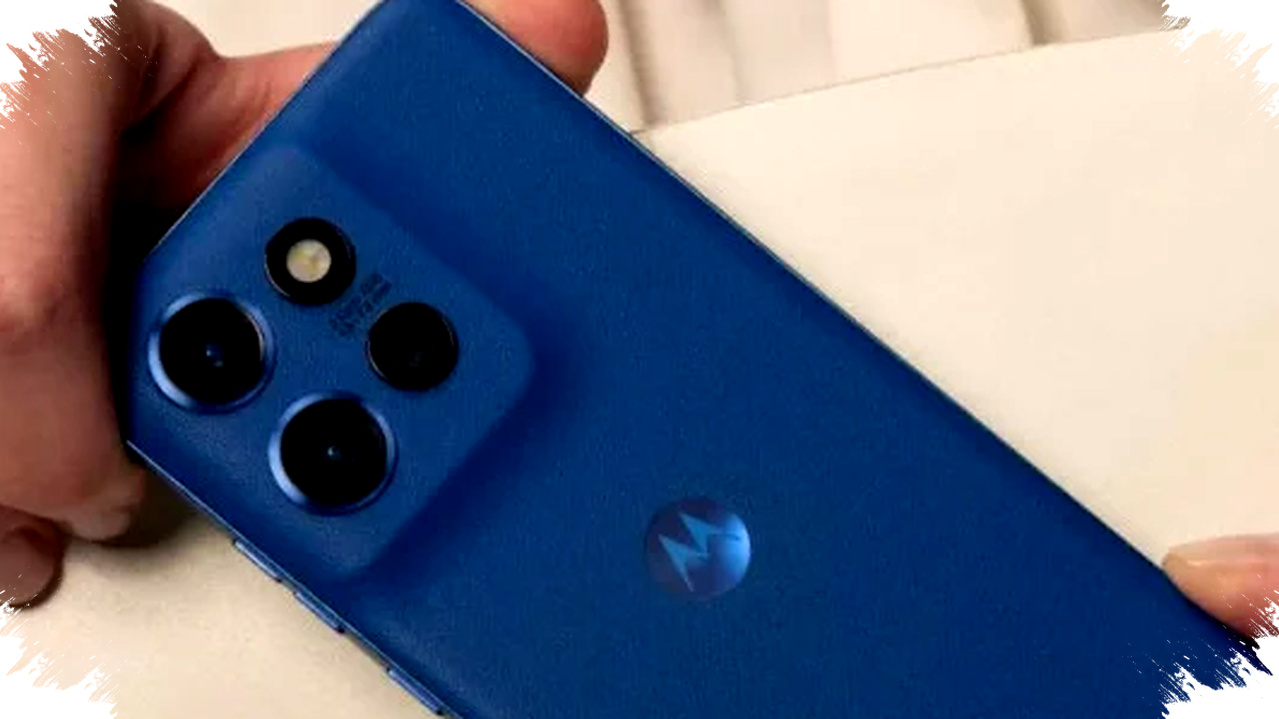
Motorola has started rolling out the stable Android 16 update for the Edge 50 Neo, giving users a new wave of software improvements after more than two months of beta testing. The first reports suggest the update is already reaching a limited number of devices, although Motorola has not yet published a broad official announcement.
According to early user reports and coverage from Ytechb, the firmware arrives with build number W1UI36H.39-17 and a download size of about 2.14 GB. The rollout appears to be gradual and currently limited to selected markets in Europe, including Italy, Poland, Spain, and Romania, while other regions such as India are expected to follow soon.
Android 16 Starts Reaching the Edge 50 Neo


The Edge 50 Neo is one of Motorola’s more interesting mid-range phones because of its long software support promise. Motorola previously said the device would receive up to five major Android OS upgrades and five years of security patches, which places it among the better-supported smartphones in its segment.
Since the phone launched with Android 14, that update roadmap means the Edge 50 Neo is now expected to continue moving up through future releases, potentially all the way to Android 19. For buyers who care about long-term value, that kind of commitment matters as much as hardware specifications.
The current rollout also shows how Motorola handles major updates in stages. Users who have not seen a notification yet should not assume there is a problem, because phased releases often take days or even weeks to reach every unit in a market.
What’s New in Android 16
Android 16 does not focus on a bold visual redesign, but it brings a set of functional upgrades that can improve daily use. One of the most noticeable additions is notification cooling, a system designed to reduce repeated interruptions from the same app in a short time.
The feature works by automatically lowering the intensity of frequent notifications from selected apps. This can help users stay focused when messaging apps, social platforms, or other services send too many alerts in quick succession.
Another useful addition is more flexible device mode control. Android 16 lets users create custom modes that fit different routines, adding to existing options such as Do Not Disturb, Bedtime, and Driving Mode.
That extra control is useful for people who want different phone behaviors in different situations. A work mode, for example, can silence distractions during office hours, while a personal mode can keep key alerts active after hours.
Key Features Users Can Expect
For readers who want the practical changes at a glance, here are some of the most relevant improvements included in Android 16 on the Edge 50 Neo:
- Notification cooling to reduce repeated interruptions.
- Custom device modes for more personalized phone behavior.
- Hotspot access without entering a password when both devices use the same Google account.
- Improved support for hearing aids.
- Better protection against harmful apps.
- General performance and stability optimizations.
The hotspot change is especially convenient for users with multiple devices. If two devices belong to the same Google account, Android 16 can streamline the connection process and remove a step that often slows things down.
That smaller adjustment may not sound dramatic, but it reflects Google’s push to make Android easier to use across connected devices. In daily life, convenience features often end up being more valuable than large cosmetic changes.
Performance, Security, and Accessibility Gains
Android 16 also brings broader system-level improvements that are important even if they do not appear in flashy marketing. Motorola and Google are both emphasizing better performance, stronger security, and improved usability for more users.
The update includes enhanced protection against malicious apps, which remains a critical part of Android’s security strategy. With mobile threats continuing to evolve, system updates that strengthen app checks and background protections help reduce risk.
Accessibility also gets attention in this release. Better hearing aid support can make the phone more useful for users who depend on assistive audio hardware, and that makes Android 16 more inclusive than purely cosmetic updates.
Performance tuning is another key part of the package. While users may not notice every system optimization immediately, smoother multitasking, better responsiveness, and improved stability often become clear after a few days of normal use.
Why This Update Matters for Motorola Users
The Android 16 rollout matters because it reinforces Motorola’s software strategy for the Edge 50 Neo. In a market where many mid-range phones still receive shorter update windows, five operating system upgrades and five years of security patches give this device a stronger long-term profile.
That support promise can influence buying decisions for users who keep their phones for several years. A device that stays current for longer often delivers better value than one that launches with attractive hardware but limited update support.
The update also helps Motorola stay more competitive against rivals that have improved their own software update policies. For many users, update longevity is no longer a bonus feature, but a core part of the purchase decision.
How to Check for the Update
Users who own the Motorola Edge 50 Neo and have not received the update yet can check manually through the settings menu. Because the rollout is staged, availability can vary by country, carrier, and device batch.
- Open Settings.
- Go to System.
- Tap System updates.
- Check for a new software package.
- Download and install if Android 16 appears.
It is also a good idea to use a stable Wi-Fi connection before downloading, since the package size is about 2.14 GB. Charging the phone before installation is also recommended to avoid interruptions during the update process.
As the rollout expands beyond the first European markets, more Edge 50 Neo owners should begin seeing Android 16 appear in their update menus. For now, the release marks an important software milestone for a phone that Motorola positioned as a long-term device, and it adds meaningful improvements without changing the phone’s familiar design language.