Many Xiaomi HyperOS users notice a small empty strip under the keyboard, often with a tiny arrow or gesture line. This gap can make the screen feel less immersive, especially when typing in full-screen apps, and many users want to remove it for a cleaner display.
The issue is not usually a bug in the keyboard app itself. It comes from Xiaomi’s built-in navigation overlay, which is designed to protect gesture navigation and reduce accidental touches, but it can also leave visible unused space on Xiaomi, Redmi, and POCO devices running HyperOS.
Why the keyboard gap appears on Xiaomi HyperOS
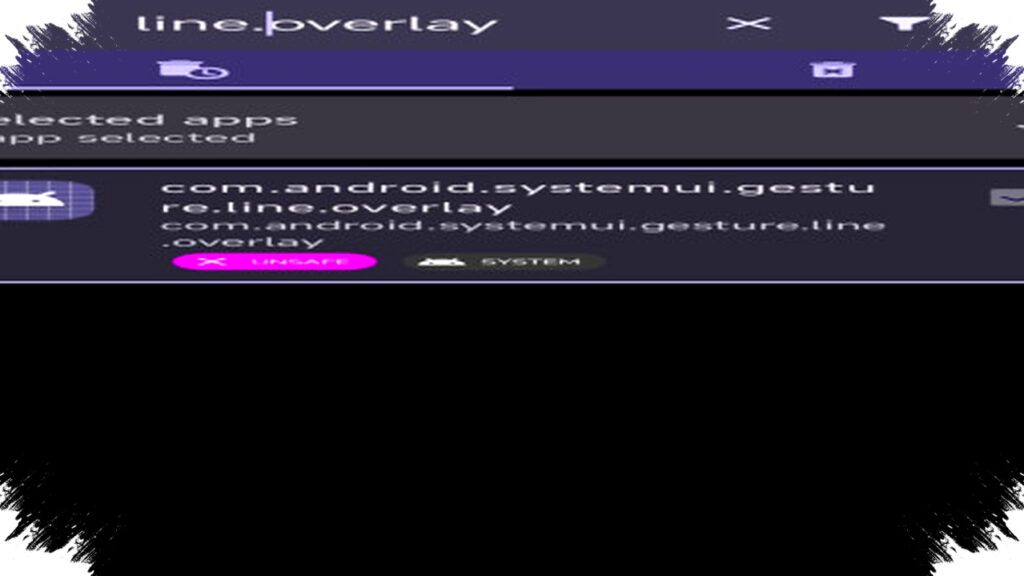
The empty area below the keyboard is tied to a system component that manages gesture navigation. According to the reference article, the overlay package involved is com.android.systemui.gesture.line.overlay, which reserves space for the navigation area and keeps the keyboard slightly raised.
Xiaomi’s default design choice makes sense from a usability standpoint. It gives thumbs more room and helps prevent conflicts between typing and swipe gestures, but users who prefer a tighter layout often see it as wasted screen space.
The good news is that there are multiple ways to reduce or remove the gap. Some methods work through system settings, while others require helper apps or ADB commands for deeper control.
Method 1: Check the built-in settings first
Before using third-party tools, users should check whether their HyperOS build already allows the indicator to be hidden. This is the safest place to start because it does not require extra apps or system modifications.
- Open Settings.
- Tap Home screen.
- Go to System navigation.
- Choose Gestures.
- Turn on Hide full-screen indicator.
On some Xiaomi ROM versions, this only hides the gesture bar but does not fully remove the spacing under the keyboard. If the gap remains after this change, the problem is likely controlled deeper by the system overlay.
This is why many users report that the interface looks cleaner, but the keyboard still does not reach the bottom edge. In that case, a more advanced method is needed.
Method 2: Use Canta without a PC
For users who want a practical solution without a computer, Canta can help. The app works as a debloater and can remove system packages non-rooted devices normally cannot touch, with support from Shizuku.
First, install Canta and Shizuku from the Google Play Store. Then activate Shizuku, open Canta, and search for com.android.systemui.gesture.line.overlay.
Once the package appears, disable it from within Canta. In many cases, the keyboard gap disappears immediately after the change, or it becomes much smaller after a quick restart.
If something looks wrong, the package can usually be restored through the app. That makes the method useful for users who want control without using a PC or dealing with complex command lines.
Why Canta is popular for this fix
Canta does not require root access, which makes it easier for average users to try. It also gives finer control than settings menus alone, because it can interact with specific system components that Xiaomi hides from normal menus.
That said, users should still proceed carefully. Disabling system overlays can affect other interface elements, so it is wise to change only the package related to the gesture line and avoid removing unrelated components.
Method 3: Use ADB for the most direct result
If the gap still stays visible, the most direct approach is to remove the overlay package using ADB. This method is more technical, but it often gives the strongest result because it targets the system package directly.
If you use a PC, connect the phone and run this command in a terminal:
pm uninstall -k --user 0 com.android.systemui.gesture.line.overlay
After running the command, restart the device. In many cases, the keyboard will move lower and the empty strip beneath it will disappear.
If you do not have a computer, the reference article says the same command can be executed through Brevent using its “Exec Command” console. That offers a phone-only route for users who already know how to set up the app.
To restore the package later, users can use pm install-existing and re-enable gesture settings if needed. This makes the method reversible, which matters if the UI behavior changes in a way that is not desirable.
Quick comparison of the available methods
| Method | Needs PC | Difficulty | Result strength |
|---|---|---|---|
| System Settings | No | Easy | Limited |
| Canta + Shizuku | No | Medium | Strong |
| ADB command | Yes, usually | Advanced | Strongest |
This comparison shows why many users start with settings and then move to Canta or ADB only if needed. It is a practical way to test the least risky option before touching system packages.
Who can use this fix
The reference material states that this approach works across the Xiaomi ecosystem. That includes Xiaomi, Redmi, and POCO phones, as long as they run HyperOS.
It also applies to multiple HyperOS generations, including HyperOS 1, HyperOS 1.5, and HyperOS 2. That wide compatibility is important because many users upgrade devices or receive new system builds while still facing the same keyboard spacing issue.
Still, results can vary by ROM region, update level, and whether Xiaomi has changed the overlay behavior in a later build. Some devices may respond fully to a settings change, while others need package-level removal to show a noticeable difference.
What users should expect after removing the overlay
After the overlay is disabled, the keyboard usually sits lower and the screen looks more seamless. That can improve the feel of full-screen apps, messaging interfaces, and text-heavy workflows where every pixel matters.
However, users should also know why Xiaomi added the spacing in the first place. The extra area can help avoid accidental swipes from the bottom edge, so removing it may make gesture use feel tighter for some people. If that happens, the change can usually be reversed through the same tool or by restoring the package.
For many users, the trade-off is worth it because the interface looks cleaner and the keyboard occupies the visual space more efficiently. On Xiaomi HyperOS, that small change can make the phone feel more modern, less crowded, and closer to what users expect from an edge-to-edge display.