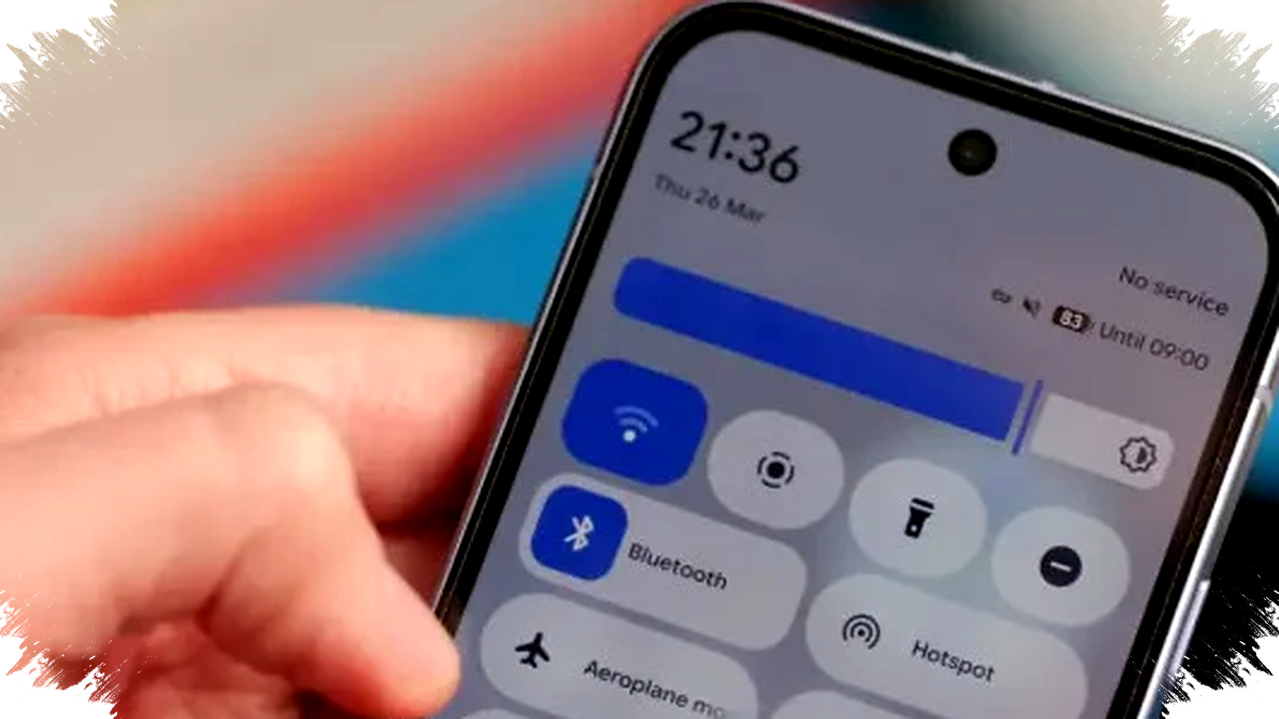
Google has brought back a familiar shortcut in Android 17 Beta 3: a one-tap Wi-Fi toggle in Quick Settings. For many Pixel users, this changes a small daily action back into a faster and more direct gesture.
The update matters because Google had changed Wi-Fi behavior in Android 12, turning a simple tap into a two-step process that opened a pop-up panel first. With Android 17 Beta 3, the company now offers a hybrid design that keeps advanced network controls while restoring the speed many users missed.
A Small Change With a Big User Experience Impact


The return of one-tap Wi-Fi control may sound minor, but it affects one of the most common interactions on Android. Users often switch Wi-Fi on or off many times a day, especially when moving between home, work, transport, and public spaces.
Google’s earlier design, introduced in Android 12 in 2021, pushed users into a more layered Quick Settings layout. Instead of a direct toggle, tapping the Wi-Fi tile opened a panel with nearby networks, connection details, and other options.
That approach gave users more information, but it also slowed down a basic task. For many people, the added step felt less efficient than the previous behavior that Android users had known for years.
What Android 17 Beta 3 Changes
Android 17 Beta 3 restores direct control, but it does so in a more flexible way than before. Google now uses a split tile style that separates quick action from deeper network management.
If the Wi-Fi tile appears in a 2×1 layout, the left side works as the direct toggle. The right side opens the detailed panel with available networks and connection options.
If the tile is displayed in a 1×1 layout, a single tap turns Wi-Fi on or off. A long press opens the Internet settings page directly, which keeps the advanced options available without slowing normal use.
This design gives users two interaction paths, depending on how they place the tile on their Quick Settings panel. It also mirrors the direction Google used for Bluetooth controls in Android 16 QPR1, where the company refined the balance between speed and access.
How the Old Android 12 Behavior Frustrated Users
The Android 12 change became one of the more discussed interface decisions among Pixel owners. Many users said the system buried a simple toggle behind extra taps, even though the function was supposed to be fast access.
That frustration stood out because other Android brands often kept one-tap behavior through their own user interfaces. Samsung, OnePlus, and Xiaomi, for example, have long offered custom Quick Settings experiences that preserve quicker access to common features.
For Pixel users, however, Google’s version of Android became more complicated in this one area. The issue was not that the feature disappeared, but that the action became slower than before.
Why Google’s Reversal Matters Now
Google’s decision to bring back one-tap Wi-Fi control suggests the company is paying closer attention to real-world feedback. In recent years, Android users have often asked for simpler interactions rather than more layers.
The new approach recognizes that a good interface should support both speed and detail. A user who only wants to disable Wi-Fi should not need to navigate a panel full of extra options first.
This matters in everyday situations. On a train, in a cinema, or during a flight, users often want to switch connections immediately. In those moments, a direct toggle saves time and reduces friction.
It also helps accessibility. People who prefer simpler motion, including older adults and some users with disabilities, benefit from clearer controls that do not require extra steps.
What the Hybrid Tile Looks Like in Practice
The Android 17 Beta 3 Wi-Fi tile follows a more intelligent layout model. It avoids forcing every user into the same interaction pattern and instead lets the tile adapt to the way it is placed on screen.
- In a wider 2×1 tile, the left half acts as the switch.
- The right half shows the current network name and opens the detailed Wi-Fi panel.
- When Wi-Fi is off, the text area can scroll messages such as “Networks available” to give context.
- In a compact 1×1 tile, one tap toggles Wi-Fi immediately.
- A long press opens the Internet page in Settings for deeper controls.
That structure helps Android keep convenience and transparency at the same time. It also signals that Google is moving toward more consistent network controls across the system.
Pixel Users Get It First
At the moment, Android 17 Beta 3 is available only for supported Pixel devices. The reference material notes support for the Pixel 6 through Pixel 9 series, which means Google is testing the change on a wide range of hardware before the stable release.
Beta software is typically rolled out in stages, so users on supported devices need to enroll in the Android beta program to try it. As always, beta builds can carry bugs, so they are better suited for testing than daily use on a primary phone.
The stable version of Android 17 is expected around August to September 2026, alongside the launch window for the Pixel 10. If the current interface survives the beta cycle, it will likely become part of the final release and may influence other Android manufacturers as well.
What This Suggests About Google’s Direction
The return of the Wi-Fi shortcut points to a broader shift in Android design. Google appears to be moving away from changes that look modern but make common tasks harder.
That does not mean the company is abandoning visual redesign or system consistency. Instead, it seems to be refining Android so that core actions stay fast while advanced controls remain available for users who need them.
- Google keeps the detailed network panel.
- Google restores the instant toggle many users wanted.
- Google aligns Wi-Fi behavior with newer Bluetooth control patterns.
- Google gives Pixel users a more practical Quick Settings experience.
This kind of adjustment may not generate the same attention as a new camera feature or AI tool, but it can improve daily use more noticeably. Small interface fixes often matter most because they affect routines people repeat every day.
For many Android users, especially those on Pixel phones, the return of one-tap Wi-Fi in Android 17 Beta 3 is a reminder that sometimes the best software changes are the ones that bring back simplicity without giving up control.