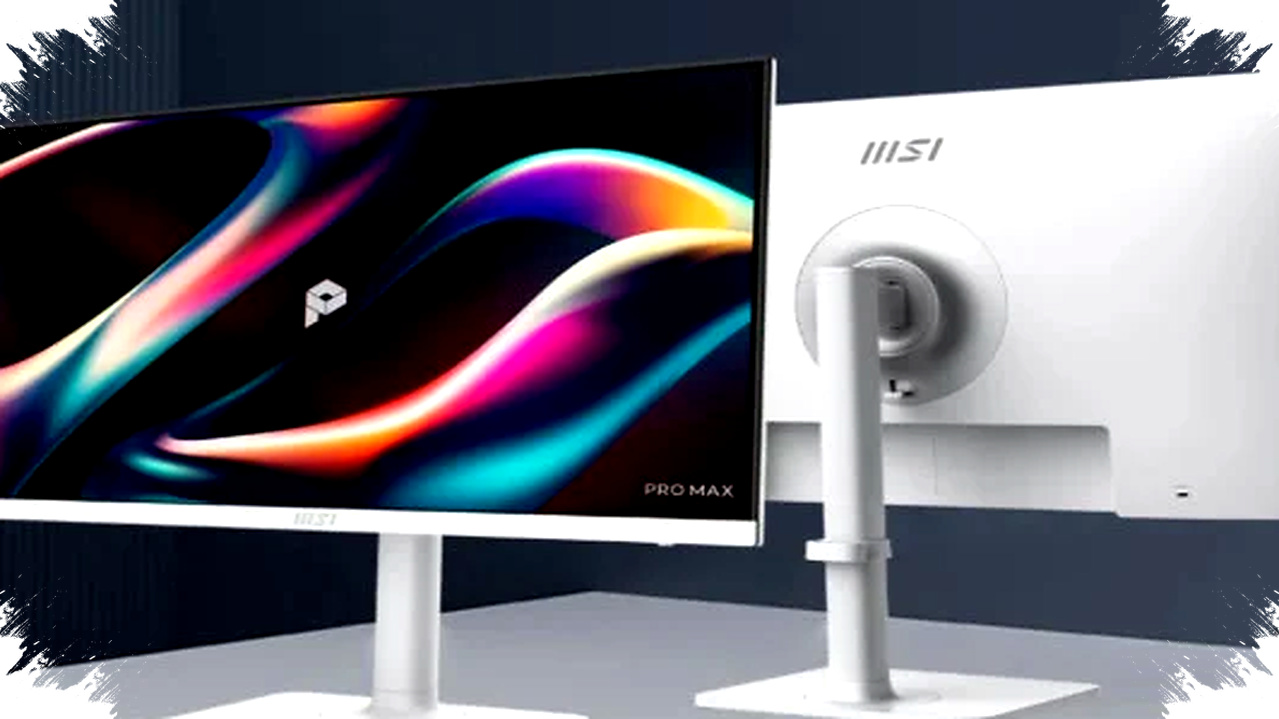
MSI has added a new option to the 27-inch monitor market with the Pro Max 271QPHW E14, a model that tries to balance sharp image quality, fast motion handling, and eye-comfort features in one package. The monitor launched in China with a price of around 1,299 yuan, which is roughly $188, putting it into a range that could appeal to office users, students, and casual gamers looking for a 2K display.
The new model stands out because MSI is not selling it only as a gaming monitor or only as a productivity screen. It pairs a 27-inch IPS panel with 2560 x 1440 resolution and a 144Hz refresh rate, while also adding a circular polarization eye-care system that aims to make long viewing sessions feel less tiring.
A 27-Inch 2K Panel Built for Daily Use


The Pro Max 271QPHW E14 uses a flat 27-inch IPS panel, which is a familiar choice for people who want wide viewing angles and consistent color performance. The 2K resolution, or 2560 x 1440 pixels, offers more screen space and sharper detail than Full HD, which helps when working with spreadsheets, editing photos, or keeping multiple windows open side by side.
For users who play games after work or school, the 144Hz refresh rate is one of the most practical features here. It can make motion feel smoother in fast-paced scenes, while the 1ms MPRT response time helps reduce blur during quick camera movement or action sequences.
MSI also includes support for Nvidia G-Sync and AMD FreeSync, which is important for users who want cleaner motion without screen tearing. These technologies help the monitor match frame output more smoothly, especially when a connected PC or laptop cannot always maintain a perfectly stable frame rate.
Color Performance Aimed at Creators Too
This monitor is not limited to gaming and general office work. MSI says the display covers 93% of the DCI-P3 color gamut and reaches 121% of sRGB volume, which suggests richer and more vivid color reproduction than basic office monitors.
The company also lists Delta E ≤ 2 color accuracy, a figure that matters for people handling visual content such as photography, social media graphics, or light video editing. That level of accuracy is not a replacement for a professional color-graded reference display, but it is strong for a monitor in this category and price class.
The display is also HDR Ready, which can improve contrast handling and widen the perceived dynamic range in supported content. MSI pairs that with 300 nits of brightness and a 1500:1 contrast ratio, numbers that should keep the screen usable in a typical indoor environment without demanding a fully dark room.
Eye-Comfort Features Take Center Stage
The biggest selling point of the Pro Max 271QPHW E14 is its eye-care positioning. MSI uses what it calls circular polarization technology, which is designed to soften digital light before it reaches the eyes. The goal is to make long viewing sessions more comfortable, especially for users who spend hours reading, typing, or browsing on a screen.
That idea is backed by several conventional eye-comfort tools. The monitor carries TÜV Rheinland certification, which signals that it has passed recognized standards related to display comfort and low eye strain. It also uses hardware-based low blue light filtering, DC dimming to reduce flicker, and a matte anti-glare coating.
For many buyers, these features matter more than raw benchmark numbers. Office workers, students, and remote employees often spend most of the day in front of a monitor, so reducing glare and flicker can make a real difference in comfort over time.
What the Eye-Care Package Includes
- Circular polarization technology for softer light handling.
- TÜV Rheinland certification for display comfort standards.
- Hardware low blue light support to reduce harsh blue light exposure.
- DC dimming to help minimize visible flicker.
- Matte anti-glare finish for brighter rooms and everyday use.
- Posture reminders and vision-check tools for healthier screen habits.
MSI goes further by adding usability tools that are less common in mainstream monitors. The company includes a posture correction reminder, an Amsler grid test, and an astigmatism check, all of which position the monitor as a wellness-oriented product rather than a simple display panel.
Connectivity That Fits Modern Laptops
The monitor also tries to be practical for people using a mix of devices. MSI provides HDMI 2.0b and DisplayPort 1.2a for standard video input, along with a USB-C port that supports DisplayPort Alt Mode and up to 65W power delivery.
That USB-C setup is especially useful for laptop users, because it can carry video and charge a compatible device at the same time. In many office and home setups, that means one cable can replace a tangle of separate chargers and display wires.
MSI also adds USB-A and USB-B ports, an audio output jack, and an integrated KVM switch. The KVM function lets users control multiple connected devices with one keyboard and mouse, which can be useful for multitaskers, hybrid workers, or anyone who switches regularly between a desktop and a laptop.
Table: Key Specifications at a Glance
| Feature | MSI Pro Max 271QPHW E14 |
|---|---|
| Screen size | 27 inches |
| Panel type | Flat IPS |
| Resolution | 2560 x 1440 (2K) |
| Refresh rate | 144Hz |
| Response time | 1ms MPRT |
| Brightness | 300 nits |
| Contrast ratio | 1500:1 |
| Color gamut | 93% DCI-P3, 121% sRGB volume |
| Color accuracy | Delta E ≤ 2 |
| Eye-care certification | TÜV Rheinland |
| USB-C charging | Up to 65W |
| Special features | KVM, M-Mate, M-Sync |
Built for Comfort at the Desk
MSI also gives the monitor an ergonomic stand, which is important for daily use. The stand supports height adjustment up to 110 mm, along with tilt, swivel, and pivot adjustments, so users can adapt the screen to their seating position and desk layout.
That flexibility matters because even a strong monitor can feel awkward if it sits at the wrong angle. A properly adjusted display can improve viewing comfort and reduce neck strain, especially during long work sessions or study periods.
The company also includes two built-in speakers. They are not positioned as a premium audio solution, but they can cover basic needs such as video meetings, web content, or casual media playback without requiring external speakers.
Software Features Add a Productivity Layer
MSI complements the hardware with software support through its M-Mate application, which lets users change monitor settings directly from the operating system. That can be more convenient than relying only on physical monitor buttons, especially when adjusting settings often during different work or entertainment tasks.
The monitor also supports M-Sync, a feature designed to offer smoother integration with devices such as MacBook laptops. MSI is clearly targeting users who want a display that can move between productivity ecosystems without much friction.
In a market where gaming monitors often focus purely on speed and specification numbers, the Pro Max 271QPHW E14 takes a broader approach. It tries to combine a fast 144Hz 2K panel with better color output, USB-C convenience, KVM support, and a set of eye-care tools that make long sessions more manageable for everyday users.