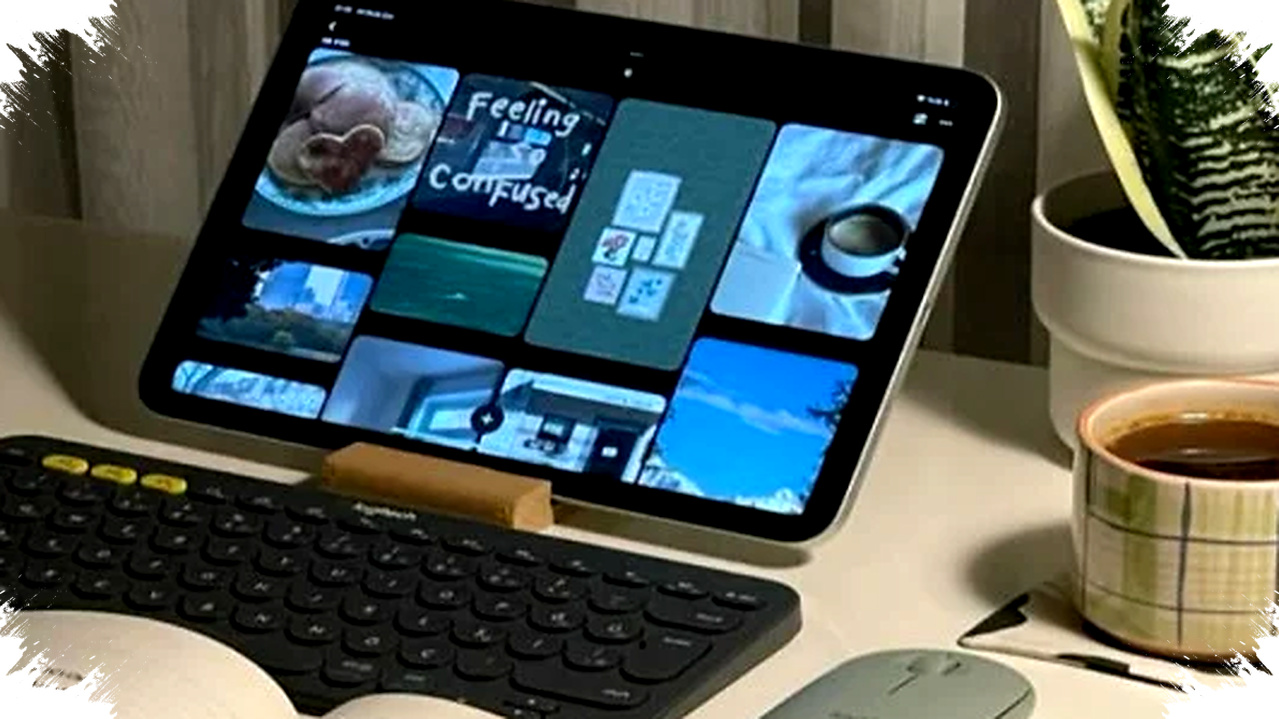
Huawei MatePad 11.5 5G arrives as a practical answer for people who want to work flexibly without depending on a laptop all the time. The tablet is built for remote workers, students, and content creators who need fast internet, solid battery life, and a form factor that is easy to carry every day.
In Indonesia, that pitch matters because many users still face unstable WiFi in homes, cafés, shared offices, and public spaces. With 5G on board, MatePad 11.5 5G gives users another way to stay connected when mobility becomes part of the job.
Why 5G changes the daily work experience


The biggest difference between this tablet and many WiFi-only models is obvious: it can stay online without a tethered connection. That is useful for video calls, cloud documents, file uploads, and quick content updates during travel or outdoor work.
Huawei positions the MatePad 11.5 5G as a device for hybrid productivity, and that framing fits current work patterns well. A 5G tablet reduces the need to hunt for a hotspot, borrow a connection, or pause a task because the network drops.
For many users, that flexibility is the whole point. A device that can connect on its own often feels less like a media tablet and more like a real work tool.
Core specifications that support productivity
The MatePad 11.5 5G comes with an 11.5-inch IPS LCD display with a 2200 x 1440 resolution and a 120Hz refresh rate. That combination should help with smoother scrolling, more comfortable reading, and a better visual experience during multitasking.
Huawei also equips the tablet with a Qualcomm Snapdragon 7 Gen series chipset, which is aimed at efficient multitasking. The device is offered in 8GB RAM with 128GB or 256GB storage configurations, giving it enough headroom for office apps, browser tabs, and lighter editing tasks.
Here is a simple breakdown of the main hardware highlights:
| Feature | Detail |
|---|---|
| Display | 11.5-inch IPS LCD |
| Resolution | 2200 x 1440 |
| Refresh rate | 120Hz |
| Chipset | Qualcomm Snapdragon 7 Gen series |
| RAM | 8GB |
| Storage | 128GB / 256GB |
| Connectivity | 5G, WiFi 6, Bluetooth 5.2 |
| Battery | 7,700 mAh |
| Charging | 22.5W fast charging |
| OS | HarmonyOS |
| Stylus support | Huawei M-Pencil |
| Audio | Quad speakers |
The hardware list shows that Huawei is not treating this as a basic consumption device. It is closer to a compact productivity system that can handle mobile work more seriously.
Designed for hybrid work, not just entertainment
Huawei’s software layer is a major part of the experience. The MatePad 11.5 5G runs HarmonyOS, which is built around multi-device integration and split productivity.
The tablet supports multi-window use, so users can work on a document while checking email or joining a video meeting. It also supports Huawei Super Device, a feature that helps connect the tablet with other Huawei products more seamlessly.
That matters for people who already live inside a mixed-device routine. A tablet that can sync well with a phone or laptop can reduce repetitive actions and save time during the workday.
Who benefits most from this tablet
The MatePad 11.5 5G is most relevant for users who need mobility first. Remote workers can use it for meetings and document review, while students can rely on it for note-taking, reading, and class collaboration.
It also fits small business owners and digital sellers who move between locations. They often need quick internet access, light productivity tools, and a screen that is larger than a phone but easier to carry than a laptop.
A practical use case list looks like this:
- Video meetings on the move.
- Cloud-based document editing.
- Fast uploads for photos and short-form content.
- Split-screen work for research and notes.
- Stylus-based annotation or sketching.
- Light multimedia editing and review.
These everyday tasks define whether a tablet can truly replace a laptop in some situations. In this case, Huawei aims to make the answer more manageable for users who value portability.
Battery life and charging for long work sessions
The 7,700 mAh battery is another important part of the package. For a tablet built around mobile productivity, capacity alone matters because users do not always have a charger nearby when they move between meetings or classes.
Huawei pairs it with 22.5W fast charging, which is not the fastest in the market but remains useful for daily top-ups. That should help reduce downtime, especially for users who charge the device between work sessions rather than letting it sit plugged in all day.
Battery performance will always depend on brightness, app load, and network conditions. Still, a large battery combined with efficient hardware should give the MatePad 11.5 5G a solid advantage for field work and commuting.
The value case in the mid-premium segment
According to the reference data, the expected price in Indonesia falls around $360 to $450, depending on RAM and storage. That places the tablet in a competitive zone for users who want 5G without paying flagship-level prices.
Huawei also benefits from offering a feature mix that is not common in every mid-premium tablet. A 120Hz screen, 5G connectivity, stylus support, and multi-device features give it a more complete profile than many basic models.
For buyers comparing it with WiFi-only tablets, the value gap becomes even clearer. The added freedom of mobile data can matter more than small differences in raw hardware when the device is used for actual work.
What users should keep in mind before buying
The MatePad 11.5 5G is compelling, but it is not perfect for every user. One important consideration is the app ecosystem, since some users still rely heavily on Google services and native apps that may not integrate as smoothly in Huawei’s environment.
That issue does not make the tablet unusable, but it does shape the buying decision. Users who work mainly inside browser-based tools, Office-style apps, and Huawei’s own ecosystem are likely to feel more comfortable with it.
A few practical tips can help users get the best experience:
- Keep HarmonyOS updated regularly.
- Limit heavy apps running in the background.
- Use the official charger for safer long-term battery care.
- Pair the tablet with the M-Pencil if note-taking matters.
- Test your essential apps before relying on it for work.
Those small steps can make the tablet more stable in daily use and help extend its useful life.
A flexible option for the 2026 work pattern
The broader appeal of the Huawei MatePad 11.5 5G lies in how it matches the current way people work. Many users no longer sit in one place all day, and many do not want to carry a full laptop for every task.
A 5G tablet with a large display, solid battery, and productivity-focused software gives them another path. For Indonesian users who want internet access, mobility, and efficiency in one device, Huawei’s latest tablet offers a realistic answer to flexible work without the constant pressure of opening a laptop.