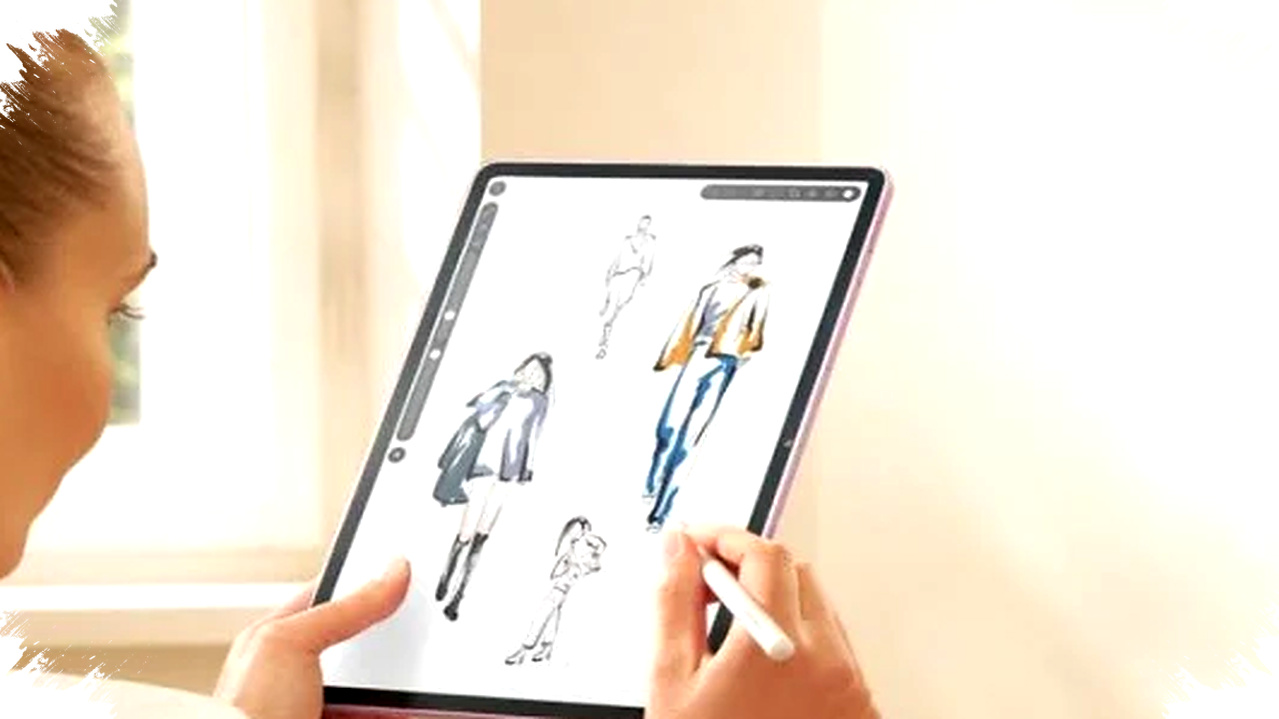
The search for the cheapest stylus tablets in 2026 is being driven by one clear need: creators want a device that can sketch, take notes, and edit content without paying flagship prices. In Indonesia, that demand has pushed several mid-range tablets into the spotlight, especially models from Samsung and Huawei that officially support pen input and target beginners who want a practical creative tool.
For first-time digital artists, students, and hybrid workers, the appeal is simple. A stylus-ready tablet can replace a notebook, a basic drawing pad, and in some cases even a lightweight laptop for mobile productivity.
Why budget stylus tablets are getting more attention
Market data from Indonesia in the first quarter of 2026 shows stylus tablet searches rose by more than 30 percent, especially in the $190 to $430 price range. That trend reflects how buyers now look for flexible devices that can handle note-taking, sketching, video calls, and light editing in one screen.
The shift also matches how creators work today. Many beginners do not need a professional pen display yet, but they still want better pressure response, lower latency, and a larger canvas than a phone can offer.
What makes a stylus tablet worth buying
A good beginner tablet should balance display quality, pen support, battery life, and software stability. It should also be easy to carry, because many users buy these devices for school, freelance work, or content planning on the move.
For stylus use, three factors matter most: pen responsiveness, palm rejection, and app compatibility. A tablet may look fast on paper, but if the stylus feels delayed or the app library is limited, the experience can become frustrating fast.
3 of the most affordable Samsung and Huawei stylus tablets for 2026
Here is a simple comparison of three officially available models that remain among the most practical choices for beginner creators.
| Model | Display | Chipset | Stylus | Battery | Approx. Price |
|---|---|---|---|---|---|
| Samsung Galaxy Tab S6 Lite (2024) | 10.4-inch TFT | Exynos 1280 | S Pen included | 7,040 mAh | $275–$305 |
| Huawei MatePad 11.5 | 11.5-inch 120Hz | Snapdragon 7 Gen series | M-Pencil optional | 7,700 mAh | $245–$335 |
Xiaomi Pad 6 appears in many market discussions, but it does not fit the Samsung-Huawei focus of this guide. For buyers who specifically want Samsung or Huawei, the table above shows the most relevant entry-level stylus choices.
1. Samsung Galaxy Tab S6 Lite (2024)
Samsung still makes one of the easiest stylus tablets for beginners to recommend. The Galaxy Tab S6 Lite (2024) combines a 10.4-inch display, Exynos 1280 chipset, 4GB RAM, and 64GB or 128GB storage, which is enough for note apps, sketching, and light multitasking.
Its biggest advantage is the included S Pen. The pen does not require a battery, and that lowers the friction for new users who want to start drawing or annotating right away without buying another accessory.
Samsung also has a strong software reputation in the budget tablet segment. The interface feels familiar, the productivity tools are easy to learn, and the device suits students who need handwritten notes, PDF markup, and basic illustration.
The main limitation is performance headroom. The Tab S6 Lite is good for casual creative work, but it is not ideal for heavy layered illustration projects or demanding editing tasks.
2. Huawei MatePad 11.5
Huawei’s MatePad 11.5 targets users who want a bigger screen and smoother pen workflow at a still-accessible price. It brings an 11.5-inch 120Hz panel, Snapdragon 7 series performance, 6GB RAM, 128GB storage, and a 7,700 mAh battery that supports long study or sketching sessions.
Vietnam? No—sorry, it’s officially positioned as a tablet for productivity and creativity across several Asian markets, including Indonesia, where it attracts buyers looking for display size and strong battery life. The larger screen makes it easier to place toolbars, sketch details, and split tasks between notes and reference images.
Huawei’s M-Pencil support is one of the device’s most important selling points. Huawei has improved stylus latency across its tablet line, and that matters for beginners who want a more natural writing or drawing feel.
The trade-off comes from ecosystem limits. Some international apps may not be as convenient to access as on Android tablets with full Google Mobile Services, so buyers should check whether the apps they rely on are available before purchasing.
3. Samsung Galaxy Tab S6 Lite (2024) versus Huawei MatePad 11.5
These two tablets serve different kinds of beginners. Samsung focuses on simplicity and immediate stylus use, while Huawei leans more toward display size and a more spacious creative workspace.
For students, note-takers, and users who want a pen included in the box, Samsung is the safer choice. For creators who prefer a larger screen and do not mind buying the pen separately, Huawei becomes more attractive.
A quick breakdown can help narrow the choice:
- Choose Samsung if you want the S Pen included and a more straightforward setup.
- Choose Huawei if you want a larger display for sketching and multitasking.
- Choose Samsung if you rely heavily on common Android productivity habits.
- Choose Huawei if you value a roomy screen and smoother panel refresh for drawing and scrolling.
Why these tablets matter for beginner creators
Entry-level stylus tablets now lower the barrier for digital art and content creation. Many beginners can start with handwriting, mood boards, rough sketches, storyboard planning, and image annotation before moving to more advanced tools.
This matters because creative work often begins with simple habits. A tablet that supports stylus input can make it easier to build those habits consistently, especially for users who carry their device between campus, coffee shops, and home.
The price also makes a difference. At roughly $245 to $335, these models are far below the cost of a professional drawing setup, yet they still deliver enough capability for learning and experimentation.
What buyers should know before spending money
There are still real compromises in this segment. Styluses for Huawei and Xiaomi are often sold separately, and that adds to the final price even when the tablet itself looks affordable.
Software limits also matter. Huawei’s app ecosystem remains the biggest caution point for buyers who depend on specific Android or Google-based services. Samsung has broader app compatibility, but its budget hardware still needs realistic expectations for performance.
A few purchase tips can reduce regret:
- Check whether the stylus is included or sold separately.
- Confirm that your main apps run well on the tablet you choose.
- Look for at least 6GB RAM if you plan to sketch and multitask regularly.
- Use a stylus-friendly screen protector to reduce wear and improve control.
- Keep the software updated to maintain stable pen performance.
Tablet stylus demand in 2026 shows that beginner creators no longer need to wait for expensive gear before starting digital work. With Samsung and Huawei now offering more accessible options, first-time users can choose between a simpler all-in-one starter device and a larger, more flexible drawing surface that still stays within an entry-level budget.
-

-

-
-