


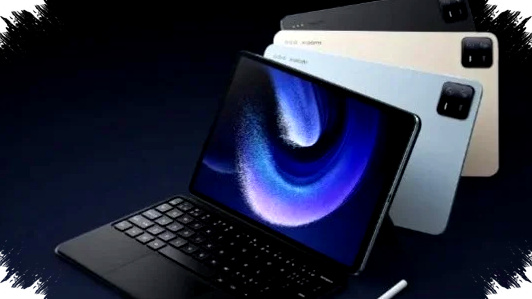
The shift from laptop to tablet is no longer just a trend among students and casual users. In April 2026, several tablets now deliver performance, display quality, and productivity tools that make them realistic work devices for office tasks, meetings, writing, and even light content creation.
For buyers who want something lighter than a laptop but still powerful enough for daily work, the latest wave of Android and HarmonyOS tablets offers a strong middle ground. Based on the reference data and current productivity-focused tablet features, here are five of the best work tablets to consider this month.
Why tablets are becoming serious work devices
Modern work tablets now go far beyond media consumption and note-taking. Many models support keyboard accessories, stylus input, split-screen multitasking, desktop-style office apps, and large batteries that can last through long workdays.
This matters for mobile workers, freelancers, students, and employees who move between offices, cafes, client meetings, and home desks. A tablet can reduce carry weight while still supporting document editing, note management, video calls, and cloud-based workflows.
1. Huawei MatePad 11.5 2025: best for eye comfort and office-style typing
Huawei’s MatePad 11.5 2025 stands out because of its PaperMatte display technology. The screen cuts glare well, which helps a lot for people who work outdoors or near strong lighting.
The tablet also offers PC-level WPS Office support, and the reference source notes that its interface matches the laptop version. That makes it easier for users who deal with spreadsheets, reports, and formatted documents.
It also includes a 10,100 mAh battery, which supports long meeting sessions and extended writing work. In many retail bundles, buyers can also get a Smart Magnetic Keyboard and support for the M-Pencil Gen 3, which strengthens its value as a productivity device.
2. Samsung Galaxy Tab S10 FE 5G: ideal for mobile workers
The Galaxy Tab S10 FE 5G is built for users who move often and need reliable connectivity. Its built-in 5G slot reduces dependence on mobile hotspot tethering, which can save phone battery during field work or travel.
Samsung also adds practical productivity tools through the S Pen. One useful feature highlighted in the source is Handwriting Help, which can clean up messy handwritten notes automatically.
The tablet uses a 10.9-inch display with a 90Hz refresh rate and blue-light reduction, making it more comfortable for long sessions. It also supports microSD expansion up to 2 TB, which is more than enough for documents, media files, and offline work materials.
3. Moto Pad 60 Pro: best for large-screen multitasking
If screen space is the priority, the Moto Pad 60 Pro deserves attention. It uses a 12.7-inch 3K display that feels closer to a portable monitor than a standard tablet.
The tablet is powered by the MediaTek Dimensity 8300, which the reference describes as delivering AnTuTu scores above one million. That level of performance makes it suitable for heavy multitasking and light video editing.
It also supports USB-C 3.2 display output, so users can connect it to an external monitor with ease. For audio and entertainment after work, the tablet includes quad JBL speakers with Dolby Atmos, which gives it an advantage for both productivity and downtime.
4. Honor Pad 10: best for meetings and AI-assisted notes
Honor Pad 10 focuses heavily on software productivity. It runs MagicOS 9.0 with AI features designed to help during meetings, classes, and interviews.
One standout tool is AI Under Notes, which can record speech and turn it into text automatically, complete with a summary. For professionals who attend many online or offline meetings, that feature can reduce the time spent on manual note-taking.
The tablet also uses a 12.1-inch 120Hz display with TÜV Rheinland Flicker Free certification, which helps reduce visual fatigue. Under the hood, Snapdragon 7 Gen 3 gives it enough power for smooth multitasking without being inefficient.
5. Xiaomi Pad 7 Pro: closest to a laptop-like tablet experience
Xiaomi Pad 7 Pro is aimed at users who want a more desktop-style workflow. Its 3:2 aspect ratio gives extra vertical space, which is useful for reading emails, editing documents, and even coding.
The tablet’s Workstation Mode allows floating windows that can be resized like apps on Windows or macOS. That makes it easier to run multiple tasks at once without feeling limited by a mobile interface.
Xiaomi also strengthens its ecosystem through HyperConnect, which lets users control a Xiaomi phone from the tablet and drag files between devices. With Snapdragon 8s Gen 3 and 67W HyperCharge, it combines fast performance with quick charging for busy workdays.
Quick buying guide: which one fits your work style?
-
Choose Huawei MatePad 11.5 2025 if you want the best anti-glare screen and a laptop-like office app experience.
-
Choose Samsung Galaxy Tab S10 FE 5G if you need strong mobility, 5G access, and good handwriting tools.
-
Choose Moto Pad 60 Pro if you want the biggest screen and the strongest focus on split-screen multitasking.
-
Choose Honor Pad 10 if your work relies on meetings, lecture notes, and AI transcription.
- Choose Xiaomi Pad 7 Pro if you want a tablet that feels closest to a lightweight laptop replacement.
What makes a tablet worth buying for work in 2026
Work-focused tablets now compete through screen quality, keyboard support, stylus tools, battery life, and software that can handle real productivity needs. The best models are not only fast, but also practical for long sessions, note-taking, and app switching.
A good work tablet should also match your routine. If you write a lot, display comfort matters. If you travel often, 5G and battery life matter more. If you attend meetings, AI note tools can save time. If you want something close to a laptop, look for desktop-style multitasking and proper accessory support.
The tablet market in April 2026 shows that users no longer need to choose between portability and productivity. With the right model, a tablet can now handle much of what many people used to reserve for a laptop, especially when the job involves documents, communication, and cloud-based workflows.