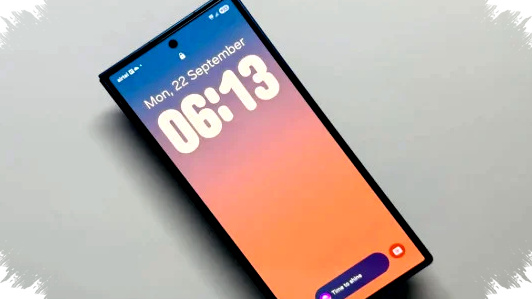
Samsung has started to push a major visual upgrade to the Quick Panel through One UI 8.5, and the biggest change is not just cosmetic. The new release gives Galaxy users more control over how key controls look and feel, including custom backgrounds for the brightness slider and media player.
This matters because Quick Panel is one of the most frequently used parts of Samsung’s interface. With One UI 8.5, Samsung is turning that space into a more personal dashboard, while also improving how it works in landscape orientation and adding more precise display options for core controls.
Samsung brings a more premium look to Quick Panel


Samsung is using One UI 8.5 to make the Quick Panel feel closer to a tailored interface than a standard system tray. Through the updated QuickStar module, users can now go beyond simple color tweaks and assign a custom background to selected control areas, which gives the panel a more polished and layered appearance.
The change is especially visible on the brightness slider, volume controls, and media player. Instead of looking like fixed system elements, these tiles can now match the user’s preferred style, which makes the interface feel more premium without reducing its utility.
What has changed in One UI 8.5
The update focuses on three main areas: visual customization, layout flexibility, and control precision. Samsung appears to be aiming for a balance between design and practicality, which is important because Quick Panel is used dozens of times each day.
Here is a simple breakdown of the new behavior in One UI 8.5:
- Users can set custom backgrounds for specific Quick Panel elements.
- Brightness and volume sliders now show numeric values for more exact adjustments.
- The media player can be resized to take up less space.
- Landscape mode gets a cleaner and more proportionate layout.
- The feature is currently limited to newer Galaxy devices and beta builds in some regions.
This direction fits Samsung’s broader software strategy, where personalization has become a major selling point. The company is no longer only improving performance and stability, but also the visual identity of the system itself.
QuickStar becomes the center of personalization
Samsung’s QuickStar tool plays a bigger role in One UI 8.5 than in previous versions. It gives Galaxy users deeper access to quick settings customization, and the new update expands that flexibility in ways that were not available before.
For example, the brightness and media controls can now sit against a dedicated background rather than blending into the rest of the panel. That may sound small, but it changes the visual hierarchy of the entire interface and makes the Quick Panel feel more intentional.
The update also reflects a strong trend in smartphone software design. Many users now expect system UI elements to be both useful and visually distinctive, especially on premium devices. Samsung seems to be responding by making everyday interactions look more refined.
Landscape mode gets more attention
Samsung also adjusted the Quick Panel for users who prefer landscape mode. This is a practical change for gamers, video viewers, and anyone who frequently rotates their device.
In earlier versions, quick controls could feel cramped or less balanced when the phone was turned sideways. One UI 8.5 aims to solve that with a layout that keeps the controls proportional and easier to read, which should improve usability during media playback or gaming sessions.
That detail is important because landscape support often gets overlooked in mobile interfaces. Samsung’s decision to refine it suggests the company is trying to make Quick Panel useful across more real-world scenarios, not just in the default portrait view.
Exact values make the controls easier to trust
Another notable addition is the numeric display on the brightness and volume sliders. Instead of relying only on a visual position, the system now shows exact values, which makes fine-tuning much easier.
The source notes that the font options are still limited for now, but the feature itself already improves control accuracy. Users who want very specific volume levels or brightness settings will likely find this more reliable than the older slider-only approach.
That kind of precision is especially useful on modern Galaxy phones, where displays are bright, speakers are powerful, and users often switch between different environments. A small adjustment can make a measurable difference in comfort and audio balance.
Which Galaxy phones get One UI 8.5 first
Samsung is rolling out One UI 8.5 gradually, and the newest Galaxy devices are the first to receive the stable version. According to the reference, Galaxy A37, Galaxy A57, and the entire Galaxy S26 lineup are among the first models to get full access.
Older devices are not excluded, but they must rely on the beta program for now. Galaxy S24, Galaxy S25, Galaxy Z Flip 6, and Galaxy Z Fold 7 users can try the new Quick Panel features through beta access, as long as their region supports it.
That rollout pattern follows Samsung’s usual software strategy. New flagship and recent midrange models get the stable release first, while earlier premium devices are invited into testing before a wider launch begins.
Device availability at a glance
| Device group | Update status |
|---|---|
| Galaxy A37 | Stable rollout |
| Galaxy A57 | Stable rollout |
| Galaxy S26 series | Stable rollout |
| Galaxy S24 series | Beta access in supported regions |
| Galaxy S25 series | Beta access in supported regions |
| Galaxy Z Flip 6 | Beta access in supported regions |
| Galaxy Z Fold 7 | Beta access in supported regions |
This split helps Samsung gather feedback before expanding the release more broadly. It also gives the company room to refine interface details, which is important for a feature like Quick Panel customization that affects daily use directly.
Why this update stands out for Galaxy users
One UI 8.5 does more than add a few design options. It signals that Samsung is treating the Quick Panel as a core part of the Galaxy identity, not just a utility screen.
The ability to apply custom backgrounds, resize the media player, and view numeric slider values makes the interface feel more deliberate and more expensive. For users who care about both function and aesthetics, this is one of the more meaningful One UI updates in recent cycles.
Samsung is also leaning into a broader consumer trend where personalization is becoming a reason to choose one phone ecosystem over another. As Android brands compete on software polish, details like these matter more than they used to.
For now, the new Quick Panel customization features remain tied to One UI 8.5’s rollout schedule and the beta access rules in each region. But for Galaxy owners who enjoy tailoring every part of their phone, this update points to a more refined and more flexible Samsung experience ahead.