Finding a cheap tablet in 2026 for work and productivity is no longer just about chasing the lowest price. Today’s budget tablets need to handle multitasking, note-taking, video calls, cloud apps, and cross-device workflows without turning every task into a slowdown.
That is why buyers should look beyond the sticker price and focus on the features that affect daily performance. A well-chosen affordable tablet can replace a laptop in some situations, but only if it has enough memory, a capable chipset, modern connectivity, a smooth display, and long-term software support.
1. Start with at least 8GB of RAM

RAM is one of the most important factors for productivity use, especially if you often switch between email, documents, browsers, and messaging apps. In 2026, 4GB or 6GB may still work for light use, but those capacities can feel tight once you open several apps at the same time.
A tablet with 8GB RAM offers a more stable experience for multitasking and should age better over the next few years. Pair that with a capable chipset such as a Snapdragon 7 series or Dimensity 8000 series, and the tablet has a much better chance of staying responsive under heavier workloads.
2. Pay attention to USB-C speed and functionality
Many shoppers see USB-C and assume all ports offer the same performance, but that is not the case. Some entry-level tablets still use USB 2.0, which is fine for charging and basic data transfer, yet it limits speed and flexibility.
USB-C 3.0 or higher can make a major difference for productivity users. It can support faster file transfers, better external display options, and in some cases desktop-style modes that make the tablet more useful as a work device.
| Feature | What it means for productivity |
|---|---|
| USB-C 2.0 | Basic charging and slower file transfer |
| USB-C 3.0 or higher | Faster transfer, better accessory support, more flexible workflows |
If you regularly move large files, connect to monitors, or use a keyboard setup, the port specification deserves close attention. This detail can separate a simple media tablet from a genuinely useful work companion.
3. Choose a display with a higher refresh rate
A smooth screen is not only useful for gaming, because it also improves everyday productivity. A display with 90Hz or 120Hz refresh rate makes scrolling through documents, spreadsheets, and web pages feel noticeably smoother than a standard 60Hz panel.
That extra fluidity also helps when you use a stylus for handwriting or sketching notes. For long sessions, a more responsive display can reduce visual fatigue and make the tablet feel more premium, even if the price stays in the budget range.
Display quality still depends on more than refresh rate, so resolution and brightness matter too. A tablet that looks sharp indoors but struggles in brighter spaces may not be ideal for mobile work.
4. Check accessory compatibility before you buy
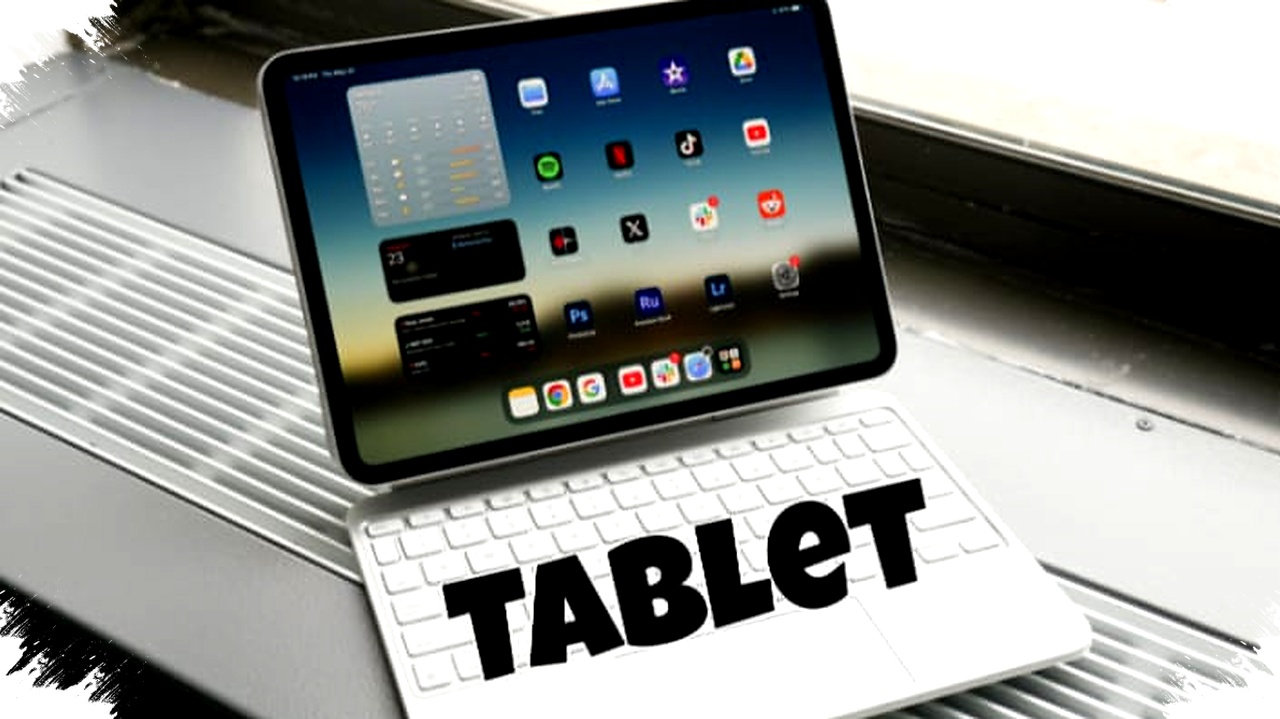
A tablet becomes much more productive when it works well with a keyboard, stylus, stand, and protective case. The problem is that some cheaper devices have limited official accessories, and the branded options can be expensive or hard to find.
The safer choice is often a tablet from a popular model line with strong third-party support. That gives you more options for affordable keyboards, drawing pens, and cases without depending entirely on the brand’s own ecosystem.
Accessibility to accessories can shape the real value of the device more than many buyers expect. A tablet that looks cheap at checkout can become costly if the only usable keyboard or stylus is overpriced or unavailable.
5. Look for long software support
Hardware gets the attention first, but software support often decides whether a tablet stays useful. Without regular updates, apps can become less compatible, security risks grow, and overall performance may degrade over time.
For productivity, choose a device that is expected to receive security updates for at least two to three years. That helps keep work apps stable and protects your data while also extending the usable life of the tablet.
Longer support also matters if you plan to use the device across multiple years of school, hybrid work, or travel. A tablet that receives updates is less likely to feel outdated quickly, even if its hardware is not top tier.
What a realistic budget looks like in 2026
Affordable tablets that are still strong for productivity generally sit in a more selective price range today. Based on the market guidance from the reference article, the sweet spot is around $250 to $340, which translates from the Rp4 million to Rp5.5 million range mentioned.
Below $250, trade-offs often start to appear in RAM, display quality, or overall speed. That does not mean every cheaper tablet is weak, but buyers should expect to compromise more carefully on one or more core features.
| Price range | Typical expectation |
|---|---|
| Under $250 | More compromises in performance, screen, or memory |
| $250 to $340 | Better balance for productivity use |
| Above $340 | More room for stronger chipset, display, and software support |
This pricing logic matters because the cheapest option is not always the best value. A slightly higher upfront cost can save frustration later if the tablet handles work tasks more efficiently.
A practical buying order for 2026 shoppers
When comparing cheap tablets, the most useful approach is to evaluate them in the right order. First, check RAM and chipset, because these determine whether the tablet can keep up with real work.
Next, verify the USB-C standard, display refresh rate, accessory support, and update policy. If two tablets look similar on paper, the one with longer software support and better third-party accessory availability usually offers more practical value.
For office tasks, note-taking, and cloud-based productivity, that balance matters more than marketing claims. A tablet that handles multitasking smoothly, connects well with accessories, and stays updated is far more useful than a cheaper model that looks good only on the price tag.
In 2026, the best budget tablet for work is the one that combines enough memory, a modern port, a smooth screen, and reliable software support, while staying within a realistic price point for long-term use.