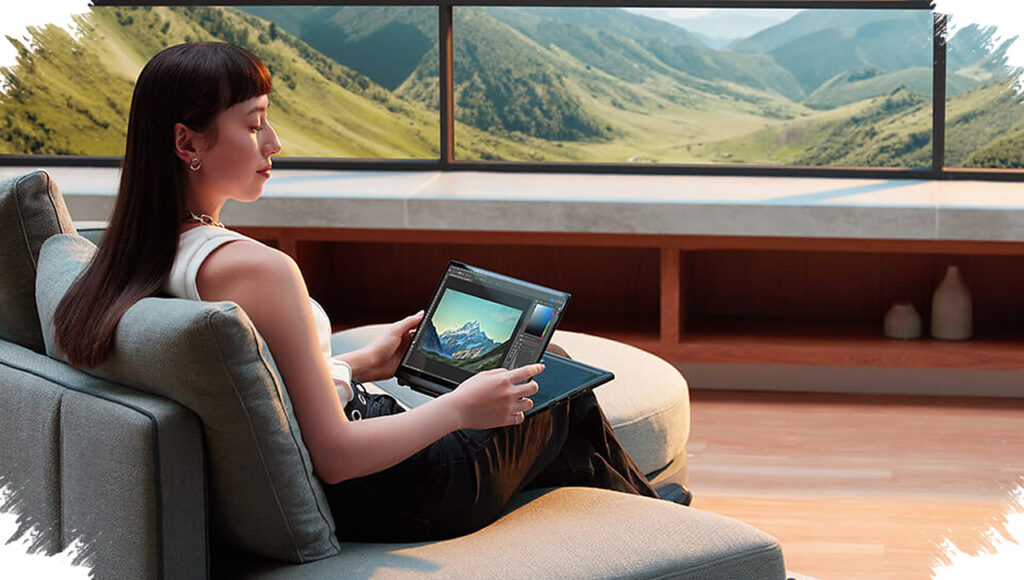
For users who want a lighter setup without giving up serious productivity tools, Motopad 60 Pro is positioned as a tablet that tries to close the gap between mobile convenience and laptop-style work. Its 12.7-inch display, bundled accessories, and desktop-like interface make it feel closer to a compact work machine than a typical tablet.
The most eye-catching part is its PC Mode, which is designed to look very similar to Windows 11. That layout should feel familiar to people who often work with multiple windows at once, because it makes multitasking easier to manage on a portable device.
A tablet that comes ready for work
Motopad 60 Pro does not rely on the tablet alone to sell the idea. The package already includes an ergonomic magnetic keyboard and a trackpad, so users do not need to add a separate mouse just to get started.
The 12.7-inch screen also plays an important role in that experience. It gives the device a larger and more laptop-like feel, which makes the format more relevant for students and professionals who want to stay productive while carrying less.
Wireless second-screen support
Another notable feature is Smart Connect, which is built to keep the tablet and a laptop working together smoothly. Through that system, Motopad 60 Pro can function as a wireless second monitor for a laptop.
Smart Connect also supports drag-and-drop file transfer between devices. In addition, the tablet camera can be used as a webcam during laptop meetings, which adds another practical use case beyond standard tablet work.
Built for writing, drawing, and note-taking
The included stylus pushes the device further into productivity territory. It supports accurate pressure sensitivity and palm rejection, two features that matter for handwriting and sketching comfort.
Motopad 60 Pro also includes Hover, a function that is still uncommon in this class of device. That feature allows navigation without directly touching the screen, while Nebo is bundled for free to help turn handwritten notes into digital text instantly.
Performance, audio, and battery support everyday use
Under the hood, the tablet uses the Dimensity 8,300 chipset. It is described as efficient while still being powerful enough for demanding tasks and competitive gaming.
Entertainment support is also part of the package. The 12.7-inch display is paired with quad speakers tuned by JBL, and the device carries a 10,200 mAh battery, giving it a setup that is meant to handle both work and media consumption.
With PC Mode, Smart Connect, the included stylus, magnetic keyboard, and trackpad all arriving in one package, Motopad 60 Pro is built to reduce the need for extra accessories. That combination makes it a strong option for users who want one flexible device that can move between work, note-taking, and entertainment without carrying a heavy laptop.