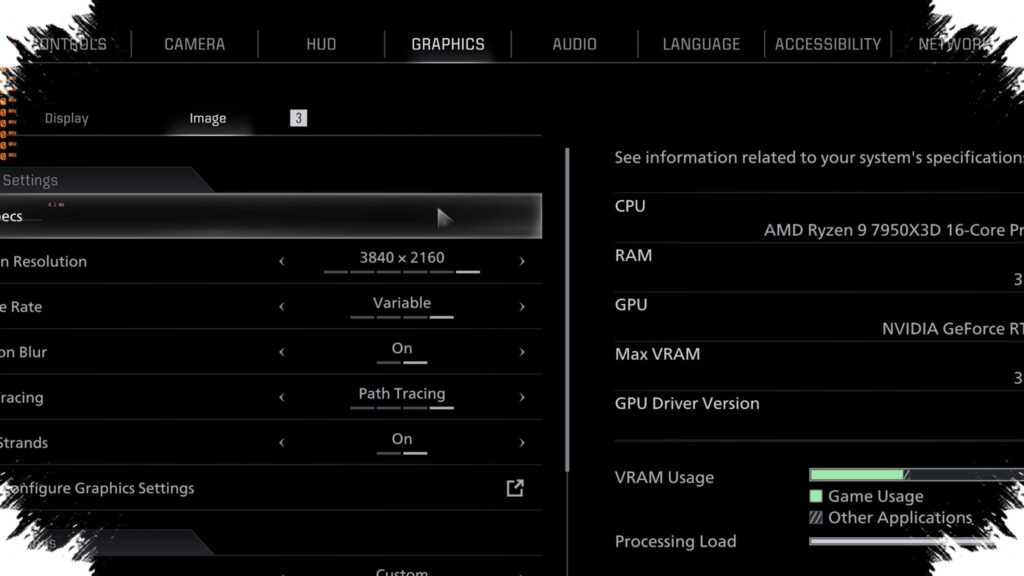
For some Neverness to Everness players on PC, Ray Tracing is not missing because of hardware power alone. The option can stay hidden even on systems that should support it, which has pushed players to look for ways to make the setting appear in the graphics menu first.
The issue appears to come from how the game checks installed GPUs and applies hardware-based limits. GameGPU reported that Hotta Studio uses GPU-based restrictions for ray tracing in NTE, which helps explain why some compatible cards still do not show the option by default.
Why the setting stays hidden
NTE supports advanced RTX features on compatible PCs, and the goal is to improve lighting, shadows, and reflections. In practice, however, the Ray Tracing toggle does not always appear across every supported setup.
Updated GPU drivers can matter, and in some cases the option only shows after raising the graphics preset. Even then, some hardware still does not receive access to the menu entry, including certain AMD cards that are said not to display support in the game settings.
The same problem has also been reported on some NVIDIA RTX models. Several RTX 20 series and RTX 30 series cards are said to remain without the Ray Tracing option, despite already supporting the technology at the hardware level.
The Registry change that may reveal it
One workaround reported by players involves editing the Windows Registry so the game reads the GPU as NVIDIA GeForce RTX 5070. The process begins by pressing Win + R, typing regedit, and opening the Registry Editor.
From there, the path to check is HKEY_LOCAL_MACHINE > SYSTEM > CurrentControlSet > Enum > PCI. Inside that section, users need to look through the VEN_XXXXXXXX folders until they find the one that matches the installed graphics card.
After finding the correct folder, the next step is to open it and double-click the DeviceDesc entry. In the Value data field, the GPU name is changed to @oem35.inf,%nvidia_dev.2484%;NVIDIA GeForce RTX 5070, then the change is saved.
Once the Registry Editor is closed and the PC is restarted, NTE can be opened again to check whether the Ray Tracing option now appears in the graphics settings. If it shows up, the feature still has to be enabled manually inside the game.
What players get when it works
When Ray Tracing is active, the visual difference in Neverness to Everness is meant to be significant. The strongest changes show up in glass reflections, wet roads, neon lighting, and the overall feel of the city at night.
Shadow detail and reflective surfaces also look more natural than they do under standard graphics settings. At the same time, the visual upgrade comes with a noticeable performance cost.
GameGPU benchmark findings indicate that frame rate can drop sharply once Ray Tracing is enabled, especially at higher resolutions. That makes the feature more demanding than a simple graphics toggle might suggest.
Who benefits most from it
NVIDIA RTX users have an advantage because DLSS can help keep performance smoother while Ray Tracing is running. That pairing matters in NTE because the load on the GPU rises quickly when advanced lighting is switched on.
RTX 40 series and RTX 50 series users with DLSS support are among those most likely to get the best balance between image quality and smooth play. On older hardware, the trade-off can be harsher, with stuttering, higher temperatures, or unstable frame rates becoming more noticeable.
Those issues can appear both during combat and while moving through the city. In many cases, players may still need to use DLSS or lower other graphics options to keep the game running comfortably.