Tablets have evolved far beyond casual entertainment, transforming into powerful tools capable of handling demanding tasks like graphic design and coding. For professionals needing smooth performance without lag, selecting a tablet with robust specifications is essential to maintain workflow efficiency.
High-performance tablets now operate as mini workstations, equipped with advanced processors and precision stylus support. These features are critical for tasks requiring accuracy and speed, such as digital illustration and software development on the go.
1. Apple iPad Pro (Latest M-Series Chip)
The Apple iPad Pro stands out as a leader in tablet performance. Its latest generation integrates Apple’s M-Series chips, renowned for delivering processing power that rivals many high-end laptops. This makes the iPad Pro a powerhouse suitable for intensive applications.


Its Ultra Retina XDR OLED display ensures sharp visuals with exceptional color accuracy, ideal for detail-oriented graphic designers. Coupled with the Apple Pencil Pro’s minimal latency, the device offers an almost paper-like drawing experience highly praised by creatives.
Creative software such as Procreate and Affinity Designer run effortlessly, supporting complex designs without slowdowns. Although running on iOS, tools like Codea and Working Copy enable convenient programming, and the Magic Keyboard accessory transforms the device into a versatile laptop alternative.
Multitasking is smooth with Split View functionality, allowing users to open multiple apps and browser tabs simultaneously without performance degradation. For those prioritizing speed and a creative ecosystem, investing in the iPad Pro proves highly beneficial.
2. Samsung Galaxy Tab S-Series (Ultra/Plus Models)
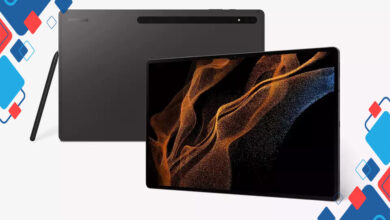
For users favoring the Android environment, the Samsung Galaxy Tab S-Series offers exceptional flexibility and power. The Ultra and Plus variants come equipped with cutting-edge specs designed to meet the needs of professionals.
The Dynamic AMOLED 2X display, typically exceeding 12 inches, delivers vibrant colors and deep blacks, enhancing visual clarity for digital artwork and media. Included with the tablet, the S Pen provides precise input suitable for sketching on programs like Clip Studio Paint.
Samsung’s DeX Mode is a standout feature that converts the tablet interface into a desktop-like environment once a keyboard cover is attached. This mode includes a taskbar and resizable windows, mimicking a traditional PC workspace. It significantly improves coding experiences by facilitating terminal and IDE usage on a mobile device.
These capabilities make the Galaxy Tab S-Series a compelling choice for those needing a multi-functional tablet capable of handling both creative and technical workloads seamlessly.
Key Specifications to Look For in a High-Performance Tablet:
- Processor – Look for the latest, high-performance chips such as Apple M-Series or Snapdragon/Exynos top-end processors.
- Display – An OLED or AMOLED screen with high resolution and color accuracy for detailed visual work.
- Stylus – A responsive stylus with low latency and pressure sensitivity, essential for precise drawing or note-taking.
- Operating System – Depending on your workflow, choose between iOS for a curated app ecosystem or Android with more customization and multitasking freedom.
- Accessories – Availability of compatible keyboard covers, docks, and external peripherals enhance productivity.
Choosing the right tablet involves balancing performance, software ecosystem, and accessory support to fit the specific needs of designers and programmers. Tablets like the iPad Pro and Samsung Galaxy Tab S-Series exemplify how mobile devices have grown into potent workstations, capable of delivering uninterrupted, high-level performance.