Students and college applicants often need a laptop that can handle writing, video calls, research, and light creative work without pushing the budget too far. In the sub-$500 price class, the market now offers options that are far more capable than basic office machines, with faster processors, bigger memory, and even OLED displays in some models.
That shift matters because campus life rarely stays limited to typing documents. A good student laptop now needs to support multiple browser tabs, presentation software, cloud storage, online classes, and occasional design or editing tasks, all while staying portable and reliable for daily use.
What students should prioritize before buying
The best laptop for students is not always the one with the highest benchmark score. Real usefulness depends on a few practical factors that affect daily comfort and long-term value.
- Processor performance for multitasking and academic software.
- RAM capacity for smooth work across many tabs and applications.
- Storage speed and size for files, projects, and app installation.
- Display quality for reading, writing, and long study sessions.
- Weight and battery efficiency for carrying around campus.
For many students, a balanced machine matters more than a powerful one. A laptop that is light, responsive, and easy to upgrade can be more useful than a heavier device with a stronger chip but weaker portability.
Laptop recommendations under $500
Several models in this budget now stand out because they cover different student needs. Some focus on raw performance, while others aim at portability, display quality, or value for money.
| Laptop model | Main strength | Approx. price |
|---|---|---|
| MSI Modern 14 | Lightweight design and strong multitasking | $480 |
| Axioo Hype 5 | Best balanced all-rounder, upgrade-friendly | $300 |
| Advan WorkPlus | Faster H-series processor for heavy tasks | $400 |
| Axioo Hype R3 OLED | OLED display and very light body | $360 |
| Zyrex Sky 232 Prime | Practical daily use and reliable ports | $350 |
MSI Modern 14: for students who move a lot
MSI Modern 14 is one of the more polished choices in this price range. It uses an Intel Core i5-1235U processor and 16GB of RAM, which helps it handle multitasking smoothly.
Its biggest selling points are the slim build and light weight. At around $480, it suits students who need to carry a laptop across classes, libraries, and dorm rooms without feeling burdened.
Axioo Hype 5: the most balanced option
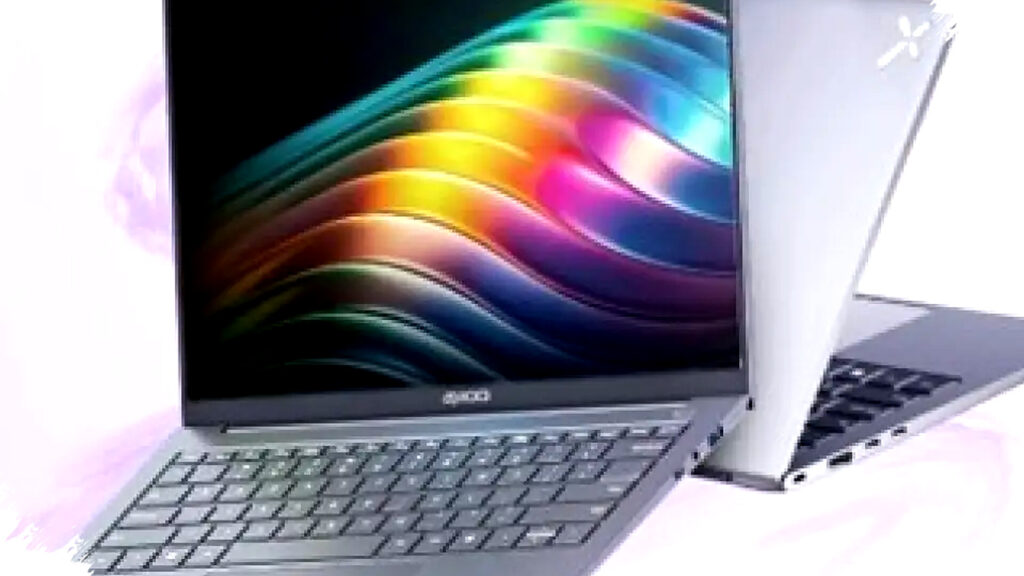
Axioo Hype 5 has been highlighted by PemmzChannel as an all-rounder in the lower-budget category. It uses an AMD Ryzen 5 5500U chip with 6 cores and 12 threads, and it sells for roughly $300 to $305.
That pricing puts it among the most attractive choices for students who want performance without stretching finances. It also supports RAM upgrades up to 64GB and offers a hinge that opens up to 180 degrees, which adds flexibility for shared viewing and group work.
Advan WorkPlus: for heavier academic workloads
Advan WorkPlus targets users who care most about processor speed. It carries an AMD Ryzen 5 6600H, a chip series usually found in gaming-oriented laptops, and its price sits around $400 to $410.
That makes it useful for students who use demanding software, including programming tools, data analysis platforms, or light content creation apps. The trade-off is clear, since the screen and audio are described as standard rather than premium.
Axioo Hype R3 OLED: for better visuals
Axioo Hype R3 OLED stands out because it brings a quality display to a budget segment where that feature is still uncommon. It carries an Intel Core i3-1215U processor, 12GB of DDR5 RAM, and an OLED panel with 100% DCI-P3 color coverage at around $360.
The laptop also weighs only 954 grams, making it one of the lightest options in its class. It even includes Accidental Damage Protection, which can add peace of mind for students who travel often or carry their devices every day.
Zyrex Sky 232 Prime: practical local option
Zyrex Sky 232 Prime represents a local product that focuses on practical function rather than flashy specs. It uses an Intel Core i5-1035G7 processor and costs around $350.
Its IPS display is comfortable for long viewing sessions, and the inclusion of a LAN port improves reliability for users who need stable internet access. For online learning, note-taking, and standard productivity work, it offers a straightforward and dependable setup.
Which type of student needs which laptop
The right choice depends on study habits and workload. Different models serve different priorities, and that makes the decision easier when the needs are clear.
- Frequent travelers and commuters should look at MSI Modern 14 or Axioo Hype R3 OLED.
- Budget-conscious buyers can consider Axioo Hype 5 for the strongest value.
- Students with heavier workloads may benefit from Advan WorkPlus and its H-series processor.
- Users who care about display quality may prefer Axioo Hype R3 OLED.
- Students who want practical everyday use can look closely at Zyrex Sky 232 Prime.
This strategy helps avoid overspending on features that may not matter for class work. It also reduces the risk of buying a laptop that looks attractive on paper but feels inconvenient in daily use.
Why the sub-$500 segment matters now
The entry-level laptop market has become more competitive, and that has worked in favor of students. Several devices in this range now offer features that used to appear only in more expensive models, such as DDR5 memory, OLED panels, and more efficient CPUs.
That trend is important because academic needs continue to expand. Students increasingly rely on online systems, collaborative documents, digital libraries, and multimedia assignments, so a laptop must do more than just open a word processor.
For buyers with a budget under $500, the smartest approach is to match the device with the actual workload. A light laptop with a good screen may be ideal for reading and writing, while a faster processor matters more for users who run coding tools, spreadsheets, or editing software.
What to check before making the final choice
Before paying, students should still compare real-world details beyond the headline specifications. Battery life, keyboard comfort, upgrade options, and service coverage can affect daily satisfaction as much as the processor or display.
A laptop with a strong chip but weak portability may be less useful than a balanced model that is easier to carry. In the student segment, value is usually created by consistency, not just by one standout feature.