


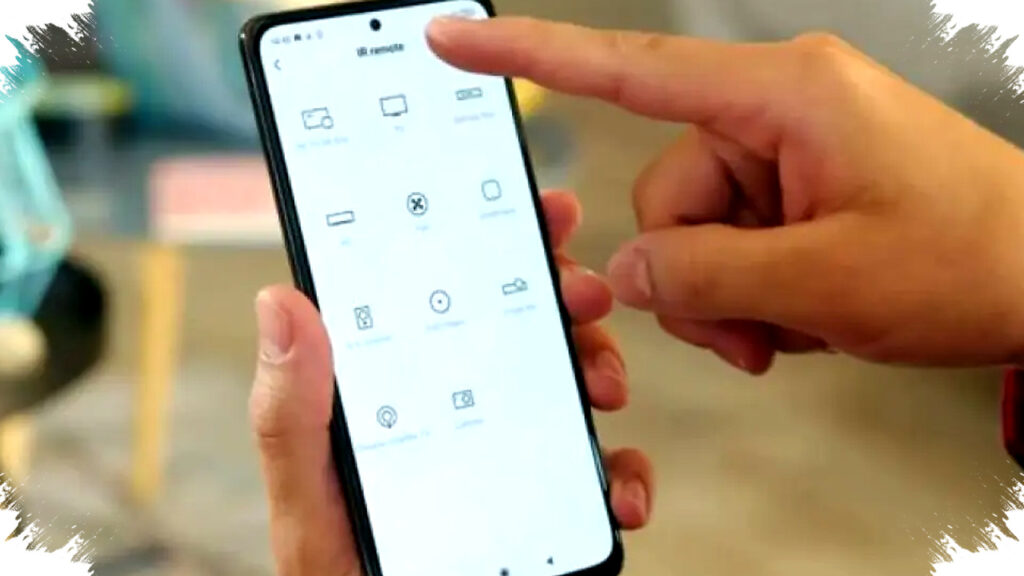
Many Xiaomi phones can work as an air conditioner remote because they come with an infrared blaster. This built-in feature lets the handset send IR signals to supported devices, so users can control an AC without looking for the physical remote.
The function is available through Xiaomi’s Mi Remote app, which comes preinstalled on many models. The setup is simple, and it can help users manage not only AC units but also other home electronics that still use infrared control.
Why Xiaomi Phones Can Replace an AC Remote
Xiaomi has used IR blasters on many of its smartphones for years, and the hardware remains useful in daily life. It turns the phone into a practical control tool for homes that still rely on IR-based appliances.
According to the reference article from Jawa Pos Radar Madiun, the feature is enabled through Mi Remote, a built-in app that sends infrared signals to devices. The same system can also control TVs, set-top boxes, DVD players, and home theater systems if the product supports IR.
For many users, this means one device can take over several small remote controls. It also reduces the hassle of searching for lost remotes, changing batteries, or switching between different controllers.
How Mi Remote Works
Mi Remote uses the phone’s infrared emitter to mimic a standard remote control. The app does not need an internet connection for basic use because it communicates directly with compatible appliances through IR.
That makes it especially useful in homes where the AC unit is not smart-connected. As long as the phone has the hardware and the AC accepts infrared commands, the control process can work smoothly.
The system also allows users to save device profiles after setup. Once paired, the AC can be controlled again without repeating the entire configuration.
Steps to Use a Xiaomi Phone as an AC Remote
The setup is straightforward and usually takes only a few minutes. The basic process is listed below.
- Open the Mi Remote app on the Xiaomi phone.
- Tap “Add Remote” or “Tambah Remote.”
- Choose the device category “AC.”
- Select the AC brand from the list shown by the app.
- Point the phone toward the air conditioner.
- Press the power button in the app to test the connection.
- If the AC responds, save the configuration for later use.
This process matters because the app often tests several codes before finding the correct match. Once the right brand and signal are detected, the phone can function as a normal remote for common AC commands.
What Can Be Controlled Besides AC
Mi Remote is not limited to air conditioners. The app can also manage several other household devices that still depend on infrared signals.
Here is a simple overview:
| Device Type | Example Use |
|---|---|
| Television | Power, volume, channel changes |
| Set-top box | Channel navigation and power |
| DVD or Blu-ray player | Basic playback controls |
| Home theater system | Volume and mode control |
| Certain cameras | Remote shutter or compatible functions |
This wider compatibility makes the feature useful for households that want a more compact entertainment setup. It can also help reduce clutter from multiple remotes on tables or living room shelves.
Devices and Conditions That Must Be Checked
Not every Xiaomi phone includes an IR blaster, so compatibility should come first. Users need to confirm that the handset model supports infrared before expecting Mi Remote to work.
The second condition is line of sight. The phone must face the AC directly because infrared signals travel through a straight path and can be blocked by objects. If the phone is pointed away from the unit or covered by a case that interferes with the emitter, the signal may fail.
Distance also matters, even though infrared control usually works across a normal room. The best results often come when the phone is aimed clearly at the indoor AC unit with no obstacles in between.
Why This Feature Still Matters
In a period when many devices move to app-based smart control, infrared support still has practical value. A lot of air conditioners in homes and rental properties continue to use traditional remotes, and many of them do not support Wi-Fi or Bluetooth pairing.
That is where Xiaomi’s built-in tool offers real convenience. It gives users a fast backup option when the original remote is lost, broken, or simply out of reach.
The feature also appeals to people who prefer simple tools over extra apps. Because Mi Remote is already part of the Xiaomi ecosystem on supported phones, users do not need to install third-party software just to switch on the AC or lower the temperature.
Tips for Better Results
A few small habits can make the feature more reliable. Users should keep the IR sensor area clear, avoid covering the top edge of the phone while using the app, and store the device profile after the initial setup.
It also helps to test all main buttons after the AC is connected. Functions like power, temperature, fan speed, and mode changes can confirm whether the chosen brand profile is correct for the unit at home.
If the first selected brand does not respond, the app usually allows another option. That is normal, since different AC brands and models can use slightly different infrared codes.
A Practical Built-In Tool for Everyday Use
For Xiaomi users with compatible phones, the built-in IR blaster offers a surprisingly handy way to control an AC without extra devices or paid accessories. With Mi Remote, the phone can send infrared commands directly to the air conditioner, and the setup only requires the correct brand selection and a clear line of sight.
The same feature extends beyond cooling control and can support other IR-based electronics in the home, making it one of the more useful hidden tools in Xiaomi smartphones.