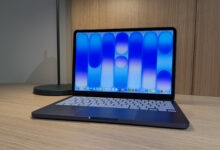
Apple’s MacBook lineup remains one of the most practical choices for people who want a thin laptop, long battery life, and strong performance in a single device. For buyers searching for the most worth-it MacBook in the near term, the clearest answer depends on usage, budget, and whether the workload is light everyday work or demanding creative production.
The latest MacBook models built on Apple Silicon continue to push efficiency and speed in a way that makes older laptop comparisons less relevant. In the middle of the current cycle, the MacBook Air and MacBook Pro lines stand out as the most logical options for students, office workers, and creators who want a machine that can stay fast for years.
Why the MacBook line still leads the market
Apple has kept its advantage by combining custom silicon, a mature macOS ecosystem, and battery performance that is difficult to match. The company’s M4 generation has strengthened that position, especially for users who care about silence, portability, and consistent performance under load.
For many buyers, the main appeal is not only raw speed but also the balance between power and convenience. A MacBook can handle multitasking, large spreadsheets, video calls, and light editing without sacrificing battery life or portability.
Best MacBook options worth considering
Among current choices, the MacBook Air 13-inch with M4 and 16GB RAM stands out as the most balanced model. It uses a 10-core CPU and is described as capable of handling college work, hundreds of browser tabs, and even light 4K video editing without lag.
The same model also offers strong mobility, with battery life rated up to 18 hours. That makes it a practical choice for users who often move between campus, office, and home without wanting to carry a charger all day.
A lower-cost option still worth considering is the MacBook Air 13.6-inch with M3 and 8GB RAM. It remains attractive for buyers who want to enter the Apple ecosystem with a slim, fanless laptop that is quiet and efficient for admin tasks, school work, and streaming.
For users with heavier needs, the MacBook Pro 14-inch with M4 Pro and 24GB RAM is the more serious tool. It is built for intensive workflows such as 3D design, long-form video rendering, and complex music production.
MacBook Air vs MacBook Pro: the practical difference
The choice between MacBook Air and MacBook Pro often comes down to how the device will be used every day. The Air line remains focused on portability and general productivity, while the Pro line adds sustained performance and more advanced display and port features.
Here is a simple comparison based on the available data:
| Feature | MacBook Air M4 | MacBook Pro M4 Pro |
|---|---|---|
| User profile | Students and light professionals | Creators and heavy users |
| Cooling system | Fanless | Active cooling |
| Display | Liquid Retina | Liquid Retina XDR with 120Hz ProMotion |
| Battery life | Up to 18 hours | Up to 22 hours |
| Connectivity | 2x Thunderbolt, MagSafe | HDMI, SD card slot, 3x Thunderbolt |
The MacBook Pro also adds a brighter professional-grade screen and more complete connectivity. That matters for editors, photographers, and creators who regularly move files from cameras and external devices.
How to choose the most worth-it MacBook
A good buying decision starts with workload, not with the highest specification. Apple’s lineup is broad enough that many users can save money by avoiding features they do not truly need.
- Choose MacBook Air if the main tasks are browsing, office work, school assignments, video calls, and light editing.
- Choose MacBook Pro if the work involves graphics, long editing sessions, or professional content production.
- Prioritize RAM over storage if the budget is limited, because memory affects long-term smoothness more directly.
- Consider 16GB RAM and 256GB SSD before choosing 8GB RAM and 512GB SSD if performance matters more than file space.
- Check whether older models still fit the workload before paying for the latest chip generation.
That last point is especially important for buyers on a tighter budget. The M1 and M2 MacBook models can still feel fast for typing, streaming, and video conferencing, especially if the device is bought in good condition or from remaining stock.
Is an older MacBook still worth buying?
Yes, for many users, older MacBook models remain a sensible purchase. If the usage is limited to documents, meetings, streaming, and basic web work, M1 or M2 machines still provide a strong experience at a lower cost.
The main reason is that Apple’s chips were built with efficiency in mind from the start. Even older generations still deliver smooth performance for mainstream tasks, and macOS support has remained strong enough to keep them usable for years.
That said, buyers should be careful with RAM size and storage condition. A machine with 16GB RAM will usually age better than a model with 8GB RAM, especially if several apps run at once or browser usage is heavy.
What makes the MacBook Air M4 the safest choice
The MacBook Air M4 is the easiest model to recommend for most people because it avoids unnecessary complexity. It is light, quiet, efficient, and powerful enough for a wide range of daily tasks.
Its 16GB unified memory configuration gives it more headroom for multitasking than many older base models. That makes it a better long-term buy for people who want one laptop to last through several school or work cycles.
The fanless design is also appealing for users who value silence. In classrooms, cafes, and meeting rooms, a quiet laptop often feels more refined and less distracting than a machine with active cooling.
When the MacBook Pro becomes the smarter investment
The MacBook Pro wins when the work itself becomes more demanding than the average office or student workflow. Heavy exports, long rendering sessions, and professional color-sensitive work are exactly the types of tasks that benefit from the Pro line.
The Liquid Retina XDR display is another major reason to upgrade. It offers higher brightness, better contrast, and smoother motion with ProMotion 120Hz, which is useful for editing, reviewing visuals, and general premium use.
Apple’s stronger port selection also reduces the need for adapters. That can save time for users who attach external monitors, cameras, or memory cards every day.
Why resale value matters in the decision
MacBook buyers often overlook resale value, even though it is one of Apple’s hidden advantages. MacBooks usually keep their value better than most Windows laptops, which can reduce the real cost of ownership over time.
That makes the purchase more like a long-term investment than a short-term expense. A buyer who chooses the right configuration at the start can often use the device for years and still recover a meaningful amount when upgrading later.
The most practical purchase path for different users
| User type | Best choice |
|---|---|
| Student | MacBook Air M4 16GB |
| Office worker | MacBook Air M4 or M3 |
| Budget buyer | MacBook Air M3 |
| Video editor | MacBook Pro M4 Pro |
| Designer or music producer | MacBook Pro M4 Pro |
This kind of matching helps avoid overspending on power that will never be used. It also helps buyers focus on the features that affect daily comfort, such as battery life, memory, and screen quality.
For most people in today’s MacBook market, the Air M4 remains the most balanced option, while the Pro M4 Pro is the right answer for serious creative work. Users who only need basic computing can still get strong value from M1 or M2 models, especially when price matters more than having the newest generation.