


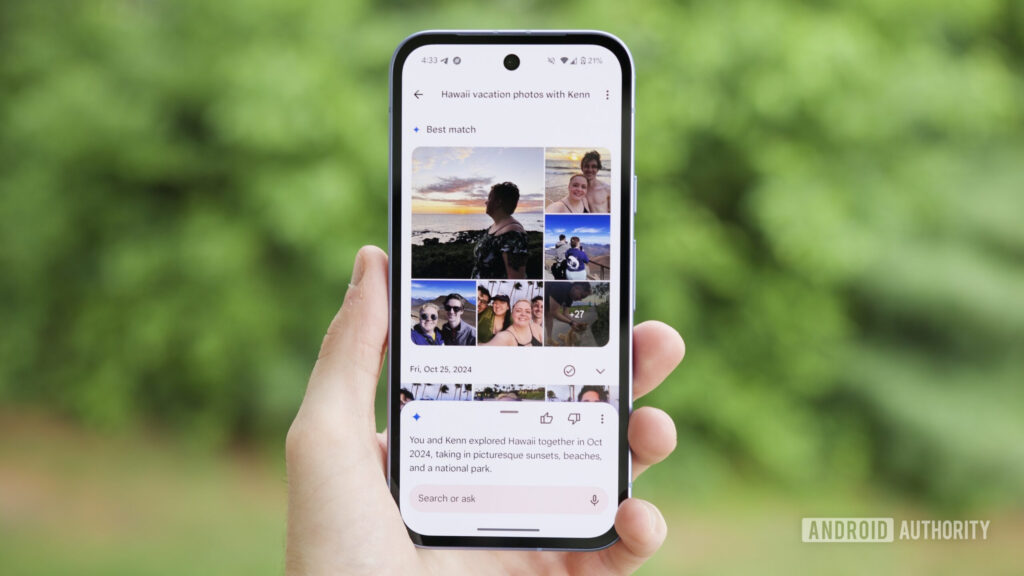
For some Google Photos users, the fastest way to get search back on track may be to turn off Ask Photos. The complaint is not that the library itself has become messy, but that Gemini-powered features are changing how the app interprets simple searches.
That shift has made results feel less predictable for people who rely on Google Photos to find specific images quickly. A search for a basic term can now produce AI-generated descriptions, unrelated results, or even miss the photo entirely.
The issue has been widely discussed on Reddit, where users say the app no longer feels as dependable as it once did. Similar frustration has also appeared on X, including from Indian photographers Joseph Radhik and Auditya Venkatesh, who have both voiced concerns about the newer search behavior.
Joseph Radhik said Google Photos used to be reliable, but now feels dominated by AI interpretation. In his view, the system spends more time describing what is in a photo than helping users locate the exact image they need.
Why the search feels different
The core complaint is not a rejection of AI itself. It is the feeling that AI is getting in the way of a function that already worked well, especially when users only want a fast answer to a simple keyword.
That is why searches that once worked smoothly, such as “dog” or “boarding pass,” are now being reported as less consistent. Instead of matching the keyword directly, the app may try to explain the visual content first, which adds friction for people who just want a specific file.
For casual users, the change may only be an occasional annoyance. For photographers or anyone managing thousands of images, even a small delay or a wrong result can disrupt a workflow.
The setting users are turning off
The most common workaround being shared is to disable Ask Photos. This feature is part of Gemini integration in Google Photos and is believed to affect how search behaves inside the app.
To turn it off, open Google Photos, tap the profile icon in the top-right corner, then go to Photos Settings and select Preferences. From there, open Gemini features in Photos and switch off Ask Photos.
That change also disables Gemini-based search along with some other AI features in the app. For users who do not rely on those tools often, the trade-off appears to be small.
The same menu also gives users control over other Gemini-related integrations that may influence the experience. That makes it possible to decide whether to keep some AI features or return to a more traditional search model.
What users report after the change
Several Reddit users say that once Ask Photos is turned off, search feels faster and more consistent again. The change is being credited with restoring one of Google Photos’ long-standing strengths: finding a specific photo with a simple keyword.
Android Authority reported a similar experience while testing the Pixel 10a. After the setting was changed, photo search was described as more predictable.
That reaction helps explain why the issue has drawn so much attention. Google Photos has long been known for efficient search, so when that experience starts to feel less precise, users notice quickly.
The concern is also broader than one feature toggle. It reflects a larger question about how much AI should reshape a tool that many people already trusted for direct, practical search.
For now, turning off Ask Photos is the most practical step being recommended by users. If Google Photos search has recently felt slower or less accurate, that setting is the first place worth checking.
Source: www.androidauthority.com