


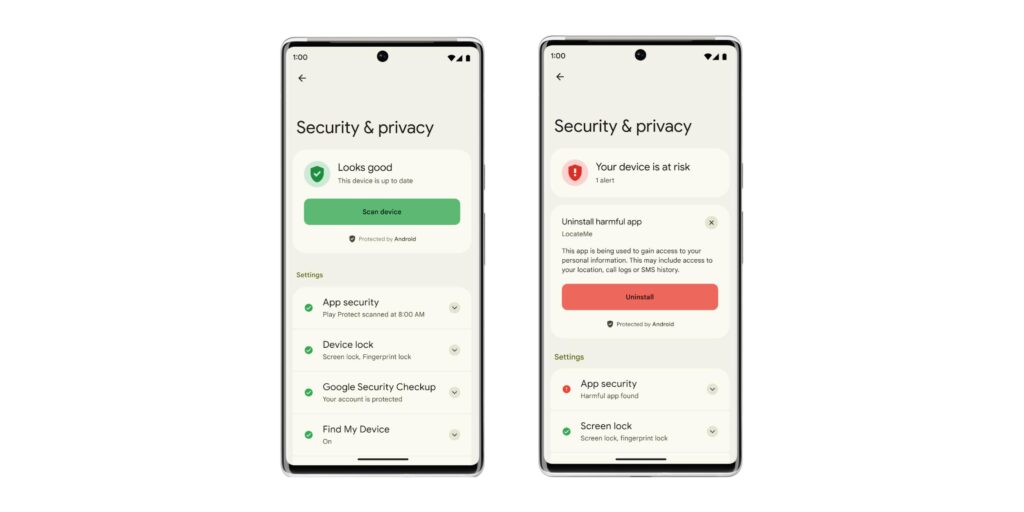
A locked Android phone can still leak personal data if basic protections are left weak. Small oversights such as ignoring app permissions, tapping suspicious links, or connecting to unsafe networks can create openings that are easy to miss.
That risk is not limited to hackers alone. Spyware-style apps can also slip in through everyday digital habits, and once sensitive data is exposed, the consequences may include financial loss if the device holds access to important accounts, private documents, and other personal information.
Start with the screen lock
The most basic defense is a strong password or PIN. Simple combinations such as “1234” or “0000” should be avoided because they are easier to crack.
Fingerprint or facial recognition can add another layer of protection. This matters because a smartphone often stores photos, documents, and personal account details in one place.
Check the system’s built-in protection
Android users should also make sure encryption is enabled. This feature turns data into a format that unauthorized parties cannot read.
Android and iOS generally enable encryption by default, but checking the settings still matters. That extra step helps confirm the protection is active and leaves fewer gaps unnoticed.
Be selective with links and attachments
Suspicious links remain a common entry point for data theft. Users should avoid clicking links that ask for personal information unless the source is clearly official and trusted.
The same caution applies to attachments in chats and emails. Files from unknown senders may carry viruses, trojans, malware phishing, or other harmful programs that can enter a device without being noticed.
Treat public Wi-Fi as a risk zone
Public Wi-Fi networks are often poorly protected and easier for attackers to exploit. That makes user traffic easier to monitor when the connection is used without additional safeguards.
If public Wi-Fi cannot be avoided, sensitive activity should be limited. Accessing banking accounts over that kind of network is best avoided, and a VPN is recommended to encrypt internet traffic when the device is connected.
Review app permissions carefully
Spyware-like apps can hide behind permissions that seem harmless at first glance. Every new app should be checked carefully, especially when it asks for more access than it reasonably needs.
A weather app, for example, should not require access to contacts or messages. Excessive permissions can allow personal data collection without a clear reason and quietly erode privacy.
Keep software up to date
Software updates are not only about new features. They also help close security holes and fix privacy issues that are already known.
Users are advised to install available updates on the phone as soon as possible. Devices that remain on older system versions are generally more exposed because old vulnerabilities are easier to exploit.
Back up important data regularly
A recent backup becomes critical if a phone is lost or hit by a cyberattack. A saved copy can help recover information when the main device is no longer accessible.
Photos, documents, and other important files should be backed up to a secure cloud service or to another trusted device. That way, essential data can still be restored when something goes wrong.
Make daily habits part of the defense
Android security does not depend on one feature alone. Strong passwords, encryption, regular updates, permission checks, cautious message handling, and routine backups work together to reduce exposure.
The more consistently those basics are applied, the smaller the chance that personal data will be drained quietly from a phone.