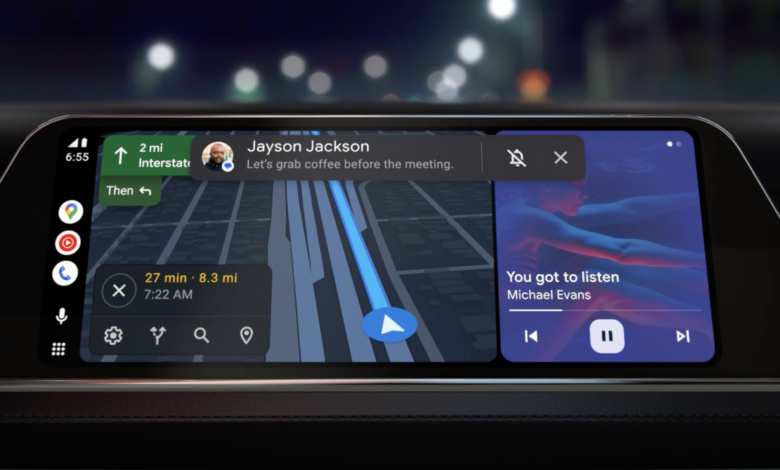
Android Auto has gained an unexpected addition that could make commuting far more useful for people who want to keep working on the move. Adobe Acrobat now appears in the Android Auto app drawer, and its real value lies in what it can do without forcing drivers to look at a screen.
The key feature is Read Aloud, which converts PDF documents into audio. Instead of opening a file and reading it visually in the car, users can listen to the contents while driving, turning travel time into a chance to absorb information.
A new use case for Android Auto
For years, Android Auto has been associated with navigation, music, and basic communication. Acrobat pushes that platform into a more productivity-focused direction, but it does so in a way that still fits the realities of driving.
The idea is simple. Users can prepare a PDF before leaving, then let the app read it aloud during the trip. That makes the feature useful for documents that would otherwise sit untouched until the user reaches a desk.
Work files are an obvious example, but the appeal goes beyond the office. Class materials, long text documents, and even hobby-related PDFs can be reviewed in a more convenient format while the car is moving.
Why the addition stands out
Adobe Acrobat is widely known as a tool for reading and editing PDFs, not as a car companion app. Its appearance in Android Auto may seem surprising at first, but the Read Aloud function gives it a clear purpose on the road.
Rather than encouraging screen time in the car, the app supports audio-first consumption. That makes the integration more practical than novelty-driven, especially for users who already rely on PDFs for detailed information.
PDFs remain one of the most common ways to share structured documents across professional, academic, and casual settings. That broad use helps explain why an audio version of the format could be genuinely useful during commutes.
What users can do with it
With Read Aloud, a commute can become a document review session. A work report can be revisited, lecture material can be heard again, and a dense rules document can be taken in without looking down at a phone or tablet.
The feature also opens the door to less conventional uses. Materials tied to hobbies, including Dungeons & Dragons session notes or rules, can be listened to in a way that feels more efficient than scrolling through pages.
For users who try to make every minute count, that is the main attraction. Android Auto is no longer only helping people get to a destination; it is also helping them use travel time for information intake.
Not every document works smoothly
The implementation is not perfect yet. According to 9to5 Google, Read Aloud did not work flawlessly on every document the publication tested.
That limitation is not unusual for automated reading tools. PDFs often include mixed layouts, decorative elements, images, and formatting choices that do not translate cleanly into spoken audio.
As a result, the experience will likely depend on the file type. Clean, text-heavy PDFs are expected to work better than documents packed with visual design or complex page layouts.
A small change with a practical impact
Even with those caveats, Acrobat’s arrival in Android Auto marks a meaningful expansion of what the platform can do. The focus is not on putting a standard PDF reader in a car, but on adapting the app so it remains safe and useful during a drive.
That is what makes Read Aloud the feature that matters. Without it, a PDF app in Android Auto would be difficult to justify; with it, the service becomes a genuine productivity tool for people who want to stay on top of their documents while on the road.
There is still room for better compatibility and more accurate reading behavior. But for Android Auto users who want to listen instead of stare, Adobe Acrobat now offers a new way to turn driving time into useful time.