


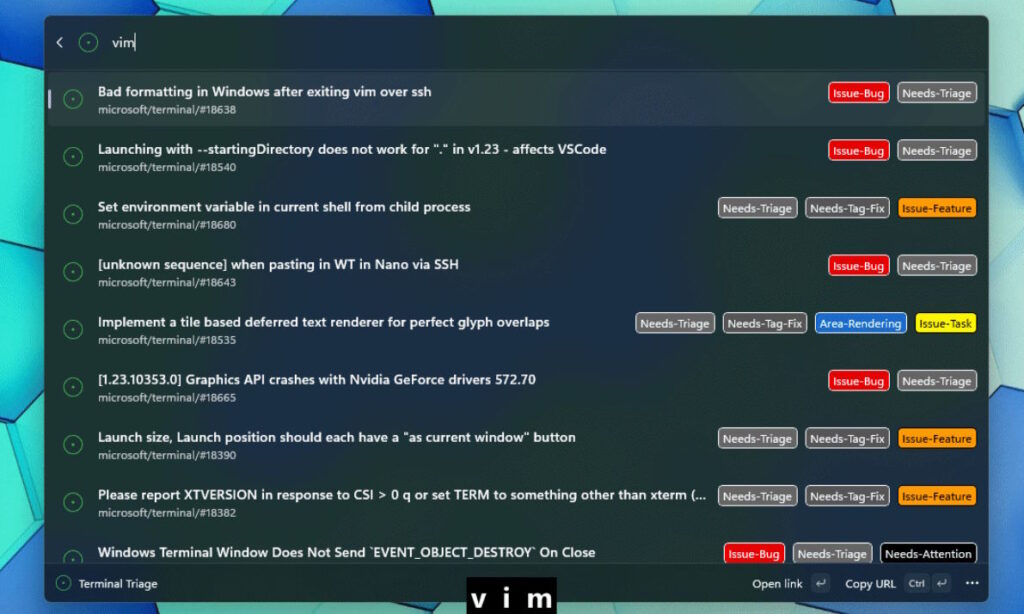
Microsoft has made PowerToys 0.100.0 noticeably more practical by tightening the experience around Command Palette. The biggest change is Extension Gallery, which lets users browse, install, update, and remove extensions without leaving the feature.
That shift matters because extension support is only useful when people can actually find and manage what they need. By bringing the full process into one place, Microsoft is lowering the friction that often keeps useful tools from being adopted.
A more centralized way to manage extensions
According to Microsoft’s announcement on the PowerToys GitHub page, Extension Gallery is available directly from Command Palette settings. It works like an app-store-style browser inside the feature, making customization feel much more immediate.
Instead of moving between different screens or tools, users can search for an extension and act on it in a few clicks. That approach keeps the workflow focused and makes Command Palette feel like a single control center rather than a separate layer that needs extra setup.
Why the new gallery matters
The value of the gallery is not only convenience but discoverability. When installation feels complicated, many extensions never get tried at all, even if they could improve daily use.
Microsoft’s approach directly addresses that problem by reducing the effort required to explore what Command Palette can do. As a result, extensions that may have been overlooked now have a better chance of being found and used.
Other improvements in PowerToys 0.100.0
Extension Gallery is the headline addition, but it is not the only update in this release. Shortcut Guide has also been reworked so it can intelligently detect the active window.
Once it identifies the app in use, Shortcut Guide shows shortcuts that are relevant to that window through a side panel. That makes the feature more contextual and more useful for users who rely on hotkeys to move faster.
Microsoft also expanded ZoomIt with webcam feed support. The addition can make demos and instructional videos clearer by allowing a presenter’s face to appear alongside the on-screen content.
What this means for PowerToys users
PowerToys 0.100.0 shows a clear focus on usability rather than adding features for their own sake. Extension Gallery improves how tools are discovered and managed, while Shortcut Guide and ZoomIt strengthen productivity and presentation tasks.
For long-time users, the update makes Command Palette easier to extend without extra hassle. For newer users, it lowers the barrier to exploring what PowerToys can do from the start.
With extensions now easier to browse and control, Command Palette moves closer to being a more flexible hub for everyday workflow tweaks. The result is a cleaner, more practical experience for anyone who wants to add capabilities without leaving the feature itself.