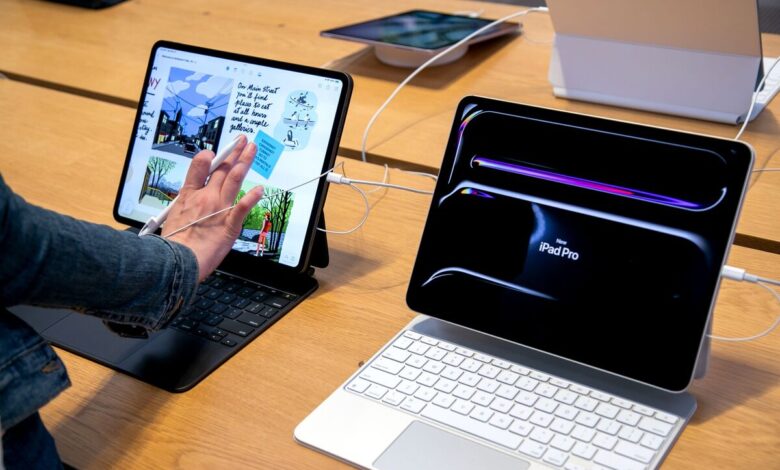
Apple’s iPad Pro M4 is drawing attention because it can handle demanding creative work without noticeable lag. For designers and visual creators, that combination of speed and portability makes it look less like a casual tablet and more like a serious work machine.
The device is being positioned as a practical option for professionals who need to move fast across locations. It offers the kind of performance expected from premium laptops, while keeping the lighter form factor that many mobile workers prefer.
M4 chip and stable performance
At the center of that capability is the Apple M4 chip, which is described as both extremely fast and efficient. That matters most when the workload involves large files, complex edits, or multiple layers that can slow down weaker devices.
In creative workflows, raw speed is only one part of the equation. Stability is just as important when rendering, digital illustration, photo editing, and video processing all need to run smoothly at the same time.
The iPad Pro M4 is presented as a device that can keep those tasks moving without lag. That makes it especially relevant for users who want to maintain productivity during revisions and detail-heavy production work.
Display quality built for visual precision
Visual accuracy is another major part of the appeal. The tablet uses an 11-inch Ultra Retina XDR display with a 2420 x 1668 pixel resolution, giving it a sharp and detailed viewing experience.
That screen specification supports work that depends on clean lines, fine detail, and dependable color presentation. Brightness and color accuracy are important for design decisions, especially when adjusting contrast or reviewing final output.
For photo editing and digital illustration, a display that can clearly show subtle differences is a serious advantage. It helps users judge the work directly on the device without constantly needing a larger external screen.
Built for mobility, not just a desk setup
The physical design also reinforces its appeal. The iPad Pro M4 is extremely thin and lightweight, which makes it easier to carry than many traditional laptops.
That portability matters for professionals who work from studios, offices, homes, or changing locations throughout the day. A device that combines power with a compact body can simplify a mobile workflow without forcing major compromises.
The tablet form factor also adds flexibility in everyday use. It gives creative workers a device that can move with them while still supporting demanding tasks that are usually associated with larger hardware.
Stylus support adds drawing precision
Apple also supports stylus use on the iPad Pro M4, and that feature strengthens its role in creative work. The stylus is described as having high pressure sensitivity, which is important for more natural and precise drawing input.
For illustrators and graphic designers, that level of control can shape how sketching, coloring, and detailing feel in practice. It helps the device function more like a professional creative tool rather than a standard touchscreen tablet.
When the M4 chip, high-quality display, and stylus support are combined, the iPad Pro M4 stands out as a capable option for heavy design applications. It is designed to keep the workflow smooth, accurate, and comfortable across a wide range of creative tasks.