Google Antigravity 2.0 is reshaping how users work with AI agents by breaking its most familiar tools into separate parts. Instead of centering everything in one environment, the new structure spreads key functions across a standalone desktop app, a CLI, an SDK, and an IDE.
The change gives users more room to tailor their workflow, but it also creates a confusing transition. Many users who were comfortable with the old setup now have to decide which tool fits which task, especially as the IDE is no longer bundled as the main entry point.
A modular structure replaces the old all-in-one approach
Antigravity 2.0 is built around four distinct components: a standalone desktop application, a command-line interface, a software development kit, and an integrated development environment. Each one now serves a narrower role, from agent orchestration to terminal work to custom development.
The standalone desktop app has become the new central hub in the ecosystem. According to Universe of AI, it handles task scheduling, agent coordination, and complex workflow management for multi-agent operations.
This marks a clear shift away from an IDE-first model. Google appears to be separating agent orchestration from traditional coding work so larger operations can be handled in a more structured way.
Why the tools were split apart
The separation is not just a packaging change. Google is pushing users to choose tools based on the job at hand rather than relying on one app for every scenario.
The standalone app is aimed at automation-heavy work that requires multiple agents to run together. Its support for scheduling, orchestration, and parallel sub-agents makes it better suited to larger and more complex workflows.
For example, users can schedule several agents to process a large dataset at the same time. Agents can also be coordinated across project stages, which makes complicated workflows more efficient and easier to scale.
The IDE remains available for users who want a more familiar coding environment. It still includes an integrated code editor, a built-in terminal, and AI collaboration features that have been part of its appeal.
Now, however, the IDE stands as a separate download. That shift has made it look as if Google pushed the old tool aside, even though it still remains an important option for developers who want to work directly inside a programming environment.
The transition also created confusion
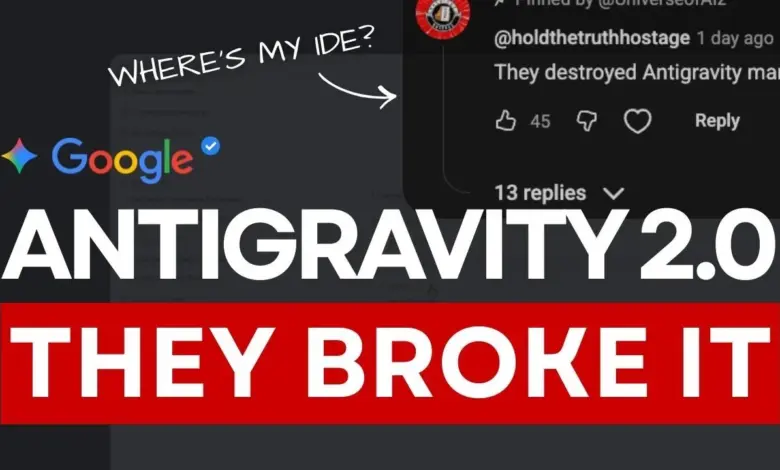
One major source of confusion came from the automatic update process. During the move to Antigravity 2.0, auto-update replaced the IDE with the new standalone app, leading some users to think their projects and settings had disappeared.
In practice, user data remains stored in a separate directory. The IDE can also be reinstalled through a dedicated download link, allowing users to keep working while adapting to the new structure.
The confusion deepened because the default download link now points to the standalone app. That led many users to assume the IDE had been discontinued, when the real change was a repositioning of roles inside Google’s AI toolset.
Google is effectively encouraging a dual setup. Users can install both the IDE and the standalone app at the same time, then use each one for the work it does best.
CLI and SDK reinforce the split
For users who prefer working in a terminal, Antigravity CLI offers a lighter option. It replaces Gemini CLI, which is said to be fully discontinued on June 18.
The new CLI allows command execution, plugin management, and function expansion directly from the terminal. Its arrival shows that Google wants the command-line experience to stand on its own rather than act as a side feature.
The SDK is aimed at developers who want to build custom AI solutions. It supports unique agent behavior, embedding AI capabilities into existing systems, and connecting workflows to CI/CD pipelines.
With the SDK, developers are not limited to preconfigured functions. They can build agents for automated quality assurance during software development or integrate AI-driven insights into enterprise applications.
Which tool fits which user
The standalone app is best suited for autonomous AI workflows that require centralized coordination. Its design focuses on scheduling and managing multi-agent tasks from one place.
The IDE remains relevant for developers who want direct coding support with AI in a familiar environment. It is still a strong option for building and refining AI solutions hands-on.
CLI is aimed at users who want speed and simplicity in the terminal. The SDK, meanwhile, is for developers building their own AI tools or embedding agents into larger systems.
Antigravity 2.0 ultimately signals a new direction for AI agent management. Rather than one app doing everything, Google is offering a set of components that work together across orchestration, coding, terminal automation, and custom development.