Enjoying your favorite dramas, movies, or browsing photo galleries is more satisfying when seen on a bigger screen. Now, displaying your smartphone screen on the TV is simple and enhances your viewing experience without being limited to a tiny display.
Many people want to know how to show their phone screen on a Polytron TV. It’s possible through both cable and wireless connections, making entertainment at home much more flexible.
Why Can You Display Your Phone Screen on TV?

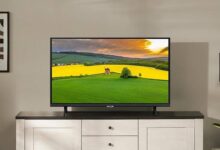
Modern TVs and smartphones support screen mirroring technology. This allows the content on your phone—like videos, apps, or pictures—to appear seamlessly on your TV. The most common reasons users connect their devices include streaming, presenting, or sharing content with family.
Screen mirroring works either via a physical connection (for maximum stability) or over Wi-Fi (for convenience). According to Polytron’s product guide, both methods are supported by their latest Smart TVs as well as Google TV models.
Connecting Your Phone to TV with a Cable
Using a cable is the most stable and classic way to connect your phone to the TV. The connection uses wired technology, reducing lag and ensuring consistent image quality regardless of your internet speed.
The key requirement is that your TV must have an HDMI port. Most modern Polytron TVs include this feature.
Step-by-Step Wired Connection
- Make sure your Polytron TV has an HDMI port.
- Prepare an HDMI cable and the correct adapter for your phone’s port (USB-C to HDMI or micro-USB to HDMI).
- Connect the adapter to your phone and plug the HDMI end into the TV port.
- Select HDMI as the input source on your Polytron TV.
- Your phone screen will appear automatically on the TV.
This method delivers the most reliable picture and sound. Quoting from Polytron, “The advantage of this method is stable image quality and no dependence on internet connectivity.” Wired display is ideal for streaming, gaming, or business presentations.
Wireless Mirroring: Practical and Flexible
Modern users prefer a practical solution. Polytron’s Smart TV and Google TV support wireless screen mirroring, making cable-free connections possible.
Wireless mirroring uses your home Wi-Fi. The TV receives signals sent directly from your phone and displays the content in real-time.
Wireless Connection Steps
- Ensure your Polytron TV is a Smart TV/Google TV/EQLED TV model.
- Check that your phone supports Wireless Display, Miracast, or Cast Screen features.
- Connect both your TV and phone to the same Wi-Fi network.
- On the TV, select the Miracast menu from the Home screen.
- On your phone, go to Settings > Connection & Sharing > Cast or Screen Mirroring.
- Select the detected Polytron device.
- Accept the prompt appearing on your TV screen.
- Your phone screen will be mirrored instantly.
This approach is perfect for watching YouTube, Netflix, or sharing photos, all without the mess of cables. As stated by Polytron, “With this feature, watching favorite shows on a big screen is simpler and more fun, with easy settings through the TV menu.”
Comparison Table: Wired vs Wireless Connection
| Method | Requirements | Pros | Cons |
|---|---|---|---|
| Cable | HDMI port + Adapter | Stable, No lag | Less flexible, needs cable |
| Wireless | Smart TV + Wi-Fi | Practical, Flexible | Needs stable Wi-Fi |
Recommended Polytron Smart TVs for Easy Connection
Polytron offers several models to make connecting your phone hassle-free. Their TVs are equipped with the latest technology, supporting both wired and wireless display.
- Polytron 4K UHD Smart Cinemax Soundbar Google TV 50 Inch (PLD 50BUG5058): Discounted price Rp4.899.000 from normal Rp6.599.000, saving Rp1.700.000.
- Polytron 4K UHD Smart Google TV 43 Inch (PLD 43BUG5058): Now available for Rp3.799.000, down from Rp4.849.000, saving Rp1.050.000.
- Polytron 4K UHD Smart Google TV 55 Inch (PLD 55UG5059): Offered at Rp5.599.000, previously Rp7.999.000, with savings of Rp2.400.000.
- Polytron EQLED TV 100 Inch 4K (PLD 100QV5925): Discounted Rp28.999.000, saving you up to Rp9.000.000 from the retail price.
- Polytron Smart Cinemax EQLED 65 Inch (PLD 65QG9029): Priced at Rp7.399.000, down from Rp8.999.000.
These Polytron TVs are famous for their compatibility with various screen casting technologies, ensuring users face no obstacles when connecting their devices.
Tips for a Smooth Connection
- Always use original adapters and certified cables for the best experience.
- For wireless connections, a fast and stable Wi-Fi network will reduce lag and prevent disconnections.
- Update your TV’s firmware and your smartphone’s operating system to the latest version for the best compatibility and added features.
If your TV does not support wireless display or screen mirroring, consider upgrading to a Polytron Smart TV. According to Polytron’s official guide, upgrading brings “advanced features, superior quality, and long-term warranty”—making big-screen entertainment even better.
With these methods, sharing the excitement of movies, series, presentations, or family photos becomes effortless and more communal. Bringing your phone screen to the TV isn’t just possible—it’s easier and more accessible than ever on Polytron Smart TVs. For optimal satisfaction, knowing your connection options and the best devices available will truly elevate your home cinema or presentation setup.