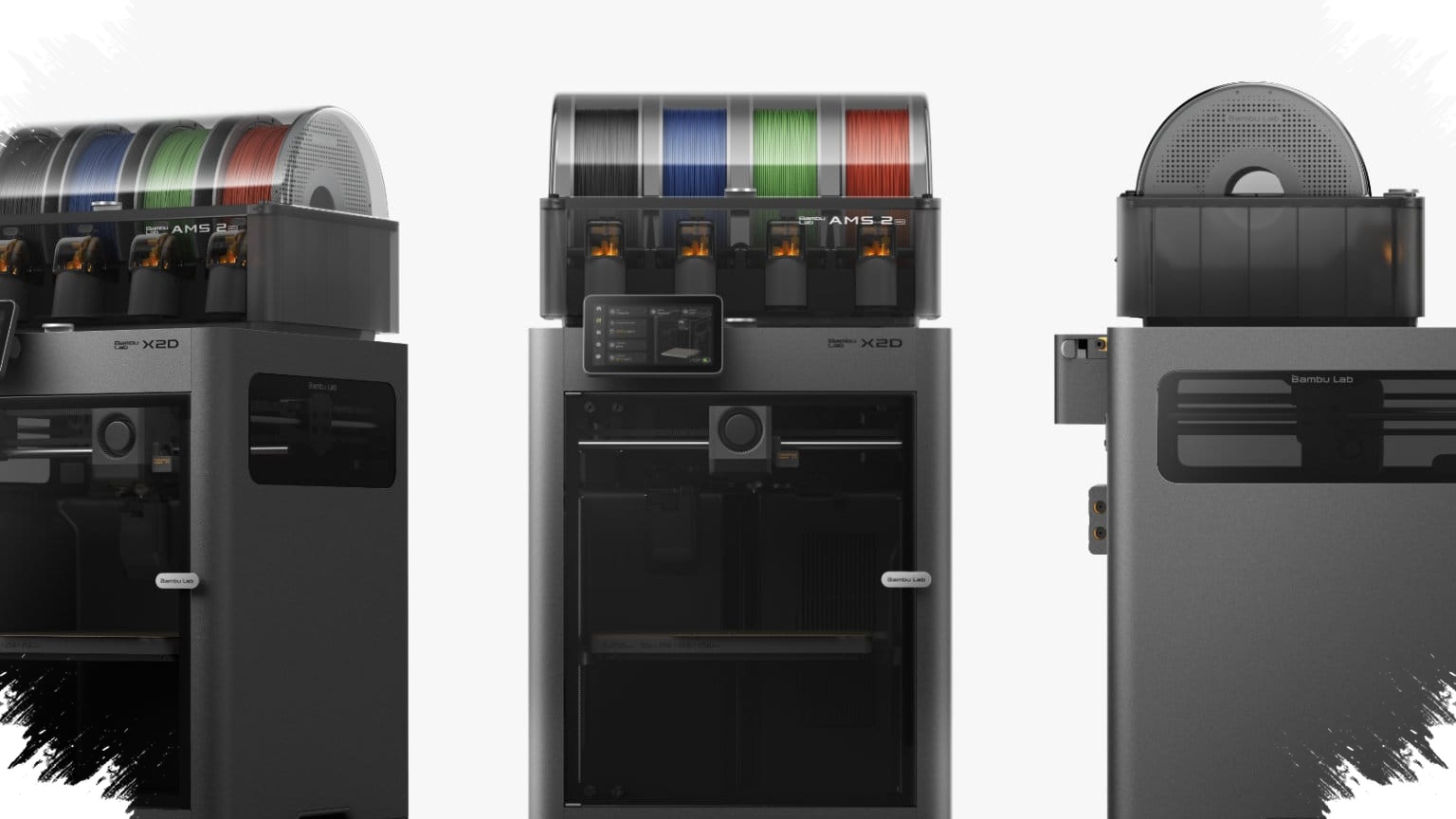
Bambu Lab’s X2D arrives with a clear message for the desktop 3D printing market: the old frustrations of difficult support removal, repeated calibration, and wasted prints should no longer be treated as normal. Instead of simply adding speed or headline specs, the machine focuses on reducing the steps that most often slow users down.
That approach matters because many desktop printers still demand manual tuning and a lot of cleanup after a print ends. Bambu Lab positions the X2D as a successor to the X1 series, but its bigger promise is practical: fewer failed jobs, less post-processing, and a smoother workflow for both hobbyists and prosumers.
Dual extrusion targets one of the biggest pain points
The X2D’s most important change is its dual-extrusion system with a mechanical nozzle-switching mechanism. This is not the same as traditional dual-extruder setups, which often add weight and complexity to the print head.
In Bambu Lab’s configuration, one nozzle handles the model while the other handles support material. The company says one nozzle uses direct drive for precision and material flexibility, while the second uses a Bowden path for longer filament routing.
That setup is designed to make support structures easier to remove and less likely to damage the surface of the printed part. For many users, that can cut down one of the most time-consuming parts of desktop 3D printing, since support cleanup often takes more effort than the print itself.
Bambu Lab says the nozzle-switching mechanism has been tested for more than 1 million cycles without performance degradation. That claim is notable because multi-material systems often sound appealing at launch but lose value if reliability drops in long-term use.
Automatic calibration reduces manual tuning
Another major focus of the X2D is calibration. The printer uses Dynamic Flow Calibration, which monitors the extruder motor, hotend, nozzle, and filament, then adjusts material flow in real time.
Bambu Lab says calibration runs automatically before each print. That is aimed directly at one of the most common complaints in desktop printing: repeated manual tuning that takes time and still does not guarantee success.
The printer also uses a proprietary PMSM servo motor that monitors torque and position up to 20,000 times per second. That level of tracking helps the system detect filament issues early, before they turn into larger print failures.
For many users, this kind of automation is more valuable than raw speed. Failed prints do not just waste filament; they also waste hours of waiting, which is often enough to discourage beginners from continuing with the hobby.
- Manual calibration that consumes time.
- Under-extrusion or filament flow disruptions.
- Material waste from failed prints.
Thermal control widens material support
The X2D also improves thermal handling. It supports cooling mode for PLA and a heated chamber mode up to 65 degrees Celsius for more demanding materials such as ABS, ASA, and Nylon.
Its nozzle reaches 300 degrees Celsius, which expands the printer’s range beyond basic plastics. According to Bambu Lab’s product data, the X2D supports PLA, PETG, ABS, ASA, TPU, PET, PA, PC, PVA, and reinforced filaments based on carbon fiber or glass fiber.
This matters for users who want one printer that can handle both everyday materials and engineering-grade filament. Many desktop printers can move quickly, but fewer remain stable when printing with temperature-sensitive materials.
Built as part of a wider ecosystem
Bambu Lab is also leaning heavily on ecosystem integration. The X2D is designed to work closely with Bambu Studio, Bambu Handy, MakerWorld, and Maker’s Supply.
The company has said that buying the X2D is not just buying a printer, but joining a system that brings together hardware, software, materials, and community support. That strategy differs from many desktop 3D printer brands, which still leave users to build their own workflow from separate tools and accessories.
For some buyers, a more closed ecosystem can feel restrictive. For others, especially those who value consistency and convenience, that integration is a major advantage because it lowers the technical barrier from the start.
Specs, sensors, and pricing
The X2D offers a build volume of 256 × 256 × 260 mm and includes 31 sensors, three-stage air filtration, a quiet mode below 50 dB, and an optional Vision Encoder that Bambu Lab says can improve accuracy to 50 microns.
Its top print speed is listed at 1000 mm/s, keeping it competitive in the fast-printing segment. Even so, the product’s main appeal appears to be reliability and workflow efficiency rather than speed alone.
Official pricing announced by Bambu Lab is shown below:
| Region | X2D Combo | X2D non-combo |
|---|---|---|
| USA | $899 | $649 |
| EU | about $849 | about $629 |
| Global | $949 | $699 |
With that package, the X2D is built to address long-standing assumptions in desktop 3D printing. It treats difficult support cleanup, repeated tuning, and failed prints as problems to reduce, not as inconveniences users should simply accept.
-

-

-

-