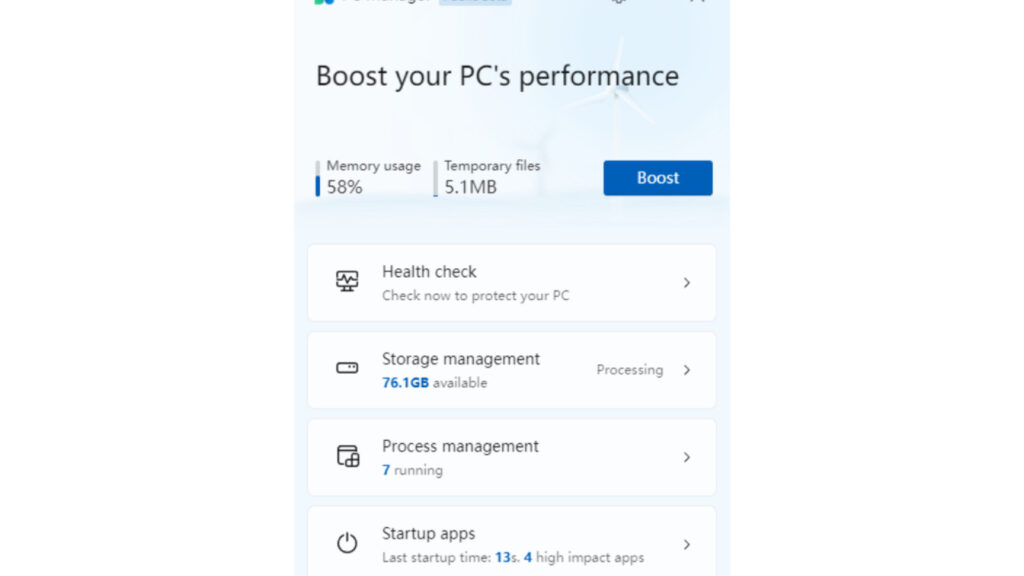
A PC or laptop that suddenly feels sluggish does not always point to hardware damage. In many cases, the real problem is overloaded RAM, which can happen when too many apps stay open, browser tabs multiply, and background processes keep running.
When working memory gets crowded, the system has less room to handle new tasks. That is why simple actions like opening a program, switching between windows, or moving through menus can start to feel slow and delayed.
Why RAM fills up so quickly
RAM works as temporary working space for applications and system processes. The more software that runs at once, the heavier the load becomes, especially if a program stays active even after it is no longer being used.
Browsers with many tabs are among the biggest memory users. Heavy software and apps that launch automatically at startup can also eat into RAM before daily work even begins.
Quick ways to reduce the load
One of the fastest fixes is closing apps that are not needed. The Task Manager can help identify programs that should be stopped so memory usage returns to a lighter level.
A few simple steps can make a noticeable difference:
- Close background applications that remain active after the window is shut.
- Reduce the number of open browser tabs to cut memory use.
- Disable nonessential startup programs so fewer apps load when the device starts.
- Turn off heavy visual effects such as animations and transparency.
- Restart the device regularly to clear accumulated processes from memory.
What each step helps with
| Action | Main effect |
|---|---|
| Close background apps | Lowers active memory usage |
| Reduce browser tabs | Cuts one of the largest RAM drains |
| Disable startup programs | Makes boot-up lighter |
| Turn off visual effects | Saves system resources |
| Restart regularly | Refreshes RAM and running processes |
What users often miss
Many users think an app is gone once its window is closed, but the process may still be running in the background. That hidden activity can keep using RAM and gradually slow the system down.
Some modern browsers and applications also include extra services or extensions that take additional memory. For that reason, checking the process list in Task Manager on a regular basis can help spot which apps are using the most RAM.
When more memory may be needed
If the device still feels slow after these basic steps, the installed RAM may no longer be enough for the workload. For heavier multitasking, 16GB is often considered an ideal capacity so multiple apps can run more smoothly.
Needs still vary by use case. Browsing and document work can run well on smaller memory sizes, while graphic design, video editing, or heavy tab usage usually demand more RAM to stay responsive.
Keeping apps under control remains the most practical way to prevent memory from filling up too fast. Using only the programs that are truly needed, limiting browser tabs, and reviewing startup apps from time to time can help a PC or laptop stay responsive during daily work.