A quiet shift is changing how AI creators handle image and video edits. Instead of relying on loose text prompts, many are moving toward JSON-based instructions that make each revision more controlled and far less likely to disturb the rest of the composition.
This approach matters because consistency is still one of the biggest problems in AI content production. A small tweak in a free-form prompt can unexpectedly alter the subject, background, or other details that were already working well.
Why JSON changes the editing workflow
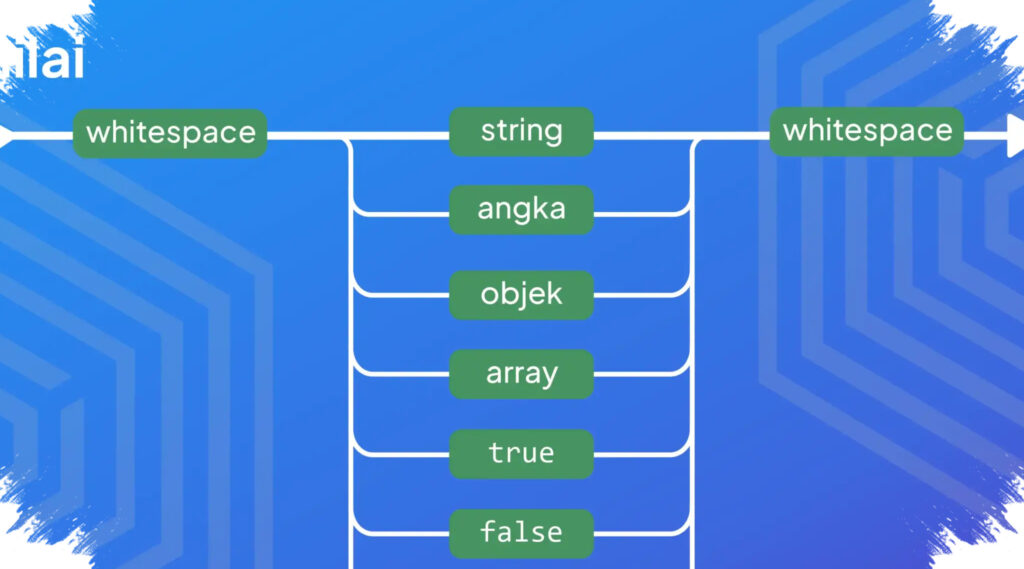
JSON organizes instructions into labeled fields such as “subject,” “lighting,” and “camera.” That structure lets creators isolate one part of a prompt and adjust it directly, instead of reshaping the entire output by accident.
When a field like “lighting” is changed, the other fields can remain untouched. That makes the process more systematic and reduces the guesswork that often comes with plain text prompting.
For creators who need repeatable results, that difference is significant. It creates a more stable editing flow, especially when the goal is to preserve the same look across multiple outputs.
Why Nano Banana 2 stands out
Nano Banana 2, or NB2, is highlighted because it was built to work with JSON in image and video generation. According to AI Master, that pairing gives users a level of control that is difficult to match with conventional prompting methods.
One reason is its compatibility with Gemini. NB2 can extract object and scene details from an image, then turn them into a JSON structure that supports more precise editing.
That makes it easier to target specific changes without disturbing the rest of the visual. In practice, creators can revise one element while keeping the overall composition intact.
Practical uses for creators and teams
The strongest appeal of this method is efficiency. A revision no longer has to start from zero when only a small part of the output needs to change.
JSON also supports repeatability. Once a composition is close to the desired result, the prompt structure can be saved and reused for other projects with limited changes in selected fields.
That makes it useful as a template system. In professional workflows, a JSON template can be stored and reused to speed up production while keeping the visual standard consistent.
AI Master also sees the format as well suited for style transfer. Photography details such as lighting setups or lens types can be carried across projects so the visual result stays aligned.
It is also described as helpful for character consistency. Creators can build something like a character bible to keep a character’s face, clothing, and expressions uniform across multiple scenes.
Image control, object swaps, and camera perspective
Another use case is object replacement. Information from different objects can be combined to swap one item while preserving important context such as lighting, shadows, and perspective.
A similar logic applies to camera perspective transfer. Users can apply camera settings such as focal length and depth of field from one image to another so the visual sequence feels cohesive.
NB2 also supports real-time web access. That feature helps users bring current trends, styles, or products into prompts, which is especially useful for marketing, design, and e-commerce work.
Video editing gets the same treatment
The workflow does not stop at still images. With VO3.1, JSON prompts can also be used for video creation with more detailed control over motion, duration, and audio.
Timestamp-based structure helps creators build multi-shot videos with smoother transitions. Each scene can have its own fields for motion, shot length, and audio elements such as background music, sound effects, or dialogue.
That setup makes complex video projects easier to manage. For storytelling work, dividing scenes into fields also helps preserve continuity from one shot to the next.
AI Master says JSON works especially well with NB2 and Gemini, but not necessarily with every other model such as Midjourney. For complex scenes that require detailed reasoning, Gemini’s “thinking” mode is also considered useful.
How to keep results stable
A few working habits are recommended to keep outputs more reliable. Users are advised to limit reference images to six so the model is not overloaded by conflicting inputs.
Text descriptions should also stay short and clear when combined with reference photos. JSON field adjustments are best made gradually so the integrity of the composition remains intact.
In professional use, NB2 is positioned as a good tool for rapid iteration, while Nano Banana Pro can be used for high-fidelity output. That combination is considered relevant for marketing, film production, and digital art that require precision and repeatable results.