


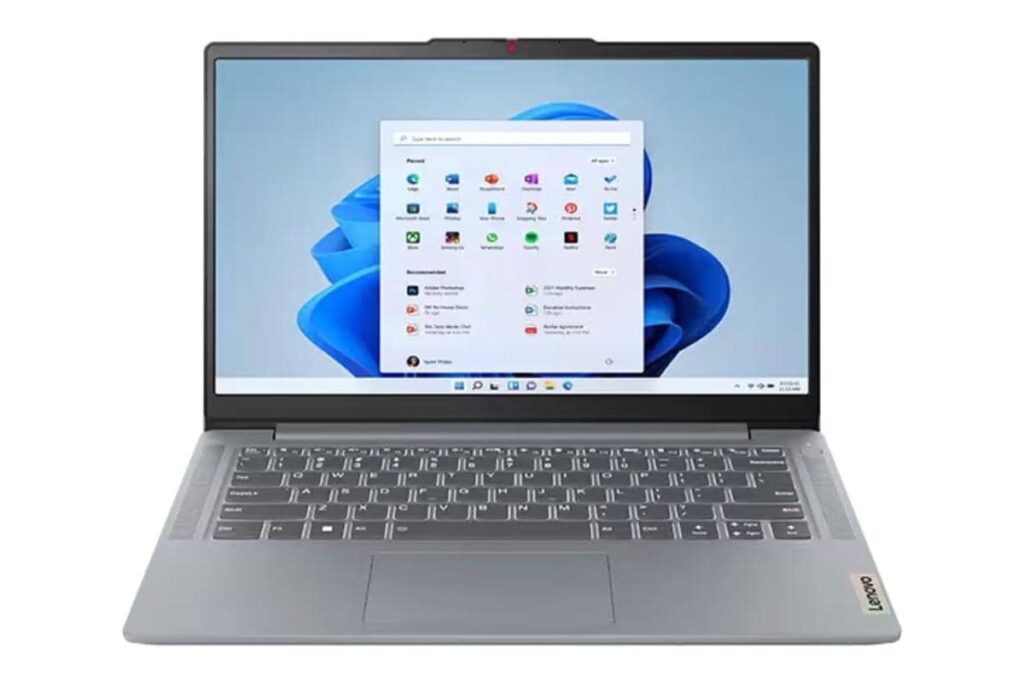
Finding an affordable laptop is now a primary need for many college students. The challenge lies in choosing a laptop under 5 million that is reliable for academic tasks, from writing assignments to attending online classes.
There are multiple options in the 5 million price range offering decent performance for everyday use. Students do not have to compromise on essential features thanks to competitive devices from top brands. Based on sources and the latest market trends, several models stand out as recommended options.
Why Affordable Laptops Matter for Students
A laptop is no longer a secondary device for students. As stated in expert reviews, many courses demand personal computers for writing, data analysis, video conferences, and multimedia presentations. An affordable laptop must support multitasking and be durable enough for regular use.
Laptops under 5 million cater well to these demands. Although not categorized as premium, their specifications are sufficient for light tasks. According to user feedback, devices in this bracket are capable of handling word processing apps, spreadsheets, browsers, and video calls smoothly.
Key Considerations Before Buying
Before selecting a laptop, check essential specifications including processor, RAM, storage, and screen quality. Ensure the build is solid, battery lasts long enough for study sessions, and the device is lightweight. Compatibility with commonly used academic software is also a plus. According to technology observers, users should prioritize laptops with at least 4GB RAM and 256GB SSD for practical use in college.
Top 7 Recommended Laptops under 5 Million for Students
The following are seven laptops in the 5 million price range recommended based on performance, build quality, and brand reputation. These choices are sourced from well-known manufacturers and verified user experiences.
-
HP 14s-dk1509AU
- AMD dual-core processor ensures stable performance for basic tasks.
- 4GB RAM and 256GB SSD offer quick boot and smooth operation for multitasking.
- Lightweight design makes it suitable for campus mobility.
-
Lenovo IdeaPad Slim 1
- Known for its slim build, this model offers portability.
- AMD A4 processor, 4GB RAM, and 256GB SSD support primary academic software.
- Comes with a clear display and reasonable battery backup.
-
Asus VivoBook A416
- Features Intel Celeron processor and 4GB RAM, ideal for light browsing and office documents.
- 256GB SSD with additional HDD slot for future upgrades.
- Reliable keyboard and large trackpad improve user comfort.
-
Infinix InBook X1
- Combines power and affordability using Intel chipsets.
- 8GB RAM in select models is a notable plus for heavy multitasking.
- Sturdy aluminum chassis and backlit keyboard attract student users.
-
Axioo MyBook 14
- One of the most budget-friendly options, offering solid battery life.
- 4GB RAM and 256GB SSD storage deliver efficiency for daily college tasks.
- Compact and lightweight, perfect for students on the move.
-
Acer Aspire 3 Slim
- Integrated graphics and dual-core processor allow for video streaming and light design work.
- Offers upgradable RAM slots.
- Noted by reviewers for its durable build at entry-level price.
- Tecno Megabook T1
- Fresh in the Indonesian market with competitive specs.
- Delivers Intel N-series processor and up to 8GB RAM.
- Slim design and premium appearance make it a new favorite among students.
Here is a quick comparison table for reference:
| Model | Processor | RAM | Storage | Notable Features |
|---|---|---|---|---|
| HP 14s-dk1509AU | AMD Dual-core | 4GB | 256GB SSD | Portable, campus-friendly |
| Lenovo IdeaPad Slim 1 | AMD A4 | 4GB | 256GB SSD | Slim, decent display |
| Asus VivoBook A416 | Intel Celeron | 4GB | 256GB SSD | Comfort typing, upgradeable |
| Infinix InBook X1 | Intel (varied) | 8GB | 256GB SSD | Aluminum body, backlit KB |
| Axioo MyBook 14 | Intel Celeron | 4GB | 256GB SSD | Affordable, all-day use |
| Acer Aspire 3 Slim | Intel Dual-core | 4GB | 256GB SSD | Upgradable RAM |
| Tecno Megabook T1 | Intel N-series | 8GB | 512GB SSD | Slim, premium design |
Tips for Maintaining a Student Laptop
To maximize the lifespan of a budget laptop, avoid overloading memory with unnecessary programs. Use original chargers and keep the device clean from dust. Experts suggest installing only essential apps and using cloud storage for lighter workload. Regular software updates also prevent slowdowns and security risks.
Where to Buy and Warranty Information
Buy from authorized dealers or official brand stores to ensure authenticity. Most of these laptops come with standard one-year warranties. Some sellers include additional software bundles or extended servicing for students.
Extra Features to Look For
Although the primary need is performance, extra features enhance value. If possible, choose models with fingerprint readers, backlit keyboards, or extra ports. According to user reviews, fast charging capabilities are favored among students due to hectic campus activities.
There is a wide selection of capable laptops under 5 million matching common college requirements. Students benefit from considering key factors like processing speed, battery life, and special offers. With careful selection, an affordable laptop can be a valuable academic companion throughout the years of study.