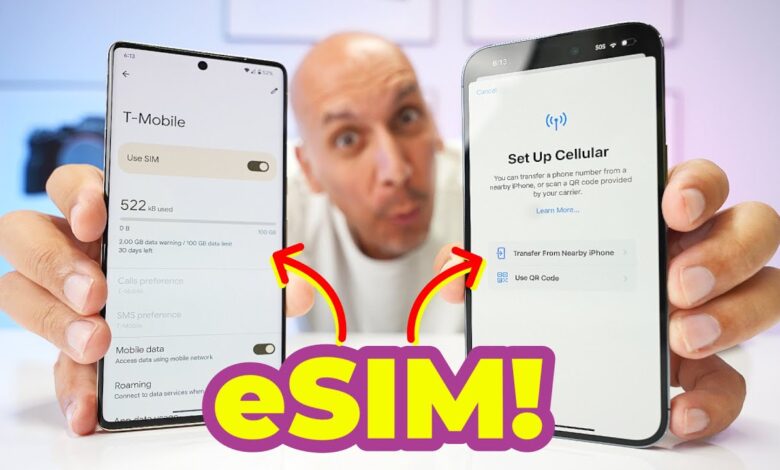
For years, moving an eSIM from an iPhone to an Android phone, or the other way around, has been more frustrating than it should have been. That is now starting to change, thanks to a new direct transfer system that works on iOS 26 and Android 16.
The update matters because failed eSIM transfers often forced users to contact their carrier, share an IMEI number, or visit a physical store. With the new cross-platform support, the number can be moved directly from the old device to the new one without resetting the phone and without carrier assistance, as long as the basic requirements are met.
Why cross-platform transfers used to be difficult
eSIM migration was usually simple only when users stayed inside the same ecosystem. iPhone to iPhone and Android to Android transfers were straightforward, while iPhone to Android and Android to iPhone often turned into a slow, confusing process.
The main problem was infrastructure, not the eSIM technology itself. As eSIM-only phones became more common, especially from Apple and Google, the transfer process across operating systems was not yet ready for broad use.
That is a notable issue because eSIM has clear advantages over a physical SIM card. A removable SIM is easy to move, but it can also increase security risks such as SIM swapping, where a card is moved to another device to intercept two-factor authentication SMS codes.
eSIM is also more convenient for tasks like buying a travel plan online and activating it within minutes. However, that convenience does not automatically make cross-platform transfers simple, and that has been the point where many users ran into trouble.
What must be in place for the transfer to work
The key to the smoother transfer flow is a combination of software version support and carrier readiness. The iPhone must run iOS 26, the Android phone must run Android 16, and the carrier must support peer-to-peer eSIM transfer between iOS and Android.
Both devices also need to stay connected to Wi-Fi during the process. Cellular data or a hotspot that depends on the eSIM being moved cannot be used to complete the transfer.
The devices must be available at the same time as well. Pairing, verification, and activation require action on both the source phone and the destination phone, so this is not a one-device-only process.
How to move an eSIM from iPhone to Android
The process begins on the Android phone. Users open Settings, then Network & Internet, then SIMs & mobile network, choose Download new SIM, move to Transfer SIM from another device, and select iPhone as the source device.
Android then displays a QR code. If needed, the system also provides a Session ID and Pairing Code for manual setup.
On the iPhone, users can open the Camera app to scan the QR code. The manual route is also available through Settings > Cellular > Transfer Phone Number > Continue, then proceeding with the QR scan or by entering the Session ID and Pairing Code.
After selecting the number to move, the user only needs to press Continue. The two devices should remain close together until the eSIM becomes active on the Android phone.
How to move an eSIM from Android to iPhone
The reverse process starts on the iPhone. Users open Settings, enter Cellular, select Set up Cellular, then tap Transfer from Android and continue after reviewing the device and carrier support notes.
The iPhone then shows a QR code. If the camera is not preferred, a manual option is also available with a Session ID and Pairing Code.
On the Android phone, users can open the Camera app to scan the QR code shown on the iPhone. The manual route is available through Settings > Google > All services > Pair with iPhone or iPad > Transfer eSIM to enter the Session ID and Pairing Code.
After the devices connect, users choose the eSIM that should be moved to the iPhone. The system then asks for authorization using a passcode or biometric verification before the transfer begins.
On the iPhone, activation is usually shown with an “Activating” screen. Within a minute or two, a “Phone Number Transfer Complete” message appears if the move succeeds.
What usually causes the process to fail
The most common failure happens when one of the devices is not running the required operating system version. The transfer can also stall if the carrier does not yet support direct eSIM movement between iOS and Android.
Problems also appear when users rely on cellular connectivity from the number that is being moved. Because both devices temporarily lose cellular access, Wi-Fi becomes essential for pairing and activation to finish properly.
Keeping the two devices close together is also important. The transfer depends on device-to-device connection and on-screen confirmation, so proximity helps prevent avoidable interruptions.
That improvement makes switching between iPhone and Android far more practical than it was before. For users who have delayed moving between platforms because of the number-transfer hassle, eSIM is no longer the major obstacle it once was.