


Samsung Galaxy S26 Ultra is built for users who want more than a standard point-and-shoot experience. Its camera system includes a wide set of modes for stabilization, manual control, night capture, and advanced stills and video work.
Some of the most useful features are tucked inside the default Camera app, while others require a free download from Galaxy Store. That mix gives the phone a flexible toolkit for everyday shooting and more demanding creative use.
Video tools that matter first
One of the most practical options is Super Steady with Horizontal Lock, which sits inside the standard Video mode. It is designed to keep footage smooth while also holding the horizon level even if the phone tilts or rotates during recording.
That makes it well suited to walking shots, action scenes, and moments when the hand cannot stay perfectly still. Samsung does reduce the field of view slightly when the feature is active, so the framing will not look exactly the same as in regular Video mode.
Nightography also works automatically inside Video mode when the camera detects low light. It is not a separate mode, but a built-in optimization that adjusts exposure, noise reduction, and detail processing in real time.
Samsung says the Galaxy S26 Ultra’s wide f/1.4 camera captures 47% more light than the equivalent camera on the Galaxy S25 Ultra. The device also supports 4K at up to 60fps and 8K at 30fps in Video mode, while Auto FPS can help lower the frame rate in darker scenes so each frame gets more light.
Manual control for users who want more precision
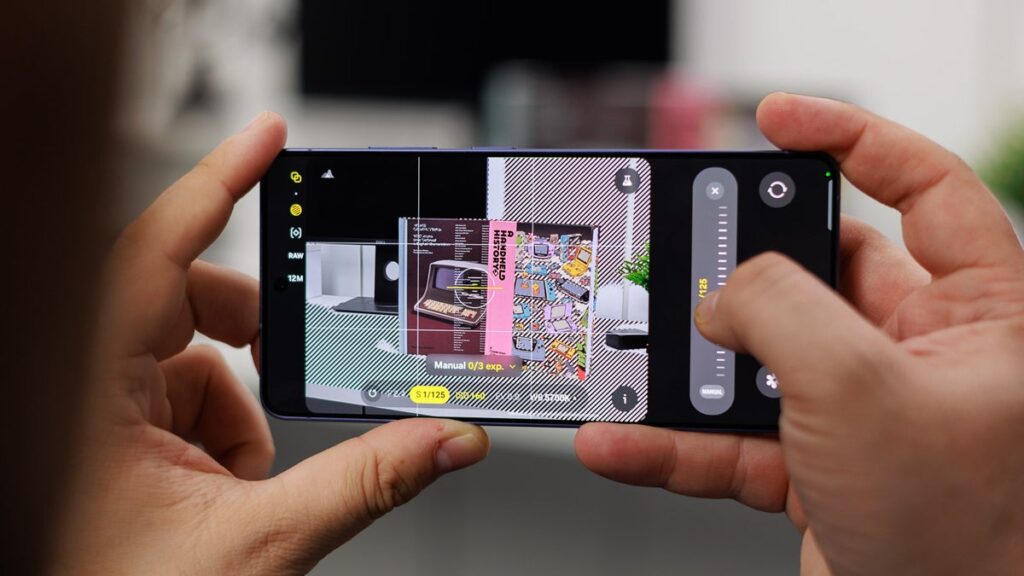
Pro mode is the main option for still photography with manual control. It allows separate adjustment of ISO, shutter speed, exposure compensation, focus, and white balance instead of relying mostly on automatic processing.
The mode also supports RAW capture alongside JPEG, which gives more flexibility during editing because the image data is kept less processed. Samsung places Pro mode under the More menu in the camera app.
For video, Pro Video offers similar control over ISO, shutter speed, white balance, focus, and microphone level while recording. It also expands the frame-rate choices beyond standard Video mode, with 8K at 24fps, 4K at 120fps, and FHD at 120fps.
Pro Video is also the main path for log recording. The result is a flat image with lower contrast that is meant for colour grading later, and Samsung includes a real-time preview LUT so users can see a graded look while shooting.
The mode supports APV as well, but that codec must be enabled separately in Camera Settings > Video format > APV. Samsung says it preserves more colour and detail than standard compression, though the file sizes are large enough to justify recording directly to external storage.
Another useful detail in Pro Video is smoother zoom control, which helps zoom transitions look more cinematic during recording.
Specialist photo modes in Expert RAW
Expert RAW is a separate free app from Galaxy Store and is aimed at advanced photography users. It is built for multi-frame RAW capture and produces RAW files with a wider dynamic range than the RAW output from the built-in Pro mode.
The app includes several specialty tools. Astrophotography mode supports long exposures for shooting the night sky and adds a Sky Guide overlay that can identify constellations in real time.
There is also Virtual Aperture, which simulates different aperture settings to control depth of field, and an ND filter mode that cuts incoming light so long exposures remain possible even in bright conditions.
A new feature highlighted for the Galaxy S26 Ultra is Virtual Reflector. It simulates a professional reflector to bounce light onto the subject, which can help with backlit portraits or indoor shots when one side of the face is in shadow.
Everyday modes still have room to surprise
Portrait mode remains one of the easiest ways to create a more dramatic look. Samsung notes that the 3x and 5x telephoto lenses can produce more natural facial proportions than portrait shots taken at 1x, where close-range distortion can appear more easily.
Users can adjust blur intensity before or after the shot, and lighting effects such as Studio, Stage, and High-Key Mono are also available. Portrait Video can be found under the More menu and allows blur adjustment while recording.
Slow motion remains useful as well, with support for 240fps in FHD and 120fps in UHD 4K. It is a practical option for water, sports, animals, and other fast movement that is hard to see clearly at normal speed.
Single Take and Dual Rec are also part of the camera package, although both need Camera Assistant from Galaxy Store to be enabled. Single Take captures photo bursts and short video clips from multiple lenses in one press, then selects the best results as a single package.
Dual Rec records from the front and rear cameras at the same time. Users can save the output as a split-screen video or as two separate files, with the settings available under Camera Settings > Dual recordings.
Taken together, the Galaxy S26 Ultra’s camera modes show how much Samsung has pushed beyond the default photo and video experience. The strongest appeal lies in how many of those options remain close at hand, even if a few require an extra download before they can be used.