Android 17 is not arriving as a dramatic visual overhaul. Instead, Google is using it to make Android feel more consistent, more secure, and easier to use across different device types.
That goal is becoming increasingly visible on Pixel devices, where the stable Android 17 build is already available for supported models. Google is also preparing a set of Gemini Intelligence features for selected Pixel and Samsung devices in the coming months, positioning Android 17 as a broader intelligence system.
Multitasking becomes more flexible
The most noticeable change is the expansion of bubbles across the system, not just for messaging apps as before. Apps can now open in floating windows that remain active while users continue working in another app.
This approach differs from split-screen because it does not divide the display immediately. Users can bring up a bubble when needed and close it again without giving up much screen space.
In daily use, the feature fits simple tasks such as checking a message while playing a game. It also works well for smart home controls, including Home Assistant or Google Home while browsing Chrome or watching video.
Foldables get special attention
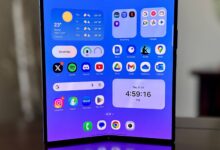
Google is also adding extra support for foldable devices through a bubble bar in the lower-right corner. Active floating windows will be pinned there, making access to multiple apps more orderly.
There are still limitations, however. Bubbles cannot yet be launched from the recents menu, so users must still long-press an app icon and choose Bubble to open it as a floating window.
Support may also be weaker on third-party launchers, which means the feature could remain less useful outside Pixel Launcher.
For gaming, Android 17 prepares a special foldable layout with a 50/50 split, placing the game on one side of the screen and the gamepad on the other.
Google also says top-tier games should run better on foldables because jitter is reduced. That feature is not part of the stable release yet and is scheduled to arrive in the coming months.
Controls, display, and privacy receive upgrades
Gamers also get a wider benefit through native controller remapping on all phones, making it easier to customize gamepad buttons.
On the interface side, Android 17 adds more practical customization for daily use. One of the most notable changes is the ability to hide app labels on the home screen for a cleaner look.
Google is also expanding Expanded Dark Theme with per-app control. That helps when an app does not display content correctly, allowing the system-wide theme to stay active while specific apps are excluded.
The Material 3 Expressive background blur effect is spreading to more parts of the interface, including the widget picker. Users who dislike it can turn it off through Accessibility > Color and motion.
In Quick Settings, the Wi-Fi and mobile data toggles are now separate. Android 17 also adds more detailed media controls, including a dedicated slider for digital assistant volume.
Screen recording receives a new Screen Reactions feature as well. It lets users record the screen with a front-camera face overlay, making reaction videos easier to produce.
On the security side, Theft Detection Lock and Remote Lock are now enabled by default during Android 17 setup, instead of being options users must find manually.
Find Hub also gains stronger protection through biometric authentication for Mark as lost. Once a phone is marked lost, access to Quick Settings is restricted and new Wi‑Fi and Bluetooth connections are disabled.
Family, privacy, and cross-device continuity
Privacy controls are being refined with a new Contact Picker that shares selected contacts rather than the entire address book. Android 17 also introduces a Location Button that makes location access session-based when an app only needs it once.
When a non-system app uses location, an indicator appears in the status bar. The behavior follows the same pattern Android uses for camera and microphone access, making active permissions easier to monitor.
For families, Android 17 adds parental controls directly in settings. Parents can set daily limits, downtime schedules, per-app limits, Google Play filters based on age rating, and easier access to Family Link.
Those controls are already available, so Pixel users who need them can configure them now. Google is not yet as far along as Apple in parental controls, but the direction is clear.
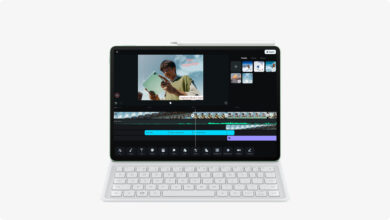
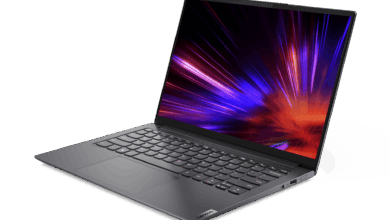
Google is also pushing a more consistent experience across devices. Android 17 is meant to support a uniform approach across phones, tablets, TV, cars, notebooks, wearables, and XR headsets that will arrive later.
Apps are designed to adapt automatically to screen size so content feels immersive on any device, helping prevent letterboxing and keeping the interface consistent across formats.
There are also unified widgets with better scaling on different screen sizes, plus Picture-in-Picture mode that allows interaction with the pinned window. Continue On is being prepared for cross-device continuity, starting with Chrome tab handoff from phone to tablet.
Not every feature is available today. Several additions, including Continue On, Create My Widget, Pause Point, and the foldable gaming mode, will arrive later, while others are still rolling out to more devices over the coming months.