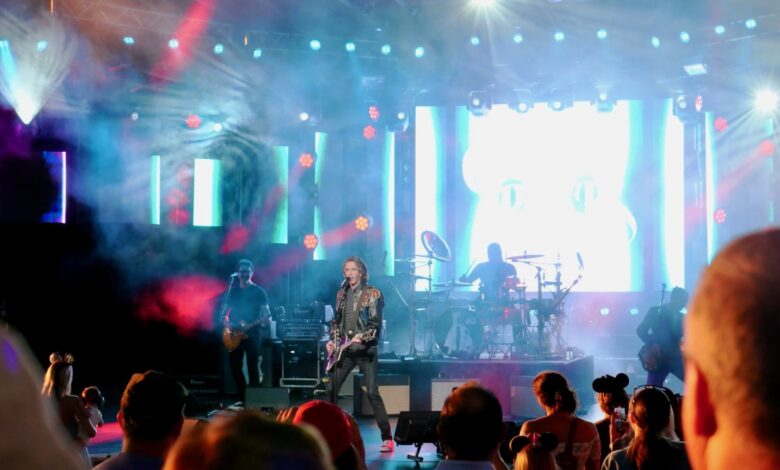
Concert audiences often face a simple trade-off: film the stage or capture their own reaction. At Cortis’ concert at Indonesia Arena in Central Jakarta, Samsung’s Dual Rec feature on the Galaxy S26 Ultra offered a way to do both at the same time.
The feature records from the front and rear cameras simultaneously in a single session. That means fans can keep Cortis in frame while also recording their own expression, without constantly turning the camera around during a live performance.
A more efficient way to record concert moments
In a crowded concert environment, ease of use matters almost as much as image quality. Dual Rec removes the need to carry two phones or switch between shots just to preserve both the performance and the fan experience.
That practicality becomes more relevant at events where extra equipment is often restricted. Tripods and gimbals are commonly not allowed in performance areas, making a single-device setup far easier to manage.
How Dual Rec works on Galaxy S26 Ultra
To activate the feature, users open the Camera app on the Galaxy S26 Ultra and switch to Video mode. They then tap the four-dot icon on the video screen and select Dual Rec from the menu.
Once enabled, the display shows two viewfinders at once. One comes from the main camera, while the other uses the front camera.
Samsung also lets users choose the layout that fits their style. Picture-in-Picture places the selfie view in a small corner window, while Split view arranges the two views vertically or in reverse.
More than just front and rear cameras
Dual Rec is not limited to the main camera and the selfie camera. It can also combine the front camera with the telephoto or ultrawide lens.
That flexibility gives concertgoers more options depending on their seat position and distance from the stage. A front-and-ultrawide setup can capture a wider view of the venue while still recording the user’s reaction.
Another option pairs the selfie camera with telephoto, which can help keep the stage action visible from farther away. Samsung Galaxy S26 Ultra also supports dual rear-camera recording, including combinations such as main plus telephoto or telephoto plus ultrawide.
One file or two, depending on editing needs
The final recording can be saved either as a combined file or as separate files. If users choose Split view or Picture-in-Picture, the result can be stored as one video that already shows both angles.
Those who want more editing freedom can save the two recordings separately through the Settings menu under Dual recordings. That option is useful for users who plan to upload quickly or edit the footage later.
At Cortis’ first concert in Southeast Asia, that approach makes the documentation feel more personal than a standard fancam. The recording captures not only the performance on stage, but also the fan’s place inside the moment itself.