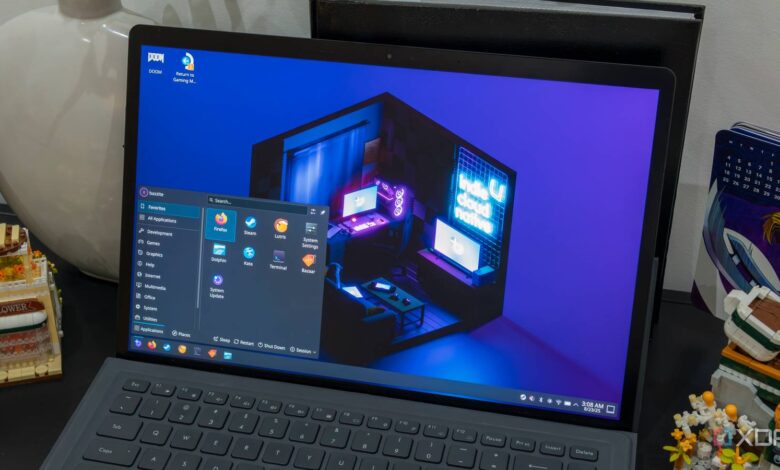
SteamOS is becoming a more appealing option for desktop PC owners who want to step away from Windows. The biggest decision point is not the processor or storage capacity, but the graphics card and the games a user plays most often.
For systems built around AMD hardware, SteamOS is currently one of the safest recommendations. For Nvidia users, however, the experience remains far less consistent and can create serious problems.
AMD remains the most reliable path
Valve designed SteamOS with AMD at the center of its ecosystem. That is reflected in the Steam Machine hardware, which uses AMD CPUs and GPUs, so desktop systems with similar components tend to benefit from better compatibility.
On a PC with an AMD GPU, SteamOS can be an attractive alternative for everyday gaming. It also removes many of the extra layers of Windows that are not always necessary for playing games.
There is still one major limitation that users need to keep in mind. Games that explicitly require kernel-level anti-cheat remain a weak point, which means not every title will run smoothly.
That makes the decision to install SteamOS more than a simple question of overall system performance. Users also need to check whether their game library depends on that kind of anti-cheat technology.
Nvidia is still the biggest problem
The most serious challenge today appears on desktop systems using Nvidia GPUs. Because SteamOS is based on Linux, it inherits many of the same issues seen on other Linux distributions when paired with Nvidia drivers.
SteamOS can run on Nvidia hardware, but the results can vary widely. Users may encounter lower game performance, graphic glitches, display problems, and even boot failures depending on the GPU and driver combination.
The root of the issue lies in Nvidia’s Linux driver approach, which still depends heavily on proprietary components. Compared with AMD’s more open-source path, the integration has not been as smooth as gaming users need.
Valve has acknowledged the problem and is already working on it. Pierre-Loup Griffais, a software engineer at Valve, confirmed that the company is working with Nvidia to improve SteamOS support for GeForce GPUs.
Even so, the fix is not expected soon. Current expectations suggest that a mature driver stack may not arrive until late 2026, which is why AMD-based gaming systems remain the better fit for now.
Intel CPUs are less of a concern
On the processor side, concerns about Intel are much smaller than before. Older issues related to hybrid designs with P-cores and E-cores are said to have been largely addressed by modern Linux kernels.
Thread scheduling is now considered better, allowing games to run on performance cores while background tasks are moved to efficiency cores. Under those conditions, modern Intel processors should be able to run SteamOS without major CPU-related problems.
SteamOS has also added official support for Intel handhelds and Intel GPUs. That broadens the desktop installation options beyond AMD, as long as Nvidia is not part of the graphics setup.
How the installation works and what gets erased
Valve has started opening the door wider for desktop SteamOS installs through SteamOS 3.8. For systems with AMD or Intel graphics, the early setup process is relatively direct and does not appear especially complicated.
The first step is downloading the latest SteamOS recovery image from Valve’s Steam hardware support page. After accepting the terms and conditions, the download can begin.
Users then need a USB drive with at least 8GB of capacity. On Windows, the installation media can be created with Rufus by selecting the SteamOS image and writing it to the USB drive, which will erase everything on it.
The next step is entering BIOS or UEFI settings to disable Secure Boot and set the USB drive as the primary boot device. After saving the changes, the system reboots and starts from the USB drive.
When the boot menu appears, the user needs to choose the EFI USB Device option. The screen may stay black for a few moments before SteamOS finishes loading, and that short delay is still considered normal.
Once the desktop environment appears, installation is handled through the “Re-image Device” shortcut. This step is critical because it completely wipes the target drive, including Windows, installed programs, games, and personal files.
After installation is complete, the PC must be restarted and the USB drive removed. SteamOS then boots normally, guides the initial setup, asks for an internet connection, and then requires a Steam account login before games can be downloaded.
For many desktop users, the question of whether SteamOS is worth installing comes down to two simple points. If the system uses an AMD GPU and the games do not rely on kernel-level anti-cheat, SteamOS is already reasonable to try; if the system uses Nvidia, waiting for better official support still appears to be the safer choice.