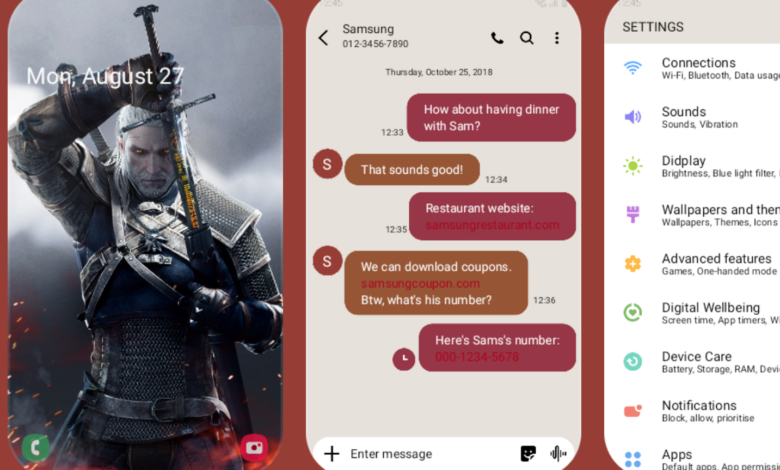
Samsung has pushed out a focused update for Theme Park, the Good Lock module used for deeper visual customization on Galaxy devices. The new version, 1.1.02.2, addresses a bug that left clock and calendar icons invisible when users entered per-app icon editing on devices running versions other than One UI 9.
That fix matters because Theme Park is one of the tools many Galaxy owners rely on to fine-tune the look of their phones. When core icons do not appear inside the editor, the customization process becomes harder to manage, especially for users who adjust app icons one by one.
A small patch with a clear target
Samsung listed only one change in the release notes, and the company kept the scope narrow. The update is aimed specifically at correcting the missing clock and calendar icons in the per-app icon edit mode on non-One UI 9 devices.
That limited changelog suggests this is a maintenance release rather than a feature update. Still, small visual glitches can have an outsized impact in a customization app, where precision and visibility are essential to the editing process.
Version 1.1.02.2 and where it is appearing
The update carries the Theme Park version number 1.1.02.2. It has already been observed on a Galaxy S26 Ultra running One UI 9.0 in India, even though the bug fix itself is aimed at devices outside One UI 9.
That combination indicates Samsung is distributing the same module update across multiple Galaxy software environments. In practice, that is common for Good Lock components, which can receive fixes through Galaxy Store without waiting for a full system firmware release.
| Item | Details | Notes |
|---|---|---|
| Module | Theme Park | Part of Good Lock |
| Version | 1.1.02.2 | Latest update mentioned |
| Bug fixed | Clock and calendar icons were not visible in per-app icon editing | Impacted devices running versions other than One UI 9 |
Why the bug stood out for customization fans
For casual users, missing icons in the editor may sound minor. For Good Lock users, however, the issue directly affects how they personalize their Galaxy interface and confirm that icon changes look correct before applying them.
Clock and calendar icons are especially noticeable on the home screen, so their absence inside Theme Park can interrupt the visual editing flow. Samsung did not add new features, redesign the interface, or mention any other improvements in this release.
How Galaxy users can install it
Users can check Galaxy Store by opening the Menu, selecting Updates, and tapping Update all. That will scan for available updates across apps and modules on the device.
Another route is through the Good Lock app itself. From there, users can open Plugins and tap the update icon next to Theme Park if the new version has already been made available.
Because Samsung often rolls out app updates in stages, the patch may not appear for every user at the same time. Those who do not see version 1.1.02.2 immediately may simply need to check again later in Galaxy Store.
For Galaxy owners who use Theme Park regularly, the update is less about new capabilities and more about restoring a smoother editing experience. In a customization tool, that kind of stability can be just as important as a new visual feature.