


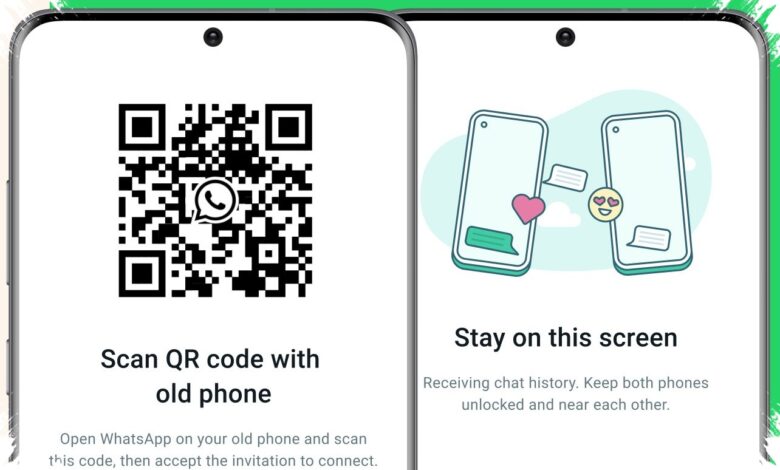
A lost WhatsApp number does not always mean the account is gone for good. If access to an old device or an active WhatsApp Web session still exists, the account can often be moved to a new number without waiting for an SMS code or phone call.
That detail matters for people who keep work chats, family photos, or transaction records in WhatsApp. With the right steps, the old number can be replaced first, then the chat history can be restored from the official backup already built into the app.
What makes an expired number a problem
WhatsApp uses a phone number as the main account identity. When the app is reinstalled or moved to a new phone, the system usually asks for a 6-digit verification code sent to that number.
The problem begins when the number is no longer active, has been blocked by the operator, or is now used by someone else. In that case, the verification code will not arrive, and access can become difficult if no chat backup is available.
The one condition that keeps recovery possible
This recovery method only works when the user still has access to the device that was previously connected. The old phone must still be on and connected to the internet, or the WhatsApp Web or WhatsApp Desktop session must remain active.
If either access point still works, the account is still technically signed in. That means the number can be changed directly from the settings menu without a fresh verification process.
Prepare the new number first
The first step is to activate a new SIM card. The new number must be able to receive SMS messages and calls, because it will become the account identity from that point on.
The new number is also best left unused for another WhatsApp account. If it has already been used, the old account should be removed first so the transfer can proceed normally.
| Item | Why it matters | Requirement |
|---|---|---|
| Old device or active web session | Preserves access to the current account | Must still be logged in |
| New SIM card | Becomes the replacement identity | Must receive SMS and calls |
| Cloud backup | Protects chat history during the switch | Google Drive or iCloud must be active |
Back up chats before changing numbers
Before anything is switched, the chat history should be secured first. On Android, users can open Settings, then Chat, then Chat Backup, and make sure Google Drive is connected.
On iPhone, the path is Settings, then Chats, then Chat Backup, with iCloud active and enough storage available. A fresh backup is recommended so the latest chats are included.
Use WhatsApp’s Change Number feature
WhatsApp includes a dedicated menu for this situation. On the old device, open the app, go to Settings, then Account, and choose Change Number.
Enter the old number in the first field and the new number in the second, then tap Done. The system will move contacts, groups, and the profile to the new number without requiring a new account.
Restore chats on the new phone
After the number has been changed, WhatsApp can be installed on a new phone or on the same device after a reset. When prompted, verify the new number, then choose Restore to pull the chat history back from Google Drive or iCloud.
Within minutes, chats, media, and groups can return as they were. This approach helps users keep important records even after the old number is no longer active.
What should be avoided
Users should not delete WhatsApp from the old device before the number is changed. If the app is removed too early, the account connection can break and recovery becomes much harder.
Logging into a new phone without a backup also risks losing old chats. Third-party apps that claim to break into WhatsApp should also be avoided because they are risky, violate policy, and can steal data.
When all old access is already gone
If the old phone is broken, WhatsApp Web has been logged out, and no backup exists, recovery without verification is no longer possible. In that situation, the only remaining option is to create a new account with a new number.
After that, contacts can still be informed through social media and asked to save the new number. That is why automatic backups remain essential, so losing access does not also mean losing the entire chat history.