


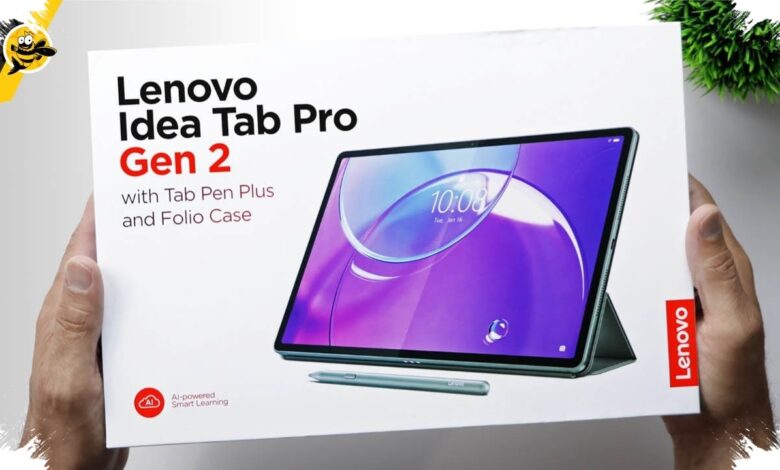
Lenovo has positioned the Idea Tab Pro Gen 2 as more than a large-screen Android tablet. Its main appeal is a work-oriented experience that pushes closer to a laptop through WPS Office PC Level, AI tools, and bundled accessories designed for serious productivity.
That positioning matters for users who move between study, meetings, and entertainment. Lenovo is targeting students, young professionals, and digital natives who want something compact, but still capable of handling real work.
PC-Like Office Work Comes First
The clearest differentiator is WPS Office PC Level, which brings a desktop-style interface for working on Microsoft Office documents. The setup supports more complete spreadsheet editing, including complex formulas and macros, while keeping presentation files compatible.
Lenovo also pairs the tablet with a 2-in-1 Keyboard with Trackpad and the Lenovo Tab Pen Plus. Together, those accessories make typing, presenting, and note-taking feel much closer to using a notebook.
| Aspect | Idea Tab Pro Gen 2 | Benefit |
|---|---|---|
| WPS Office | PC Level | More complete document editing |
| Keyboard | 2-in-1 Keyboard with Trackpad | More comfortable for work and typing |
| Stylus | Lenovo Tab Pen Plus | Supports notes and presentations |
AI Tools for Study and Daily Work
Lenovo has also built in several AI features to speed up everyday tasks. Smart AI Input lets users call an AI assistant directly from the keyboard without switching apps, and the system can help summarize, rewrite, and refine documents.
Other features are aimed at learning and meetings. AI Explain can break down study material instantly, while Smart Capture & AI Notes turns images into neat notes, and Live Transcript plus Real-Time Translation handle speech transcription and live translation.
Performance and Display Aim at Heavy Multitasking
Under the hood, the tablet uses the Qualcomm Snapdragon 8s Gen 4. Lenovo says the chip delivers up to 60 percent better CPU performance and 130 percent better GPU performance than the previous generation.
That hardware is combined with up to 12GB LPDDR5X RAM and up to 512GB of UFS 4.0 storage. The goal is to support multitasking and faster AI processing without slowing down under heavier workloads.
The visual side is equally ambitious. The Idea Tab Pro Gen 2 uses a 13-inch PureSight Pro display with 3.5K resolution, a 144Hz refresh rate, and brightness of up to 800 nits.
Lenovo also offers a Matte Edition Display option for a paper-like writing feel and reduced glare. For long sessions away from a charger, the tablet includes a 10,200mAh battery rated for up to 12.5 hours of video streaming, along with 45W fast charging.
Audio comes from four JBL speakers with Dolby Atmos support, giving movies and games a more immersive sound profile. That helps the tablet stay balanced between productivity and entertainment instead of leaning too far in one direction.
A More Affordable 11-Inch Option Is Also Available
Alongside the Pro model, Lenovo has introduced the Idea Tab 11-inch as a lower-cost alternative. It uses a MediaTek Dimensity 6300 processor, up to 8GB of RAM, and up to 256GB of storage with microSD expansion up to 2TB.
The smaller model also ships with a Lenovo Folio Keyboard and Lenovo Tab Pen, which means it still arrives ready for productive use from the start.
| Model | Processor | RAM / Storage | Accessories |
|---|---|---|---|
| Idea Tab Pro Gen 2 13-inch | Snapdragon 8s Gen 4 | Up to 12GB / up to 512GB | 2-in-1 Keyboard Pack, Tab Pen Plus |
| Idea Tab 11-inch | MediaTek Dimensity 6300 | Up to 8GB / up to 256GB | Folio Keyboard, Tab Pen |
In Indonesia, the Idea Tab Pro Gen 2 starts at Rp9.899.000, while the Idea Tab 11-inch starts at Rp4.299.000. Lenovo is selling the Idea Tab Series through Lenovo Exclusive Store and official marketplaces.
With PC-level WPS Office, AI features, a large high-refresh display, and bundled accessories, the Idea Tab Series is clearly aimed at users who want a tablet that can do more than entertainment. Lenovo is making a stronger case for Android tablets as practical work devices rather than secondary screens.