


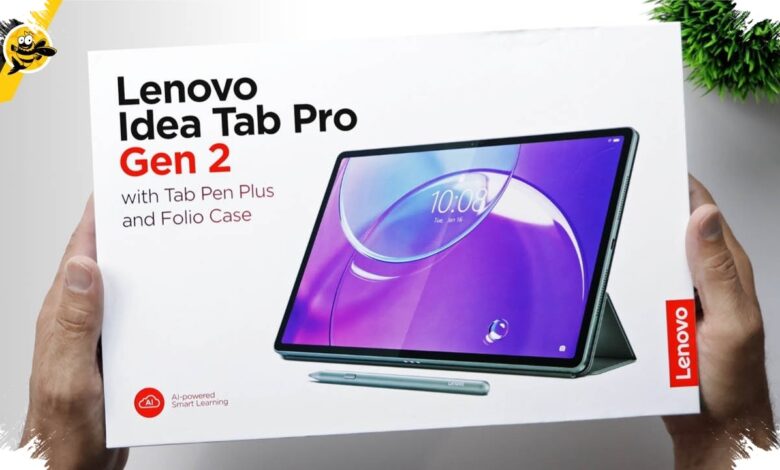
Lenovo is pushing its premium tablet segment closer to laptop territory with the Idea Tab Pro Gen 2. The device is built for professionals and content creators who want strong mobility without giving up a serious work setup.
The company is also pairing the tablet with features that are usually associated with PCs. That approach gives the Idea Tab Pro Gen 2 a more complete productivity focus than a typical consumer tablet.
AI-powered performance at the core
At the center of the tablet is Qualcomm’s Snapdragon 8s Gen 4, paired with a built-in Hexagon NPU. Lenovo says the combination is meant to speed up processing while supporting on-device AI features.
The NPU also serves as the main accelerator for Lenovo AI Solusi. In practice, that setup is aimed at making video editing, graphics work, and complex document handling feel smoother than on the previous generation.
Desktop-style office work on a tablet
One of the most notable additions is WPS Office PC Level, which is integrated into the system. It is designed to address a common complaint from tablet users who often find mobile office apps too limited.
With a desktop-like interface and feature set, users can open Microsoft Office formats such as docx, xlsx, and pptx. Automatic synchronization is also available in both online and offline modes, helping keep documents accessible when moving between locations.
A package that is ready to work
Lenovo is not positioning the device as a standalone tablet alone. In selected sales packages, buyers can also receive a 2-in-1 Keyboard Pack and the Lenovo Tab Pen Plus.
The keyboard pack weighs under 500 grams, but still includes 1.5 mm key travel, 15 mm key size, and an 18 mm key pitch. It also features a responsive trackpad with more than 10 gestures and a smart key for faster access to Lenovo’s AI ecosystem.
The Lenovo Tab Pen Plus offers low latency and 4,096 levels of pressure sensitivity. It also supports tilt detection, palm rejection, and can be used as a wireless remote for turning document pages, controlling music, and triggering the camera shutter.
Smart Connect extends the workflow
For cross-device productivity, Lenovo adds Smart Connect to link PCs, notebooks, smartphones, and tablets. The feature works across different operating systems, including Android, Windows, and iOS.
Users can share files, photos, and apps, or reply to messages instantly within one connected ecosystem. For people who frequently switch between devices, that kind of integration can be a meaningful advantage.
Specs and pricing
| Aspect | Details |
|---|---|
| Processor | Qualcomm Snapdragon 8s Gen 4 with built-in Hexagon NPU |
| Display | 13.3-inch Lenovo PureSight Pro, 3.5K resolution, 309 dpi, 144Hz, 800 nits, 90% DCI-P3, Dolby Vision |
| Memory & Storage | 8GB RAM + 256GB ROM and 12GB RAM + 512GB ROM, microSD up to 2TB |
| Connectivity & Ports | USB Type-C 3.2 Gen 1 and Wi-Fi 7 |
| Audio | 4 JBL speakers with Dolby Atmos |
| Battery | 10,200 mAh, 45W Quick Charge, full in about 80 minutes, up to 12.5 hours of YouTube video playback |
| Design | 6.2 mm thick, 589 grams, Luna Grey, Cloud Grey, and Jelly Mint |
| Price | Starts at Rp 8.899.000 for the tablet with pen, Rp 9.899.000 for the 8GB/256GB variant, and Rp 12.399.000 for the 12GB/512GB Paper Light Edition |
According to Lenovo Indonesia, as reported by www.liputan6.com, the most affordable option is the tablet-and-pen bundle at Rp 8.899.000. The 8GB/256GB model starts at Rp 9.899.000, while the top Paper Light Edition is priced at Rp 12.399.000.
With a large 13.3-inch display, a 10,200 mAh battery, Wi-Fi 7, and a bundled accessory ecosystem, the Lenovo Idea Tab Pro Gen 2 is clearly aimed at users who want a tablet that can do far more than stream content. In a hybrid-work environment, that positioning makes the device feel much closer to a compact productivity machine.