


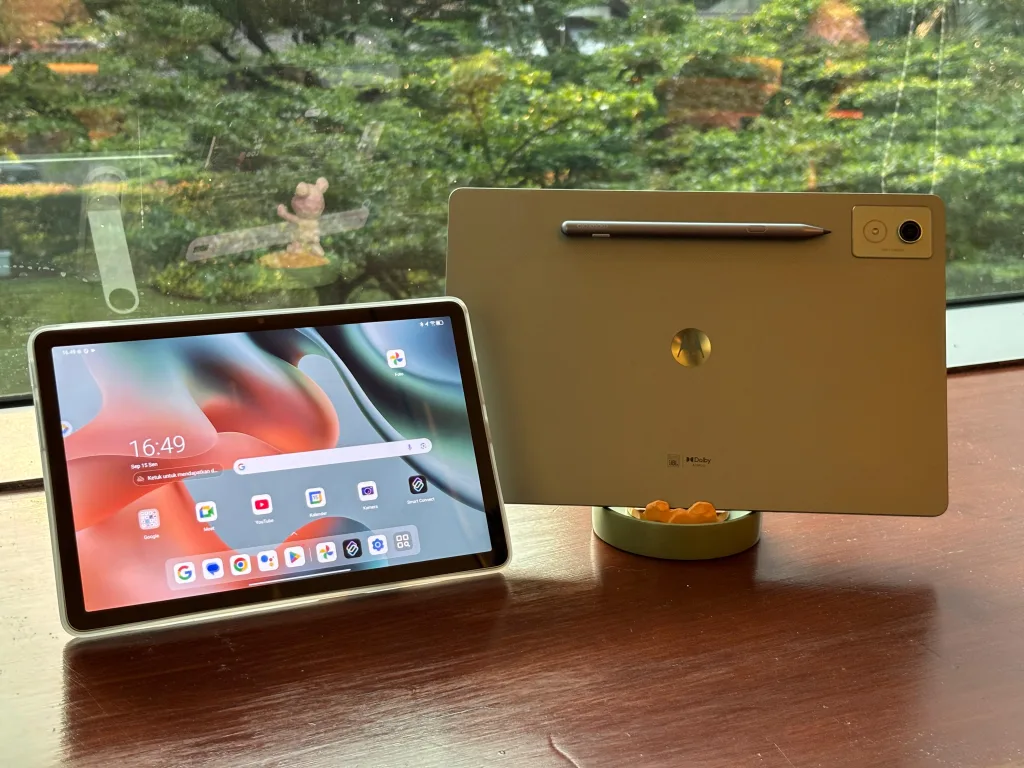
For modern creators, seamless synchronization across devices is essential for efficient workflow. The Moto Pad 60 Pro tablet excels in this area, earning the title of Best Tablet for Creator at the Indonesia Gadget Award 2025. Its combination of powerful specifications and smooth cross-device connectivity distinguishes it from other tablets.
Multitasking Capabilities Enhance Internal Workflow
The Moto Pad 60 Pro supports multitasking with up to four applications in split-screen mode and five floating windows. This enables users to run primary apps, research tools, note-taking, and communication apps simultaneously. The interface lets users drag apps from the recent menu to desired screen sections, simplifying multi-app usage.
Floating windows keep lightweight apps like chat and music running without obstructing the main workspace. Users can reposition, resize, or hide these windows on demand. This design helps creators maintain focus without excessive distractions, boosting productivity.
Moto Pen Pro Bridges Ideas to Execution
Tablet interaction is further enriched by the Moto Pen Pro stylus, which offers responsive input for note-taking, sketching, and annotating documents. Creators can quickly draft ideas on the tablet and refine them on a laptop, streamlining brainstorming into polished output. This natural input method enhances the ideation phase beyond keyboard-only workflows.
Smart Connect Enables True Cross-Device Synchronization
The standout feature of the Moto Pad 60 Pro is Smart Connect, allowing effortless pairing with Windows laptops or PCs. Users can install the Smart Connect app on their computer, then activate the feature on the tablet under Settings > Connected Devices. This connectivity supports two main display modes: extended and mirrored.
Extended display mode works well for creators, providing extra workspace such as moving editing timelines to the tablet while previewing on the laptop screen. Mirrored display suits presentations or monitoring tasks. This versatile setup allows tailored workflow management across devices.
Cross Control and File Transfer Simplify Device Interaction
Beyond screen sharing, Smart Connect supports cross control. This feature lets users control the tablet using their laptop’s keyboard and mouse, creating a seamless interface experience. Drag-and-drop file transfers work without cloud uploads or cables, speeding up workflow efficiency.
For advanced users, USB debugging combined with scrcpy offers more control options, though this approach is more technical and less convenient for daily use. Smart Connect alone provides practical synchronization for most users.
Real-World Use: The Tablet as a Laptop Partner
In daily operations, the Moto Pad 60 Pro shines as a companion device instead of a laptop replacement. Tasks like writing on a laptop while viewing reference materials on the tablet become much easier. Video editing also benefits from the separate timeline notes enabled by this dual-device setup.
While heavy multitasking with demanding apps may affect performance, typical workflows involving writing, research, communication, and light editing run smoothly. This balance makes the Moto Pad 60 Pro a stable, effective partner for creators.
Key Features Summary
- Up to four split-screen apps and five floating windows for multitasking.
- Moto Pen Pro stylus for precise note-taking and drawing.
- Smart Connect for seamless Windows laptop integration with extended or mirrored displays.
- Cross control allowing tablet operation via laptop keyboard/mouse.
- Simple drag-and-drop file transfer between devices without extra tools.
The Moto Pad 60 Pro represents a new level of device synchronization. By effectively bridging tablets and laptops, it supports diverse creative workflows with ease. This tablet is well-suited to users who need a versatile, connected device that effortlessly "talks" to their entire tech ecosystem.