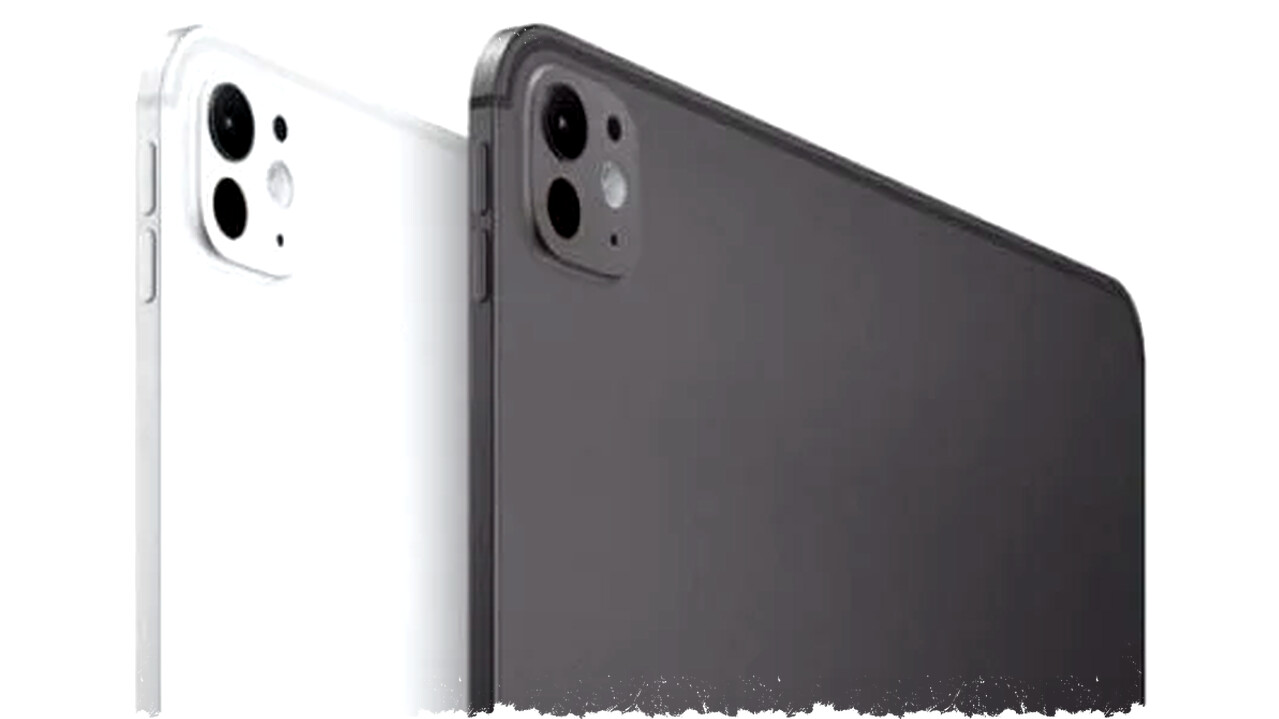
The iPad Pro M4 arrives as a powerhouse tablet, pushing hardware boundaries with remarkable performance. Powered by Apple’s latest M2 chip successor, the device showcases blazing fast processing capabilities tailored for demanding applications. It features upgraded RAM and storage options up to 2TB, making it one of the most potent tablets available today.
Despite this impressive hardware, users still face significant limitations that stem from the tablet’s operating system and default software environment. iPadOS, while refined over recent years, restricts multitasking, file management, and pro user workflows compared to macOS or Windows alternatives. These restrictions can bottleneck the full potential of the iPad Pro M4’s advanced internals.
Performance and Hardware Excellence
The iPad Pro M4 boasts improvements in CPU, GPU, and Neural Engine speeds, which translate to smoother multitasking, gaming, and creative work. Benchmarks also reveal that this tablet surpasses most Windows laptops in raw computational power. The Liquid Retina XDR display enhances visual fidelity, supporting HDR and accurate color grading ideal for video editors and digital artists.
Connectivity options include Thunderbolt 4 ports, 5G support, and Wi-Fi 6E, cementing the iPad’s readiness for modern workflows requiring fast data transfers and online collaboration. Apple Pencil latency continues to improve, providing a near-natural drawing experience for creators.
Software Limitations Restrict Full Utility
However, iPadOS continues to hamper what many professionals expect from a device priced upward of $1,000. Even with Stage Manager and improved windowing features, multitasking is less flexible than on traditional desktops. Apps commonly used in creative and productivity fields often lack the depth and functionality of their desktop counterparts.
File management remains less intuitive, impairing complex project organization and cross-app workflows essential for advanced users. This bottleneck can frustrate power users who want to replace laptops outright with an iPad Pro M4. Furthermore, the operating system still restricts installing mainstream software and custom applications that many professionals rely on daily.
Application Ecosystem and Usability
Apple’s curated App Store offers numerous tablet-centric applications; however, the gap between iPadOS apps and full desktop software remains wide. Programs like Adobe Photoshop and Final Cut Pro have iPad versions, but features are often trimmed or reimagined for touch interactions.
This ecosystem challenge means some workflows require compromises or secondary hardware, limiting the iPad’s appeal strictly as a primary creative tool. Apple’s insistence on a locked-down software approach, while enhancing security and stability, restricts flexibility for developers and users alike.
Is the iPad Pro M4 Overkill?
Given its raw processing prowess, the iPad Pro M4 might feel like overkill in typical scenarios such as media consumption, casual gaming, and everyday productivity. The tablet’s capabilities far exceed what most apps can currently leverage, which may be underwhelming for average users.
Professionals seeking laptop replacements or ultra-portable workstation devices may appreciate the power but still find iPadOS limitations a dealbreaker. In contrast, Windows tablets and convertibles offer more open environments, albeit often at the cost of battery life or seamless user experience.
Comparing Alternatives
New entrants like the Redmi Pad 2 Pro and Infinix XPAD 20 Pro target budget-conscious users with capable hardware and Android’s more permissive software ecosystem. Huawei MatePad 12X 2026 also offers professional productivity features and PC-like experiences. These options highlight that tablet innovation continues across ecosystems beyond Apple’s walled garden.
Summary of Key Strengths and Weaknesses
| Strengths | Weaknesses |
|---|---|
| Cutting-edge M4 chip performance | iPadOS limits multitasking ability |
| Exceptional Retina XDR display | File and app ecosystem restrictions |
| Pro-level connectivity options | Desktop software unavailable on iPad |
| Superior Apple Pencil responsiveness | Overpowered for casual users |
Final Thoughts
The iPad Pro M4 represents a significant leap in tablet hardware power. Its design and features cater well to content creators and power users on the go. However, the potential remains underutilized due to software constraints and the curtailed iPadOS ecosystem.
Consumers should carefully weigh whether the iPad Pro M4’s hardware strengths align with their workflow needs or if alternative devices with more open software environments better serve their purposes. Until Apple expands iPadOS to fully embrace pro workflows without compromising usability and security, the iPad Pro M4 will remain highly capable but somewhat limited by its software foundation.
-

-

-

-