


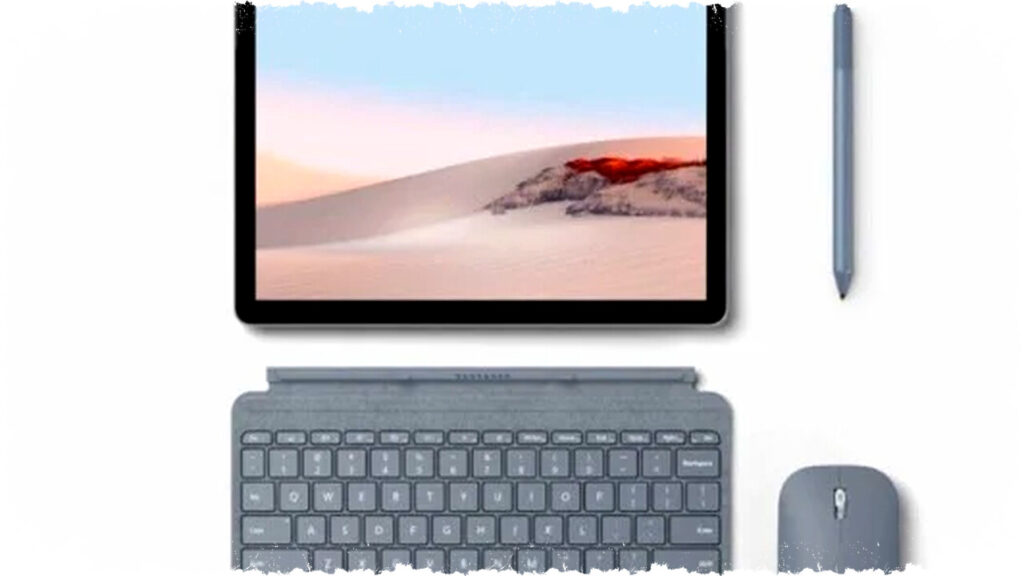
Microsoft Surface Go 2 stands out as a compact yet powerful tablet designed for both work and school purposes. It offers full Windows 11 functionality in a lightweight form factor, making it ideal for users who need portability without sacrificing productivity.
The device’s thin and light body allows easy transportation to classrooms, offices, or business trips. With its small footprint, users can comfortably work even in tight spaces.
Full Windows Experience for Maximum Productivity
Surface Go 2 operates on Windows 11, providing a familiar interface and full support for desktop applications. This includes Microsoft 365, robust web browsers, and creative software, enabling users to handle complex tasks on the go.
Such capabilities make it suitable for a wide range of professional and educational activities. Users no longer need to rely on limited mobile apps, as Surface Go 2 delivers the complete Windows environment in tablet form.
Flexible Input with Stylus and Keyboard Support
One of Surface Go 2’s key advantages is its compatibility with the Surface Slim Pen and an optional keyboard. This combination facilitates faster typing, efficient note-taking, and enhanced hybrid work experiences.
The stylus supports precise digital handwriting and drawing, appealing to students and creative professionals alike. Meanwhile, the keyboard transforms the device into a quasi-laptop, increasing versatility.
High-Quality Display for Visual Tasks
Its display offers accurate color reproduction, crucial for presentations, reading documents, or light editing work. The screen quality ensures visual clarity, making it easier to consume or create content in varied lighting conditions.
Users can expect sharp images and comfortable viewing angles, supporting productivity throughout the day.
Balanced Performance and Portability
Powered by an efficient processor, Surface Go 2 handles daily computing tasks such as email, document editing, and multitasking smoothly. Despite its compact size, it delivers adequate performance for most work and school scenarios.
This balance between power and mobility allows users to stay productive wherever they go without carrying bulky hardware.
Why Microsoft Surface Go 2 is a Smart Choice
- Portability: Weighing just around 1.2 pounds (approximately 0.54 kg) and featuring a slim profile, it fits easily into bags or backpacks.
- Full Windows 11: Access to desktop-grade apps and services enhances workflow efficiency.
- Versatile Input Options: Surface Slim Pen and keyboard attachments enable flexible working styles.
- Clear, Color-Accurate Screen: Suitable for both productivity and light creative tasks.
- Decent Battery Life: Supports extended use during classes or meetings without frequent charging.
Surface Go 2 is well-suited for students who need a lightweight device capable of note-taking and assignments. Professionals benefit from its desktop-class software support and convenient portability for remote or hybrid work environments.
Its price point, starting from around $400 USD, offers an affordable entry into the Windows tablet ecosystem. This affordability, combined with rich features, positions Surface Go 2 as a competitive tablet option among its peers.
In summary, Microsoft Surface Go 2 merges the flexibility of a tablet with the power of a laptop. It delivers a full Windows experience along with accessories that enhance typing and drawing, all packed into a compact design. This makes it a smart choice for anyone seeking a reliable, portable device for work or school-related productivity.