


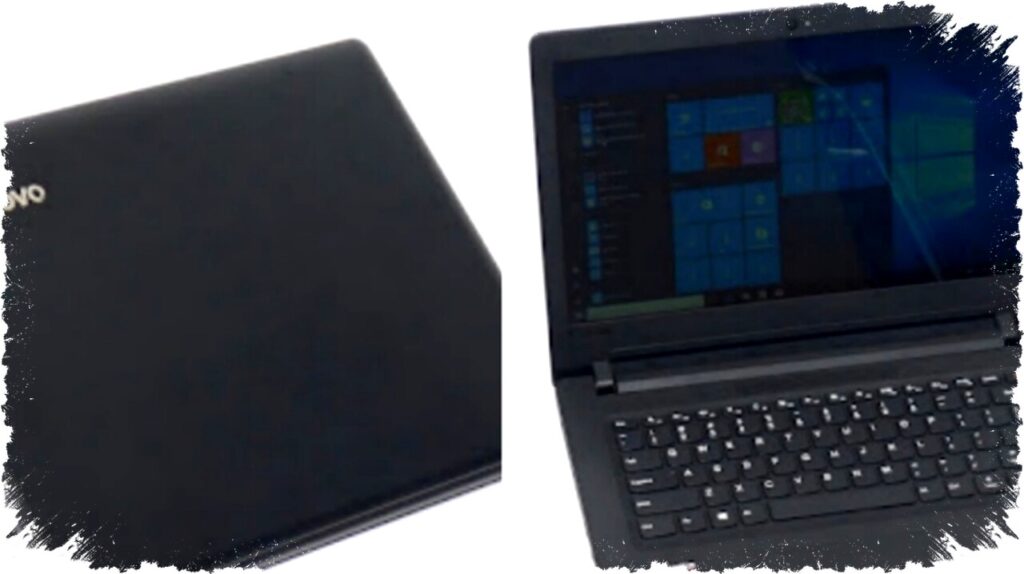
Laptop has become an essential tool for students to complete assignments and attend online classes effectively. However, new laptops often come with high prices, prompting many students and parents to consider buying used laptops as a more economical option.
Buying a second-hand laptop can save money significantly, but certain precautions must be taken to avoid disappointment later. A careful inspection and understanding of what to look for help ensure the laptop meets study needs and remains durable.
Check the Laptop Screen Thoroughly
The screen is one of the most heavily used parts of a laptop. It serves for typing assignments, watching educational videos, and attending virtual classes. Inspecting the screen for defects such as dead pixels or persistent black spots is crucial.
Turn on the laptop, let it run for a few minutes, and observe the display carefully. Clean the screen beforehand to distinguish between dust and actual pixel problems. A clear and functional screen will enhance comfort during long study sessions.
Verify RAM and Storage Capacity
RAM influences how smoothly a laptop handles multitasking, which is vital for students running multiple applications simultaneously. Storage capacity dictates how many files and programs a laptop can accommodate.
Using tools like the Task Manager in Windows, students can check RAM size, type, speed, and storage type. Solid State Drives (SSD) are highly recommended for used laptops because they offer faster data access than traditional Hard Disk Drives (HDD). An SSD can improve overall laptop performance, making study tasks less frustrating.
Test the Camera and Audio Equipment
Online learning relies heavily on video calls and presentations. It is essential to ensure that both the built-in camera and microphone operate correctly. Launch the laptop’s camera app and check image clarity, then make a short video call test.
Speakers should also be tested by playing videos or audio files to verify clear sound output. Poor audio quality and camera malfunctions can disrupt communication and reduce learning effectiveness during online classes.
Inspect the Keyboard Closely
The keyboard is vital for typing assignments and reports. Used laptops may have worn or non-responsive keys due to previous usage. Testing every key using text applications like Notepad or Microsoft Word helps determine if the keyboard is in good working order.
If any keys are malfunctioning, buyers should discuss with the seller the possibility of repair or replacement costs. Keyboard repairs can be expensive, so factoring this into the budget is important.
Check All the Laptop Ports
Charging ports, USB connectors, HDMI, SD card slots, and audio jacks are critical for daily use and connectivity. A malfunctioning port could impede charging or data transfer, causing inconvenience during study activities.
Testing each port guarantees full functionality. If any port is defective, negotiate a lower price or ask about repairs before finalizing the purchase. Having all ports working properly ensures the laptop will support diverse learning tools.
Ensure Minimum Specifications Fit Study Needs
Choosing a laptop with adequate technical specifications is essential for a smooth study experience. Experts recommend a minimum of 8GB RAM, an AMD Ryzen 3rd generation or Intel Core 8th generation processor, and a Full HD screen resolution (1920×1080 pixels).
It’s also important to confirm the laptop uses an SSD to boost performance. Realistic expectations matter—used laptops generally don’t perform like brand-new models, but selecting the right specs helps balance quality and budget effectively.
Summary of Smart Second-Hand Laptop Buying Tips for Students
| Step | What to Check | Why It Matters |
|---|---|---|
| 1 | Screen | Comfort and visibility |
| 2 | RAM & Storage | Speed and capacity |
| 3 | Camera & Audio | Clear communication |
| 4 | Keyboard | Efficient typing |
| 5 | Ports | Connectivity and charging |
| 6 | Specs | Overall performance |
Following these steps helps students find a reliable used laptop that supports their learning activities without overstretching the budget. Even if the device is second-hand, careful selection ensures durable and efficient operation for schoolwork.
Approach used laptop buying thoughtfully, and you can secure a quality machine that maintains good performance and service life. With these precautions, a second-hand laptop becomes a smart, affordable option for students.